No-Recoil is for users who want quicker taps and swipes for gaming or daily use. It offers suggested sensitivity settings aimed at improving how fast the screen reacts to touch. You can try the recommended setup, then check how it feels while playing or browsing. Results differ by device, so adjust gradually until it feels steady and accurate. Installing the No-Recoil APK lets you test these settings without complicated steps.
Recommended sensitivity setup
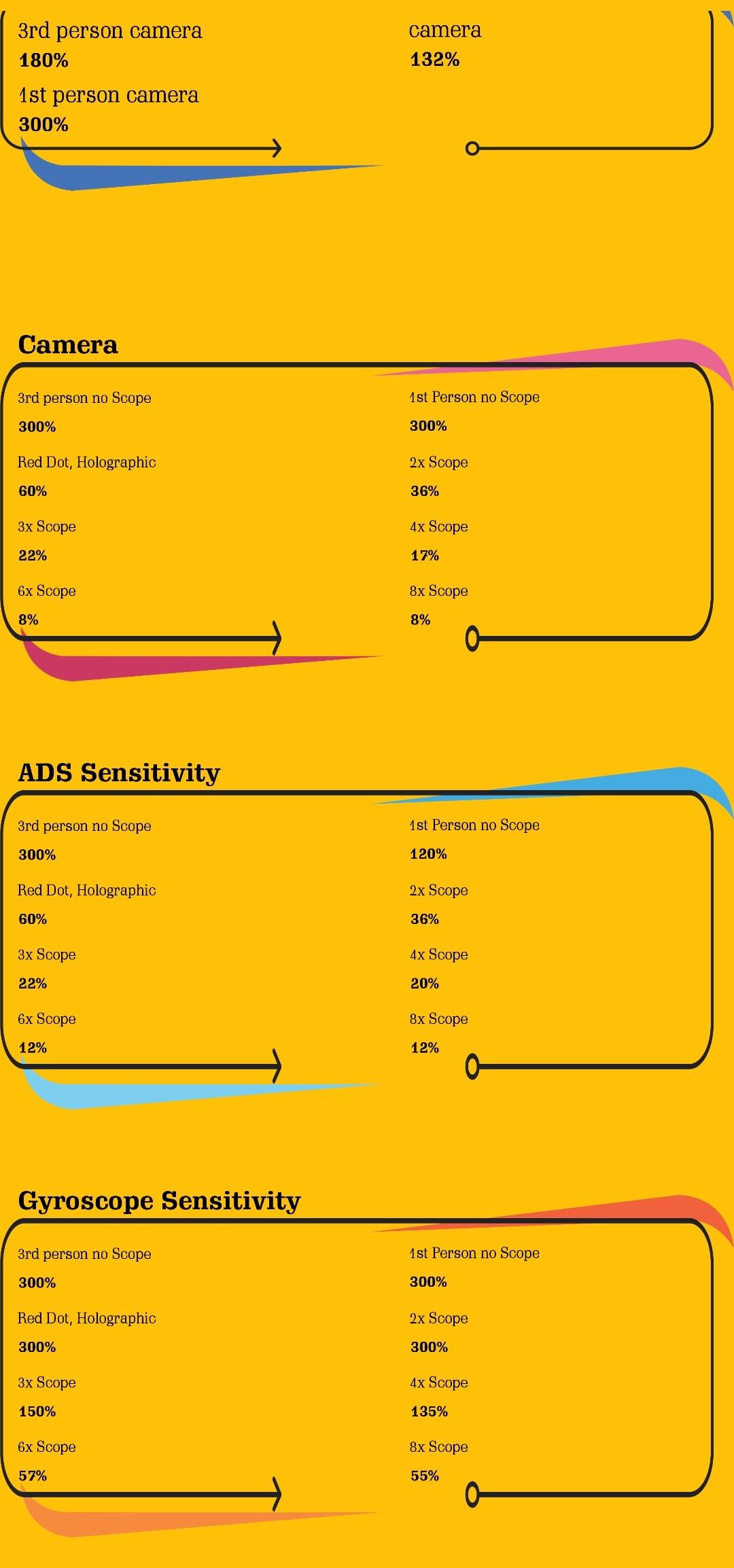
No-Recoil provides suggested touch sensitivity values that focus on faster response during taps and swipes. These recommendations are designed to help input feel quicker in action games and regular apps. Start with the suggested option, then switch only if you need a different feel on your device.
Focus on faster touch response
The app centers on improving how quickly your phone registers touch actions. This can support smoother aiming, turning, and quick menu moves in games that rely on fast gestures. It can also make everyday scrolling and typing feel more responsive when your device supports these adjustments.
Quick start and adjustment
You can open the app, review the available sensitivity options, and apply a setting before launching your game or app. Try a short session, check stability, and keep the option that feels consistent. If you are updating, the No-Recoil latest version continues to prioritize clear and simple sensitivity tuning for touch speed.
No-Recoil offers straightforward touch sensitivity recommendations that can make your screen feel faster during play and daily tasks. Test a suggested option, then fine tune only if needed. To try it on your device, download No-Recoil and evaluate the changes in your usual apps and games.
Latest Version
1.0Uploaded by
أيسر الكناني
Requires Android
Android 5.0+
Category
Free Tools AppContent Rating
Everyone
Report
Flag as inappropriateLast updated on Jan 22, 2024
Bug Fixed
Icon Updated
Updated UI
New Players Added
New Sensitivity for devices






APKPure - A multi-platform app store primarily focused on Android, providing extensive app-related content. Discover the app you want easier, faster, and safer, with quick and efficient downloads and installations.