
オーディオファイルのみを出力するVOCAです。
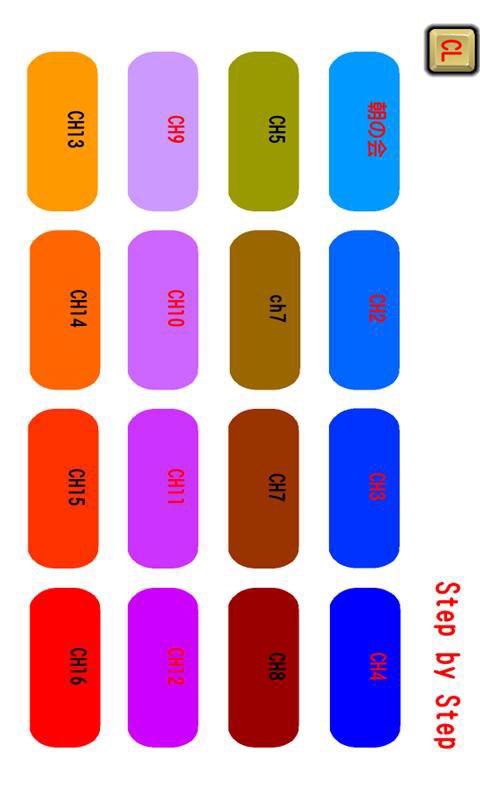
メニューでチャンネル1~6まで設定が可能です。
一つのチャンネルにMP3ファイルをいくつでも登録可能です。
登録した順番にボタンをタップすると再生していきます。
再生中はボタン操作を無効にしています。
順番を戻すときは左上に薄くもどるボタンが表示されます。
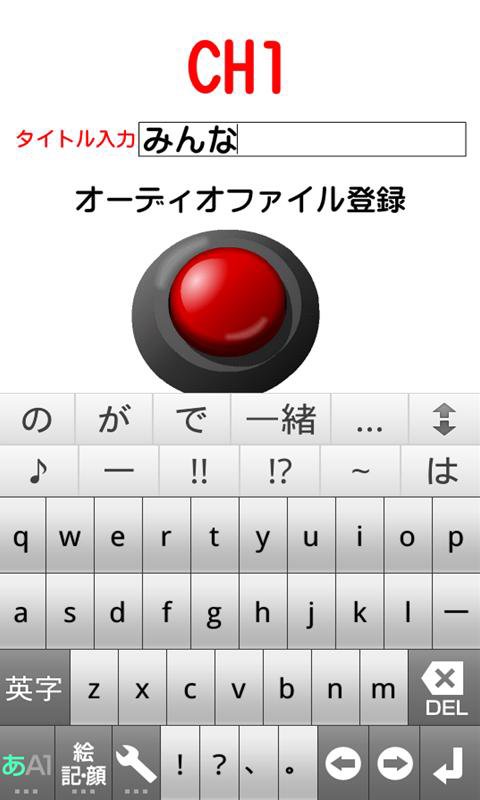
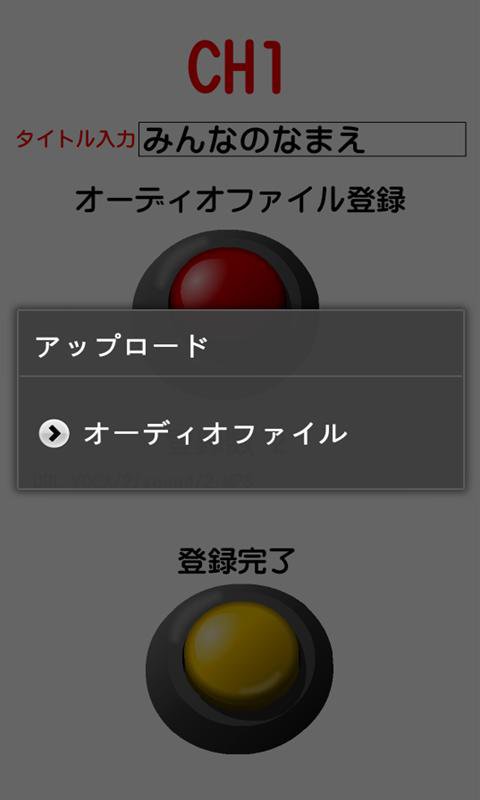
SDカードのmp3のオーディオファイルを読み込み登録することができます。
クリアボタン:CLボタンも設定していますので、適宜活用してください。
特別支援学校で学んでいる障害のある人、発達障害の人たちの学習向けに作成したものです。
①アプリケーションをスタートさせて、メニュー画面のチャンネルボタンを押した段階でスリープ状態になりません。
②戻るボタンを押すとアプリを終了します。
Laatste Versie
1.0.4Geüpload door
Abhishek Bodare
Android vereist
Android 2.2+
Categorie
Gratis Onderwijs APPInhoudsbeoordeling
UnratedWarning – content has not yet been rated. Unrated apps may potentially contain content appropriate for mature audiences only.Learn More · Unrated
Melden
Rapporteer als ongepastLast updated on Aug 12, 2016
ver1.0.2
①縦型なのを横型フルスクリーンに変更
②メニューのボタンにコメントをつけられるようにしました。
③CLボタンをクリックして、目的のボタンのテキストやSOUNDの順番のクリアボタンを用意しました。
④設定項目を6パターン→16パターンにチャンネルを増やしました。




APKPure - Een multi-platform appstore die zich voornamelijk richt op Android en uitgebreide app-gerelateerde content biedt. Ontdek de app die je wilt, eenvoudiger, sneller en veiliger, met snelle en efficiënte downloads en installaties.