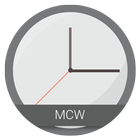
MCW Is a series of Material Clock Widgets, there are a lot of packs, each pack comes with different design, and 6 colors .
Features:
- 6 Colors : Amber, Blue, BlueGrey, Read, Dark, And Teal .
- Standalone widgets, No need for Zooper or anything else .
- Battery friendly.
- Ability to choose the app you want to open when the widget is clicked.
Change onWidget click action:
- Create a new widget.
- Before clicking on the color/type you want, press the Menu.
- Select "Enable Chooser" to open the same clock widgets changing screen.
- Select "Enable Clock" to open the default clock app.
- Select the color/type that you want, and it will be added.
Every widget has its own app selection, and OnClick action. So be sure before you change anything.
*IF you experienced any problem, Please email me along with the device's details .
Laatste Versie
1.1Geüpload door
Kim Anh Phan
Android vereist
Android 4.0.3+
Categorie
Gratis Personalisatie APPInhoudsbeoordeling
Everyone
Melden
Rapporteer als ongepastLast updated on Nov 28, 2016
- Ability to choose the app you want to open when the widget is clicked.



APKPure - Een multi-platform appstore die zich voornamelijk richt op Android en uitgebreide app-gerelateerde content biedt. Ontdek de app die je wilt, eenvoudiger, sneller en veiliger, met snelle en efficiënte downloads en installaties.