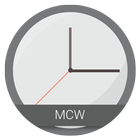
MCW Is a series of Material Clock Widgets, there are a lot of packs, each pack comes with different design, and 6 colors .
Features:
- 6 Colors : Amber, Blue, BlueGrey, Read, Dark, And Teal .
- Standalone widgets, No need for Zooper or anything else .
- Battery friendly.
- Ability to choose the app you want to open when the widget is clicked.
Change onWidget click action:
- Create a new widget.
- Before clicking on the color/type you want, press the Menu.
- Select "Enable Chooser" to open the same clock widgets changing screen.
- Select "Enable Clock" to open the default clock app.
- Select the color/type that you want, and it will be added.
Every widget has its own app selection, and OnClick action. So be sure before you change anything.
*IF you experienced any problem, Please email me along with the device's details .
Versi Terbaru
1.1Diunggah oleh
Kim Anh Phan
Perlu Android versi
Android 4.0.3+
Kategori
Gratis Personalisasi APLIKASIRating konten
Everyone
Last updated on Nov 28, 2016
- Ability to choose the app you want to open when the widget is clicked.



APKPure - Toko aplikasi multi-platform yang terutama berfokus pada Android, menyediakan konten terkait aplikasi yang luas. Temukan aplikasi yang Anda inginkan dengan lebih mudah, cepat, dan aman, dengan unduhan dan pemasangan yang cepat dan efisien.