
Important Note: HP Dual App Viewer is currently available only for HP Slate 21 (hp.com/go/slate21) and HP Slatebook 14 (hp.com/go/Slatebook)
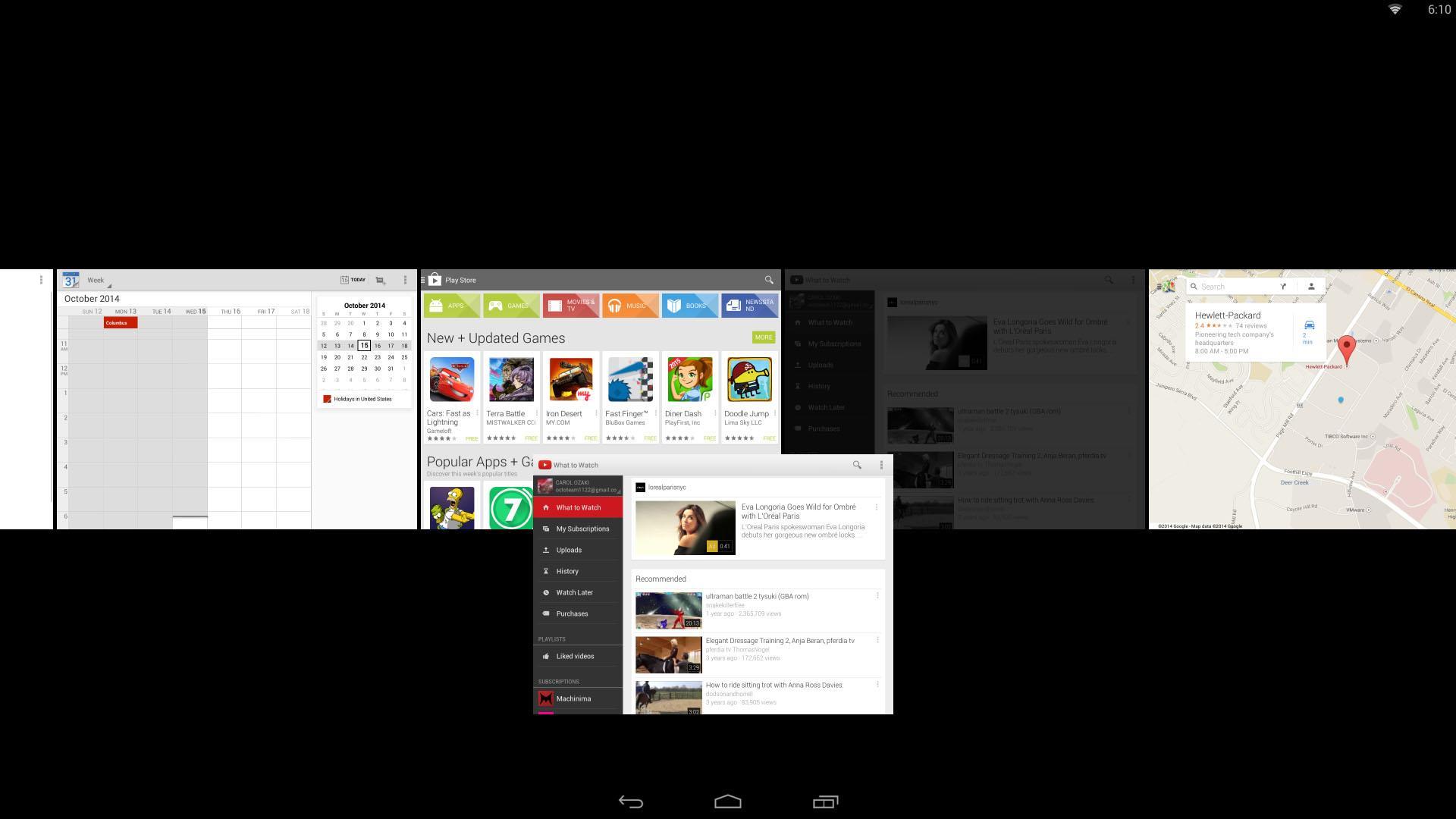
HP Dual App Viewer allows you to view and interact with two apps side by side, making multitasking on Android more convenient and easier to use.
Do you want to browse the web while writing a paper? You can do it.
Do you want to chat with your friends while watching a movie? You can do it.
Do you want to make a video while watching a video? Why not, you can do that too.
Included in this tutorial are the detailed features available in HP Dual App Viewer and how to how to control/operate/use it using gestures.
Laatste Versie
1.0Geüpload door
Sujoko Fadil
Android vereist
Android 4.2+
Categorie
Gratis Productiviteit APPInhoudsbeoordeling
Everyone
Melden
Rapporteer als ongepastLast updated on Aug 5, 2015
Deze versie bevat kleine bugfixes en algemene verbeteringen. Werk bij naar de nieuwste versie voor de beste ervaring.




APKPure - Een multi-platform appstore die zich voornamelijk richt op Android en uitgebreide app-gerelateerde content biedt. Ontdek de app die je wilt, eenvoudiger, sneller en veiliger, met snelle en efficiënte downloads en installaties.