Next VPN helps users who want a straightforward way to protect mobile data on public WiFi and at home. It focuses on stable connections and privacy, while staying simple to set up and use. Additionally, it adapts to different networks so you can keep browsing without complex steps. Users can install the Next VPN APK on compatible Android devices and start with basic settings, then adjust options as needed. If any issue appears, support is available by email or through the official website.
Flexible protocol support
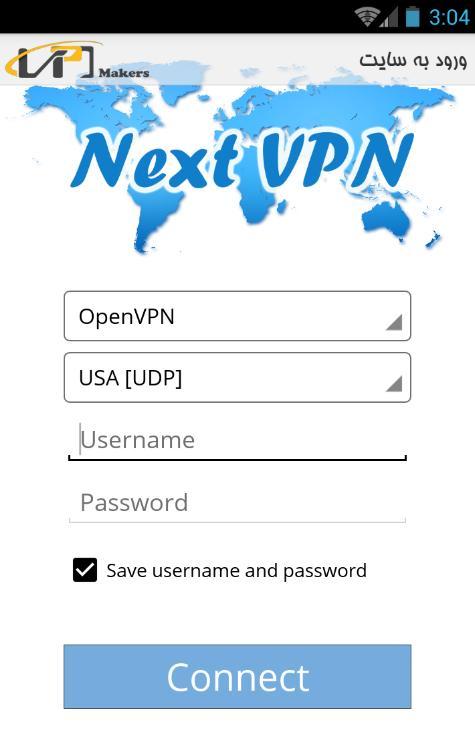
Next VPN includes Cisco OpenConnect, OpenVPN, and sslVPN for VPN connections, plus Tunnel+ and sslProxy for proxy use. You can switch between UDP and TCP to match your network conditions. If one option is blocked or unstable, try another to keep your connection working.
Servers in several countries
After setting a protocol, select from multiple servers across different regions. Choosing a nearby location can improve speed, while a specific region can help with tasks that need a local presence. You can change servers anytime to suit your activity.
App selection
Once a server is chosen, choose which apps pass through the VPN and which use normal internet. This helps you route only the traffic that matters, keeping other apps on direct connections for speed or local access.
Encryption and compatibility
To keep data secure and devices supported, connections use 256 bit encryption. The app supports Android 4.1 and higher, so older and newer devices can run it. If you need help, assistance is available by email or on the website.
Next VPN offers practical controls for protocols, servers, and app routing, with encryption and Android 4.1 support. Set it up in minutes and adjust settings to match your network. For installation or updates, find the Next VPN latest version and follow the on screen steps.
Latest Version
3.1.23Uploaded by
アンジェロ マイケル
Requires Android
Android 4.1+
Category
Free Tools AppContent Rating
Everyone
Report
Flag as inappropriateLast updated on Dec 12, 2018
bug fixes.



APKPure - A multi-platform app store primarily focused on Android, providing extensive app-related content. Discover the app you want easier, faster, and safer, with quick and efficient downloads and installations.