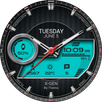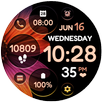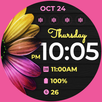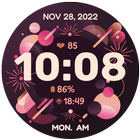
New Year Themed Watch Face for WEAR OS
INSTALLATION NOTES!
1. Watchface won't automatically install on watch. Make sure the watch is properly connected to your phone via Bluetooth. Wait for a few minutes for the watchface to be transferred on watch.
2. Open the playstore app on your WATCH and type the name of the watchface on the search box.
3. It will then show up and then hit install button.
4. Watchfaces don't automatically change after successfully installing. Go to your watch home and select the watchface from the watchfaces menu.
5. Samsung Developers provided a helpful video in installing Wear OS watch face in so many ways: https://www.youtube.com/watch?v=vMM4Q2-rqoM
* For device incompatibility / "This app is not available for your device", use Play Store on a WEB browser (CHROME) from PC or Laptop instead of using the playstore app on phone.
Copy and paste the watch face link on a WEB browser (CHROME) and install.
* Enable all permissions from settings -> applications -> permissions.
* This watch face was developed with Samsung's "Watch Face Studio" tool for devices based on the new Wear OS Google / One UI Samsung operating system like Samsung Galaxy Watch 4.
*Refund is only allowed within 48 hours.
Please be patient and be reminded that we don't have control over the installation issue. Our watch face apps are thoroughly tested in a real device (Galaxy Watch 4) and are reviewed and approved by the Google Play Store team before publishing them. We aim to make sure users will enjoy our watch faces.
FEATURES:
-12/24hr Digital Time (auto-sync, based on phone settings)
-Date (Multi-language)
-5 Preset App Shortcuts (Single tap to open/ fixed not editable)
Settings, Alarm, Calendar, Messages & Phone
-2 Customizable Shortcuts (changeable)
Different complications to choose from; weather, steps, time zone, sunset/sunrise, barometer, next appointment and more.
-Always-On (AOD)
-Changeable LCD styles and font color palette (Touch and hold display. Tap on customize option)
Measuring Heart Rate (Manual Refresh)
***The shortcut does not open the Heart Rate app but starts independent measurement. It doesn't update the Wear OS heart rate app. This watch face displays the heart rate at the time of measurement and it may have different reading from the Wear OS app.
***To measure heart rate: Please make sure to wear your watch properly, screen turned on and stay still while measuring. Then single tap the heart icon to measure heart rate.
* Allow permissions to display data.
* Some features may not be available or may be different on some watches.
Full Collection: https://play.google.com/store/apps/developer?id=Bloomfield+Watchfaces
Contact us at: bloomfieldwatchfaces@gmail.com
Facebook Page: https://www.facebook.com/bloomfieldwatchfaces
Youtube: https://www.youtube.com/watch?v=IIi7s0Uio8Q
Galaxy Store: https://galaxy.store/ALwatches
Latest Version
Varies with deviceRequires Android
Category
Personalization AppContent Rating
Everyone
Report
Flag as inappropriateLast updated on Dec 30, 2022
Minor bug fixes and improvements. Install or update to the newest version to check it out!



APKPure - A multi-platform app store primarily focused on Android, providing extensive app-related content. Discover the app you want easier, faster, and safer, with quick and efficient downloads and installations.