Package Name:com.bloomfield.activewear
SHA-256:a26857b34281bfe2e1bb5991dde92c69a3f75c1e1362fecbe89de6d51c3fa94f
Show More
📍Requires Min SDK Version: 34 (Android API 34+)
📍INSTALLATION GUIDE
Our watch face apps are thoroughly tested in a real device (Galaxy Watch 4) and are "reviewed and approved" by the Google Play Store Team before publishing them.
⚠️⚠️⚠️ Before you rate us unfairly, reach us out at bloomfieldwatchfaces@gmail.com and we will send you sceeenshots and instructions how to install the watchface. We are more than willing to help you step by step.
TAKE NOTE❗️❗️❗️
1️⃣ Watchfaces automatically install on watch. (There will be a download icon on screen while installing)
2️⃣ MAKE SURE THE WATCH IS STRONGLY CONNECTED TO YOUR PHONE USING THE SAME WIFI. MUST ALSO LOG IN TO YOUR GOOGLE ACCOUNT "ON WATCH" FOR SEAMLESS INSTALLATION.
3️⃣ After download, WAIT for a few minutes for the watchface to be transferred on watch. (There will be a notification on your watch if the watchface was successfully transferred.)
4️⃣ If incase there is no notification, Go to PLAYSTORE ON YOUR WATCH and type on the SEARCH BOX "Active Wear Watchface"
5️⃣ The watchface will show up, then hit on install button.
⭐️ Watchfaces don't automatically change after successful installion. Go back to home display. Tap and hold display, swipe until the end and tap + to add the watchface. Rotate Bezel to find the watchface.
📍Please see Feature Graphics for more details how to install.
⭐️ALLOW / ENABLE all permissions from settings -> applications -> permissions.
⚠️ Refund is ONLY allowed within 48 hours.
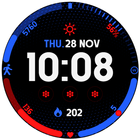
📍This watch face was developed with Samsung's "Watch Face Studio" tool for devices based on the new Wear OS Google / One UI Samsung operating system like Samsung Galaxy Watch 4.
📍FEATURES:
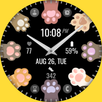
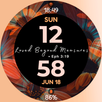
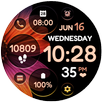
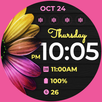
-Digital Clock
-Date
-Always-On (AOD)
-Preset App Shortcuts
-Customizable App Shortcuts & Complications
-Changeable styles & font color palette
📍Some features may not be available on some watches.
Full Collection: https://play.google.com/store/apps/developer?id=Bloomfield+Watchfaces
Contact us at: bloomfieldwatchfaces@gmail.com
Facebook Page: https://www.facebook.com/bloomfieldwatchfaces
Youtube Installation Tutorial: https://www.youtube.com/watch?v=vMM4Q2-rqoM
Latest Version
Varies with deviceUploaded by
Edmon Bias
Requires Android
Category
Free Personalization AppContent Rating
Everyone
Security Report
Check Now
Report
Flag as inappropriateLast updated on May 6, 2026
Minor bug fixes and improvements. Install or update to the newest version to check it out!




APKPure - A multi-platform app store primarily focused on Android, providing extensive app-related content. Discover the app you want easier, faster, and safer, with quick and efficient downloads and installations.