New Second is more than a millisecond-level floating clock, it's a professional timekeeping tool that allows for segmented timing, annotation, and sharing.
New Second is an efficiency tool that integrates high-precision millisecond display and professional segmented timing. Whether for online shopping sprees, daily life and study, professional sports training, or rigorous experimental recording, it provides you with ultimate time control.
🚀 Why Choose New Second?
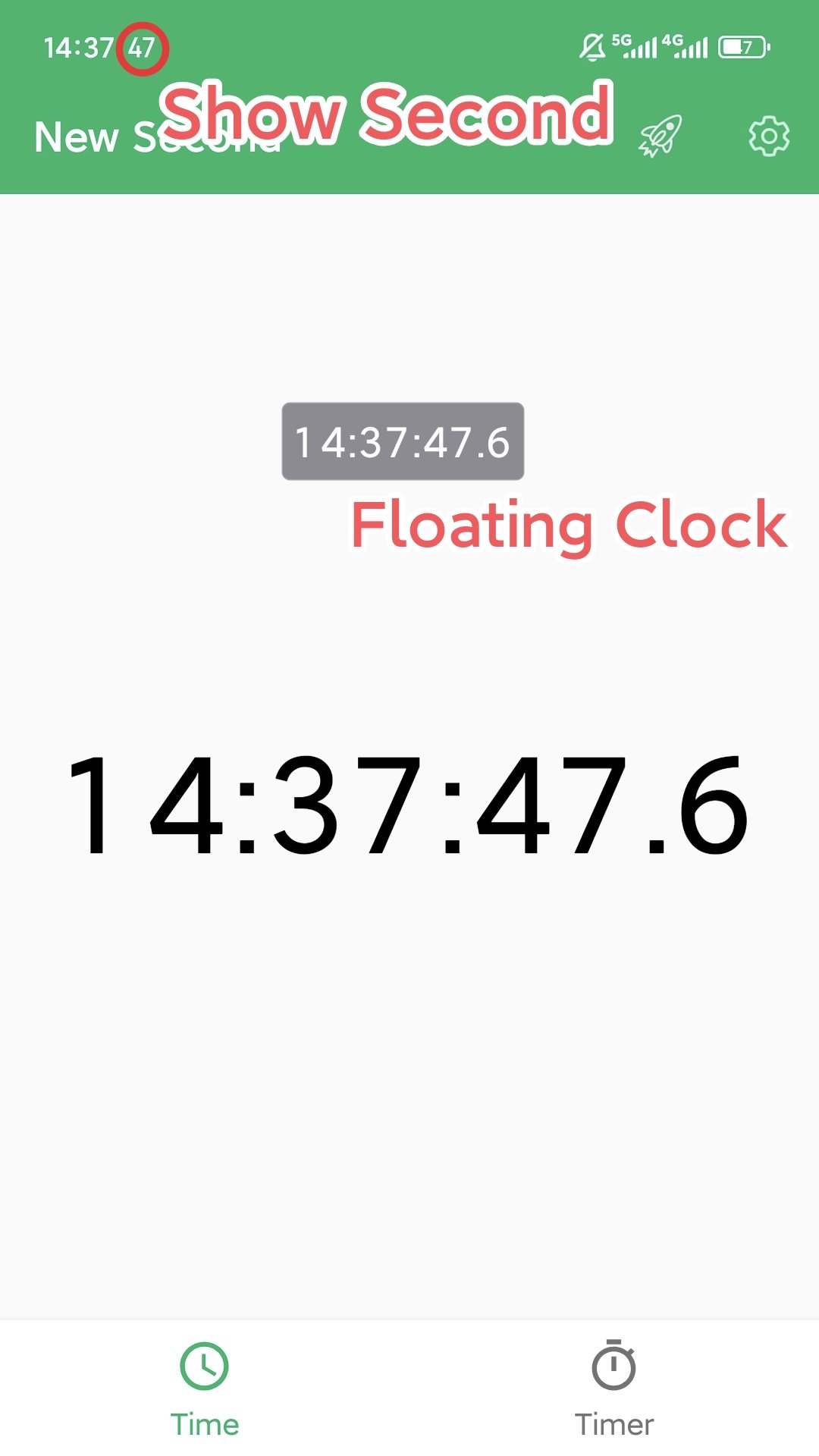
• Global Millisecond Floating Window: A sophisticated millisecond-level floating window that can be dragged and placed on top of any app, making shopping sprees effortless.
• Innovative Notification Bar Second Display: Cleverly displays seconds in the notification bar without pulling down the notification bar, allowing you to monitor seconds even when the screen is locked.
• Segmented Timing and Notes: A unique segmented timing and independent notes system supports card-style timing sharing. It not only records numbers but also captures every exciting moment.
• Intelligent Voice Timing: Intelligent voice and vibration reminders at regular intervals allow you to accurately track every second without distracting yourself from the screen.
✨ Core Features
🕒 Global Millisecond Time Display
• Multi-Mode Coverage: Millisecond-level updates are available on the main interface, floating window, notification bar, full-screen, and lock screen.
• Notification Bar Second Display: Deeply simulates the system clock, accurate to the second, allowing you to view seconds without pulling down the notification bar.
⏱️ Professional Timing and Segmented Recording
• Powerful Segmentation Feature: Supports segmented timing, recording the sequence number, single session time, and total cumulative time in real time.
• Independent Notes System: Supports adding notes to the entire timing task, and also allows for independent notes for each segment record. Examples include: practice questions, online shopping orders, exercise segments, experimental observation points, etc.
• Intelligent Voice Broadcast: Timed voice and vibration alerts allow you to control your pace without looking at the screen.
• History Management: Detailed recording of every timing session, supporting swipe deletion and note modification.
🎨 Deep Personalization Configuration
• Minimalist Mode: One-click access to a clean interface, retaining only pure time.
• Visual Style: Offers standard fonts and classic LCD digital watch styles, with customizable colors, font sizes, and transparency.
• Professional Settings: Supports always-on screen, fine-tuning of time offset, and remembering and locking the floating window position.
💡 Selected Applicable Scenarios
🛍️ Flash Sales
Enable "Floating Window Mode" to never miss a flash sale.
🏃 Professional Training and Competition
Accurately records the time for each lap, with segmented notes to detail physical condition or training movements.
🔬 Experimental and Industrial Recording
Record key chemical reactions or physical milestones in precision experiments; segmented notes keep data organization organized and efficient.
🍱 Boost Efficiency in Life and Work: Digitize your time assets by timing cooking steps, practicing for exams and mock tests, and even reviewing your commute.
Download NewSecond now and take control of your time!
Latest Version
9.3.0-gpUploaded by
Mina Miku
Requires Android
Android 5.0+
Category
Free Tools AppContent Rating
Everyone
Report
Flag as inappropriateLast updated on Oct 15, 2026
1. Improved timer displays, notifications, and note interactions.
2. Added guidance for displaying seconds in the notification bar.
3. Improved privacy notices and the overall user experience.



APKPure - A multi-platform app store primarily focused on Android, providing extensive app-related content. Discover the app you want easier, faster, and safer, with quick and efficient downloads and installations.















