
Minimal Cleaner finds the files quietly wasting your storage and clears them in a couple of
taps — no scare tactics, no fake "boosting", just an honest list of what can go.
See what's reclaimable at a glance
A calm dashboard scans your storage and shows how much you can win back, with a live donut of
used vs free space and a running total that updates as you tick categories.
Six honest categories
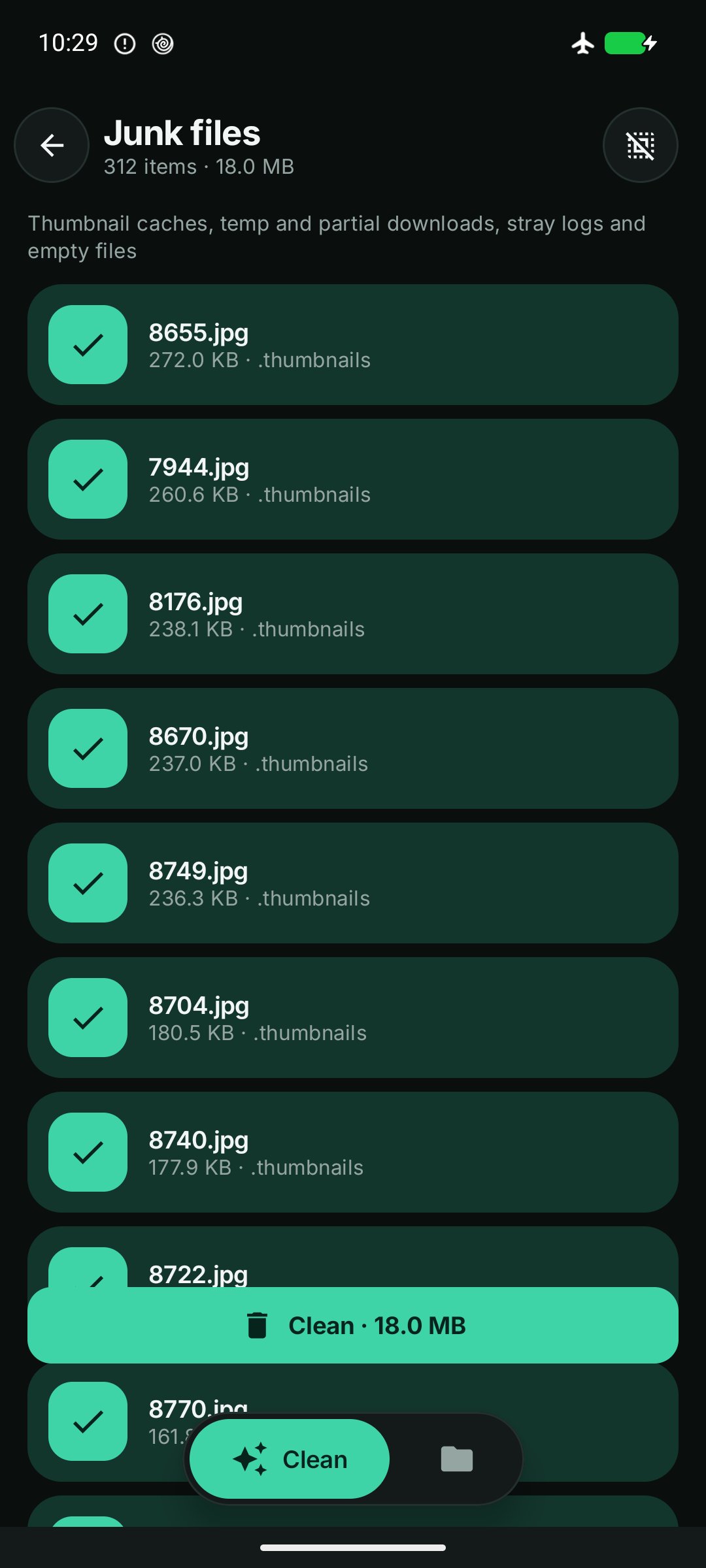
- Junk — temp files, log files and leftover .part downloads
- Duplicates — byte-identical copies, grouped so you keep one and drop the rest
- APKs — installer files you no longer need after installing
- Screenshots — the folder that quietly grows forever
- Empty folders — leftover clutter from uninstalled apps
- Large files — the handful of files taking the most space
Review before anything is deleted
Nothing is removed behind your back. Every category opens as a checklist — see each file's name,
size and location, tick exactly what you want gone, and confirm. Duplicates pre-select the copies
and keep the original.
Private by design
No account. Scanning happens entirely on your device — file names and contents never leave it.
Minimal Cleaner has no backend and collects nothing about your files.
Free, with an optional upgrade
Minimal Cleaner is free and supported by ads (Google AdMob). Prefer a clean, ad-free experience?
A Remove Ads monthly subscription turns them off — cancel anytime in Google Play.
Minimal Cleaner asks for All files access because finding junk, duplicates and large files across
shared storage is its single core purpose — Android grants it from a settings screen you control,
and network access is used only by ads and purchases, never to send your files anywhere.
Latest Version
Varies with deviceRequires Android
Category
Free Tools AppContent Rating
Everyone
Report
Flag as inappropriateLast updated on Sep 11, 2026
This release includes minor bug fixes and general improvements. Update to the latest version for the best experience.



APKPure - A multi-platform app store primarily focused on Android, providing extensive app-related content. Discover the app you want easier, faster, and safer, with quick and efficient downloads and installations.