Scan Date:Oct 31, 2025
Show More
Change your Control center to Mi Control Center Style
Note: "Mi Control Center" Style is not affiliated with or endorsed by Xiaomi or MIUI. It aims to provide a similar control center experience to MIUI for Android users who admire its aesthetics.
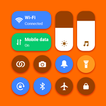
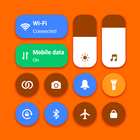
Bring control center MIUI Control Center to your phone. Support portrait and landscape mode feature. If you want to customize Control Center on your device, open Mi Control Center application and you can change everything.
Mi Control Center panel just a swipe and quick access to your device settings or control your device settings directly. Quick access to the camera, flashlight, and other settings in the control center. Powerful options to customize your mobile with quick access to settings and actions.
Mi Control Center Style help you save your time in changing Wi-Fi settings, Brightness, Volume, Bluetooth and more all from one slide control panel. Personalize your phone to Mi design style easily with a powerful control center! You can have an experience of using a newest and modern phone with your current android phone.
Mi Control Center features:
- Mi Themes: So many Mi Control Center theme for you, so beautiful and creative. Make your phone becomes more awesome and beautiful
- Support portrait and landscape mode feature
- Blur control center background, make your phone more beautiful and attractive
- Full customize : add app from your phone, help you quick access to your app
- Support lock screen: show control center on lock screen
- Very easy to open Mi Control Center Style: Swipe the edge screen to open. To close Mi Control Center, you just need to touch or swipe on the screen
- Instant access to Camera, Flash, Calculator, Wifi, Data 4G, Screen brightness and other settings is now all possible with Mi Control Center.
- By using a control center with full function.
With Mi Control Center Style, you can quickly access multiple settings:
- Quick on/off: Wi-Fi, Bluetooth, Airplane Mode, Mobile Connection
- Volume adjust: quick and super-easy adjust volume by swiping up and down.
- Brightness adjust: swipe up for brighter screen and swipe down for darker screen.
- Camera: One click to open your camera, instant access to capture all your precious moments.
- Flashlight: One click to open your Flashlight
- Calculator: Easy using and quick access to your calculator.
*NOTE
ACCESSIBILITY SERVICE
This app uses ACCESSIBILITY SERVICE
This application requires activation in the accessibility service to display the control center view on the mobile screen.
Additionally, this app utilizes accessibility service functionalities such as control music, control volume, and dismissing system dialogs, among other features.
This application does not accumulate or disclose any user information about this accessibility right.
No user data is stored by this application about this accessibility right.
Latest Version
1.2Uploaded by
Tuong Vo
Requires Android
Android 7.0+
Category
Free Lifestyle AppContent Rating
Everyone
Security Report
Report
Flag as inappropriateLast updated on Nov 15, 2024
Minor bug fixes and improvements. Install or update to the newest version to check it out!




APKPure - A multi-platform app store primarily focused on Android, providing extensive app-related content. Discover the app you want easier, faster, and safer, with quick and efficient downloads and installations.