Keep a log of medications your are taking with ease.
Exceptionally simple and easy user interface.
Recording what medications you are taking has never been this easy.
Type in the name of the medication you are taking once,
when you take it for the first time,
and you will never need to type it again.
Turn on the NAG ME feature for a medication
and it will gently nag if you are missing your regular schedule.
No need to tell it when you are supposed to take a medication,
or when you want to be reminded.
Shortly after you were supposed to take a medication and didn't,
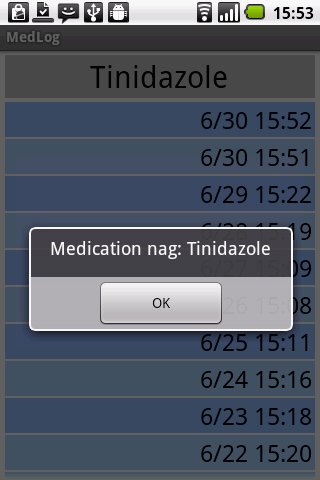
it will start gently nagging you with music,
and a popup will tell you which medication you are missing.
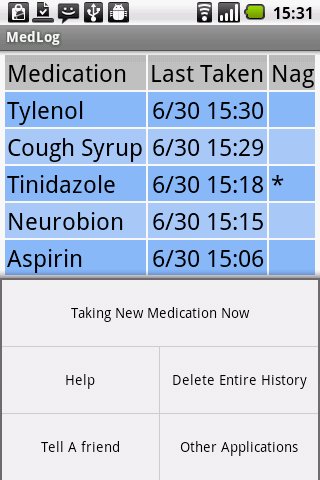
The main display shows the last time you took each medication.
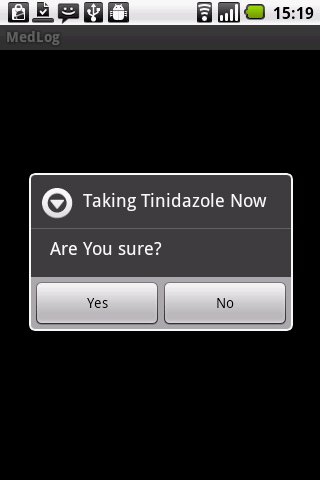
With a quick click and confirm, you record that you are now taking it again.
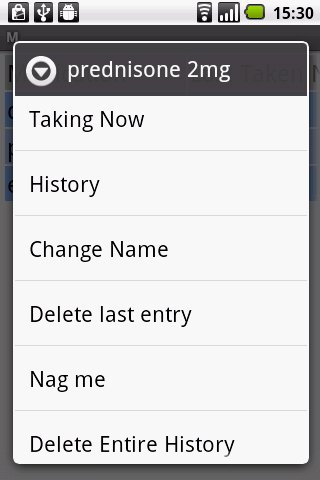
With a longer tap you can see the history for a medication and change details if need be.
Export by email as a CSV attachment.
Free and Ad free.
Regarding Editing:
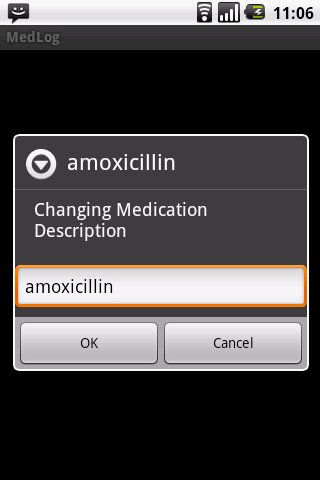
To change the name of a medication, pick 'change name' from the long press menu in the main view. This will change the name of the medication and will reflect throughout the history of this medication.
To change the date and/or time for a particular instance,
choose History from the long-press menu.
In the medication history view, long press the date/time item you wish to edit. This might be the last time you took this medication, but you can also change any earlier entry.
If you are placing a log several hours after it actually took place, follow these steps:
1. enter medication now.
2. long press History.
3. long press the first row (this last entry should show) and pick 'Set Time'.
Latest Version
2.9Uploaded by
S Riyan
Requires Android
Android 2.2+
Category
Free Medical AppContent Rating
Unrated · Warning – content has not yet been rated. Unrated apps may potentially contain content appropriate for mature audiences only.
Report
Flag as inappropriateLast updated on Oct 13, 2015
Added export: Email the data as a CSV attachment.
Fixed last date/time taken after deleting last entry.
Fixed integer formatting exception.




APKPure - A multi-platform app store primarily focused on Android, providing extensive app-related content. Discover the app you want easier, faster, and safer, with quick and efficient downloads and installations.