

Lucky Patcher Installer focuses on a guided setup that reduces common installation issues and keeps the process straightforward. It walks you through required permissions and typical device security prompts so you can complete installation without confusion. This approach is useful for users who need advanced control features provided by Lucky Patcher, yet prefer a simpler and clearer setup flow. Download Lucky Patcher Installer APK on APKPure to start the process, then follow the on-screen steps inside the Installer to add the core app.
Installer-driven setup
Lucky Patcher Installer combines download and installation into one guided flow. It explains permission requests and common alerts, therefore reducing errors during setup for first-time users.
Direct access to the core app
After installing the Installer, you can add the Lucky Patcher Installer app with a few taps. This removes manual file handling and helps you complete the process faster.
Ad and license control inside Lucky Patcher
Once installed, Lucky Patcher Installer offers options to block ads, remove license checks, and adjust in-app billing checks. Use these tools only with content you own and always follow local laws and app terms.
App management and backups
Lucky Patcher Installer includes utilities to manage system apps, review permissions, and create mod APKs with backups for restore. This helps you test changes and then revert if a result does not fit your needs.
Backup before modification
Lucky Patcher lets you back up an app before and after a change. Therefore you can compare results and restore the original state if something goes wrong.
Lucky Patcher Installer itself is a setup helper. However, some actions available inside Lucky Patcher, such as removing license verification or getting paid content without payment, may be illegal in many regions and may violate app terms. You are responsible for how you use these functions.
For PC users, you can run Android apps with an Android emulator. Download Lucky Patcher Installer APK on APKPure, then open it inside your emulator and follow the same steps you would on a phone. Experience may vary based on emulator performance and settings.
On APKPure, you can get the Lucky Patcher Installer APK latest version as well as older releases. Checking previous versions can help if your device works better with an earlier build, and you can switch versions easily from the app page.
This quick guide explains how to download Lucky Patcher Installer on APKPure and complete the setup. Follow the steps in order and review on screen prompts carefully.
Download Lucky Patcher Installer APK latest version from APKPure, then open the downloaded file.
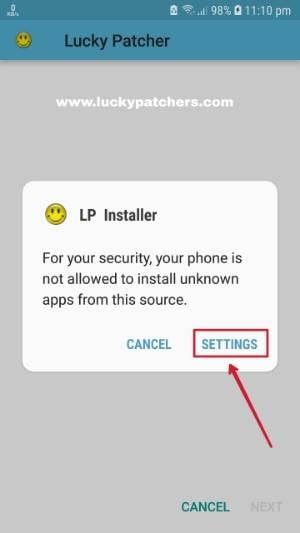
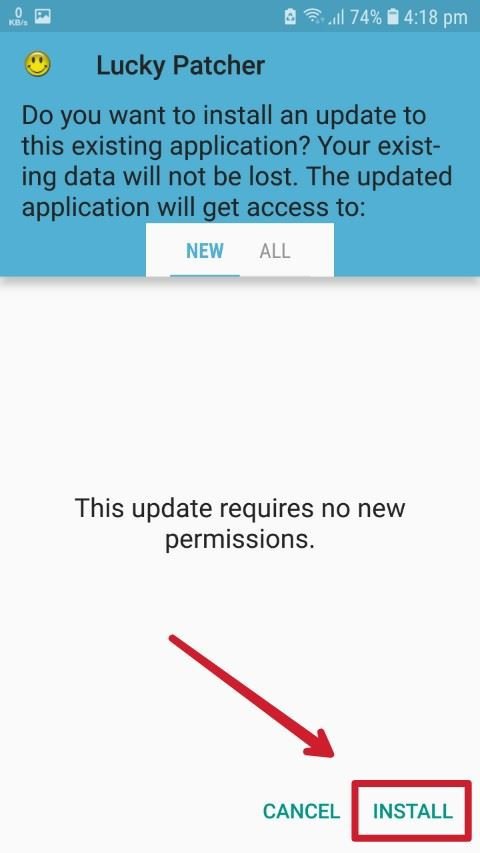
If your device asks for permission, allow Install unknown apps for your browser or file manager, and confirm Install to add the Installer.
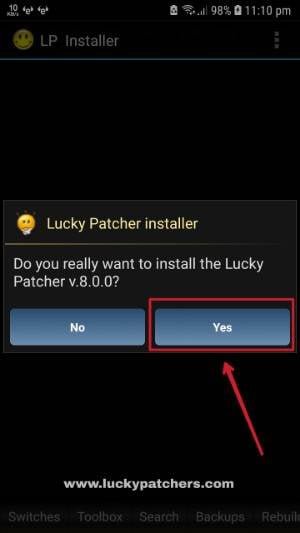
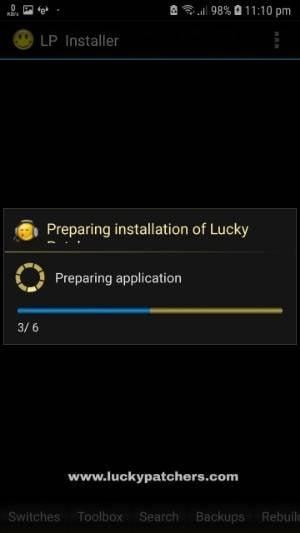
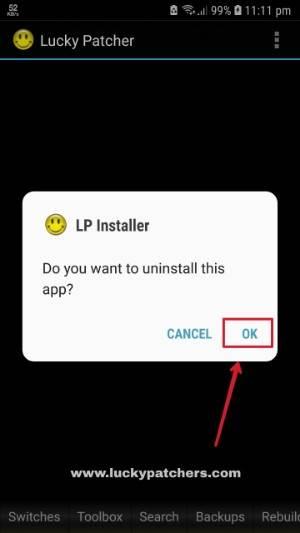
After installation, open Lucky Patcher Installer and choose the option to Install Lucky Patcher. Wait while the package is prepared.
Review the on-screen instructions and accept required permissions to complete the Lucky Patcher installation.
Then open Lucky Patcher from your app list. Review its menus and create a backup of any app you plan to modify before applying changes.
Lucky Patcher Installer provides a clear path to install Lucky Patcher on your device. Download Lucky Patcher Installer APK latest version on APKPure to begin, then follow the guided steps inside the Installer to finish setup.
Latest Version
10.2.6Uploaded by
ChelpuS
Requires Android
Android 4.0+
Available on
ChelpuSCategory
Free Tools AppReport
Flag as inappropriateLast updated on Aug 31, 2022
Minor bug fixes and improvements. Install or update to the newest version to check it out!


APKPure - A multi-platform app store primarily focused on Android, providing extensive app-related content. Discover the app you want easier, faster, and safer, with quick and efficient downloads and installations.