
Unlock the full potential of your supported Logitech devices on Googlebook with Logi Options+ App.
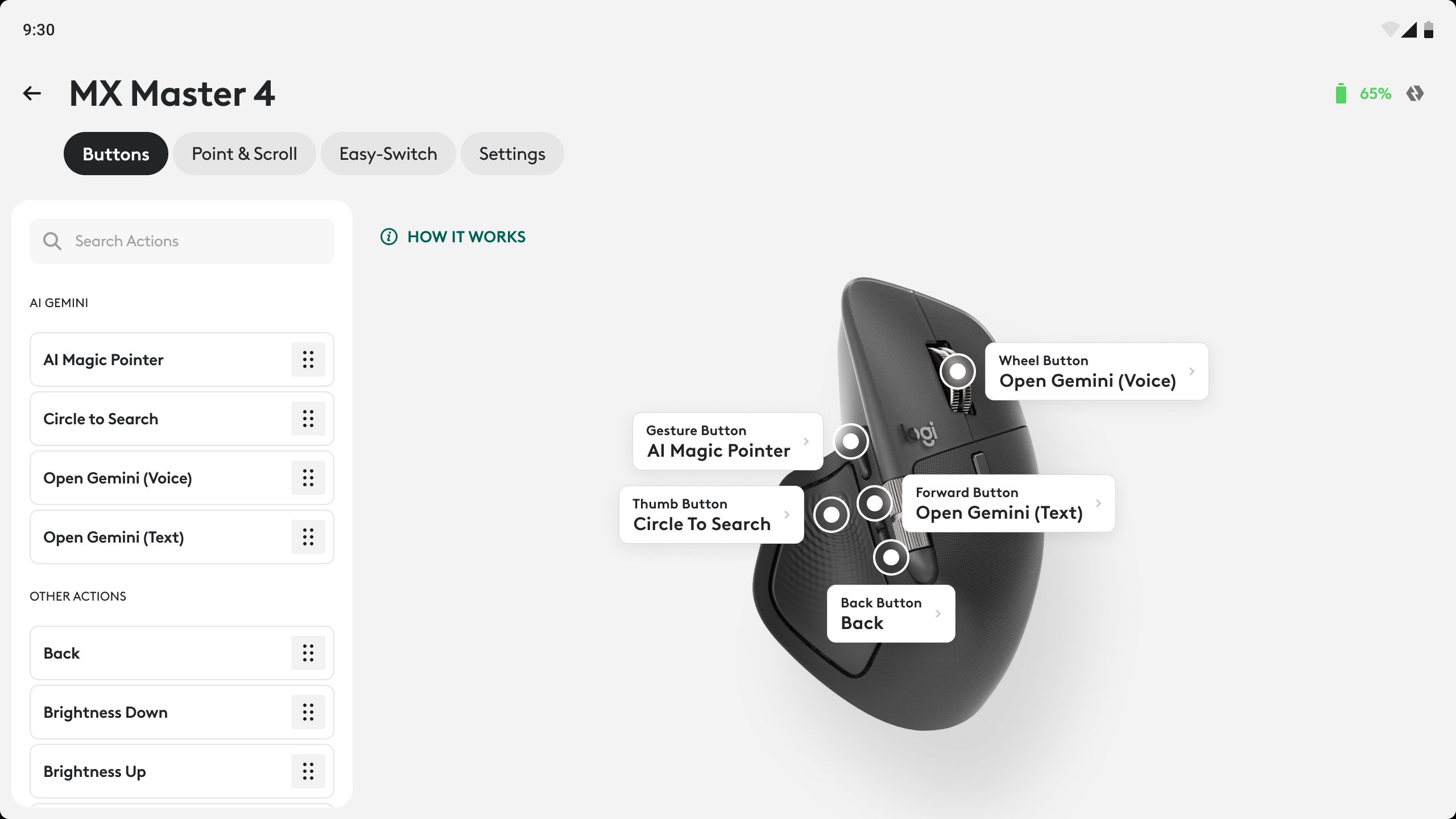
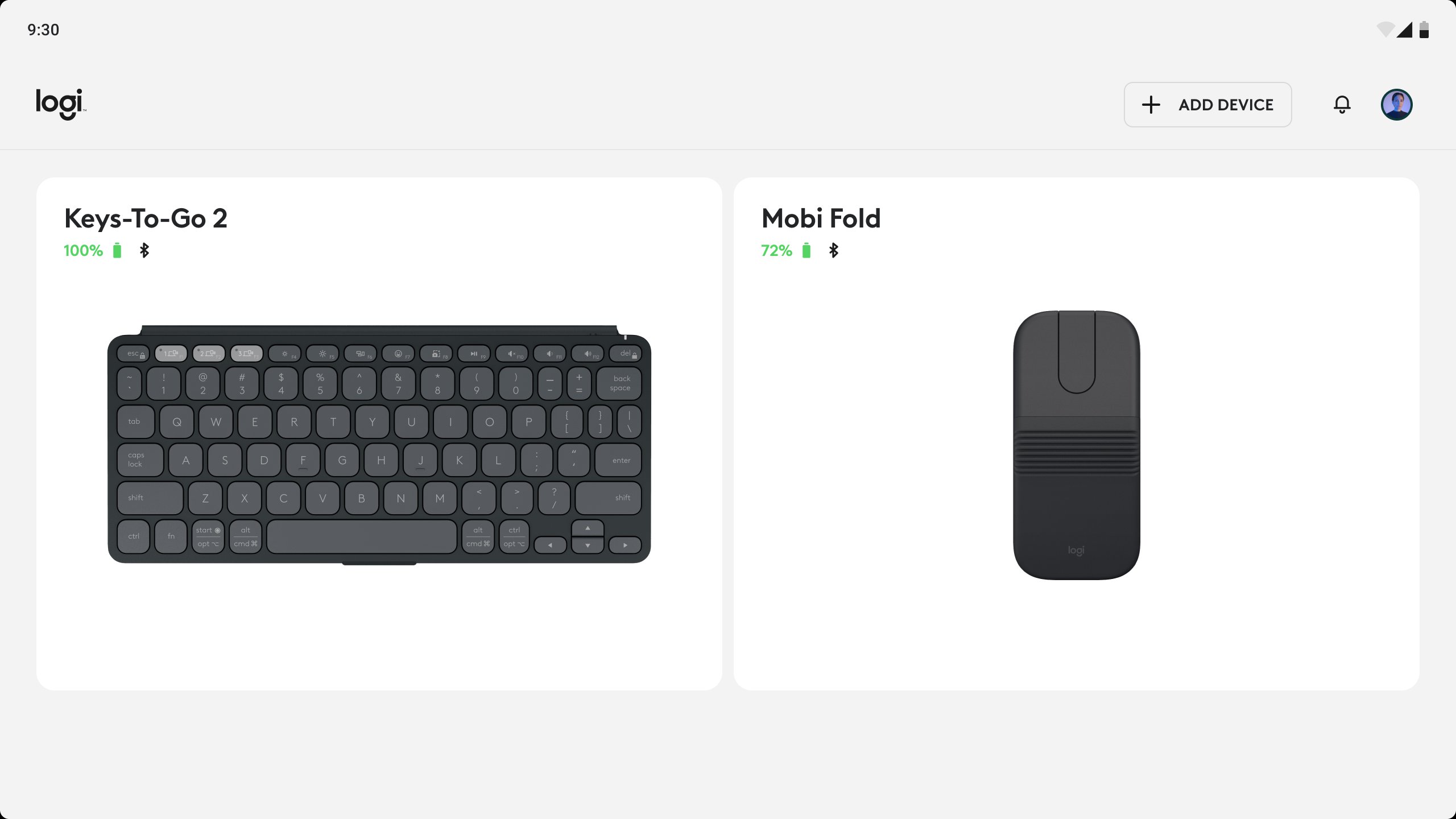
Designed to elevate your everyday workflow, Logi Options+ App lets you personalize your supported Logitech mice and keyboards to work exactly the way you prefer on Googlebook. Whether it's getting personal, proactive help from Gemini, customizing the mouse buttons or keyboard keys for your most-used shortcuts or optimizing the pointer and scroller experience, Options+ helps you get the most out of your Logitech devices on Googlebook laptops.
Key Features:
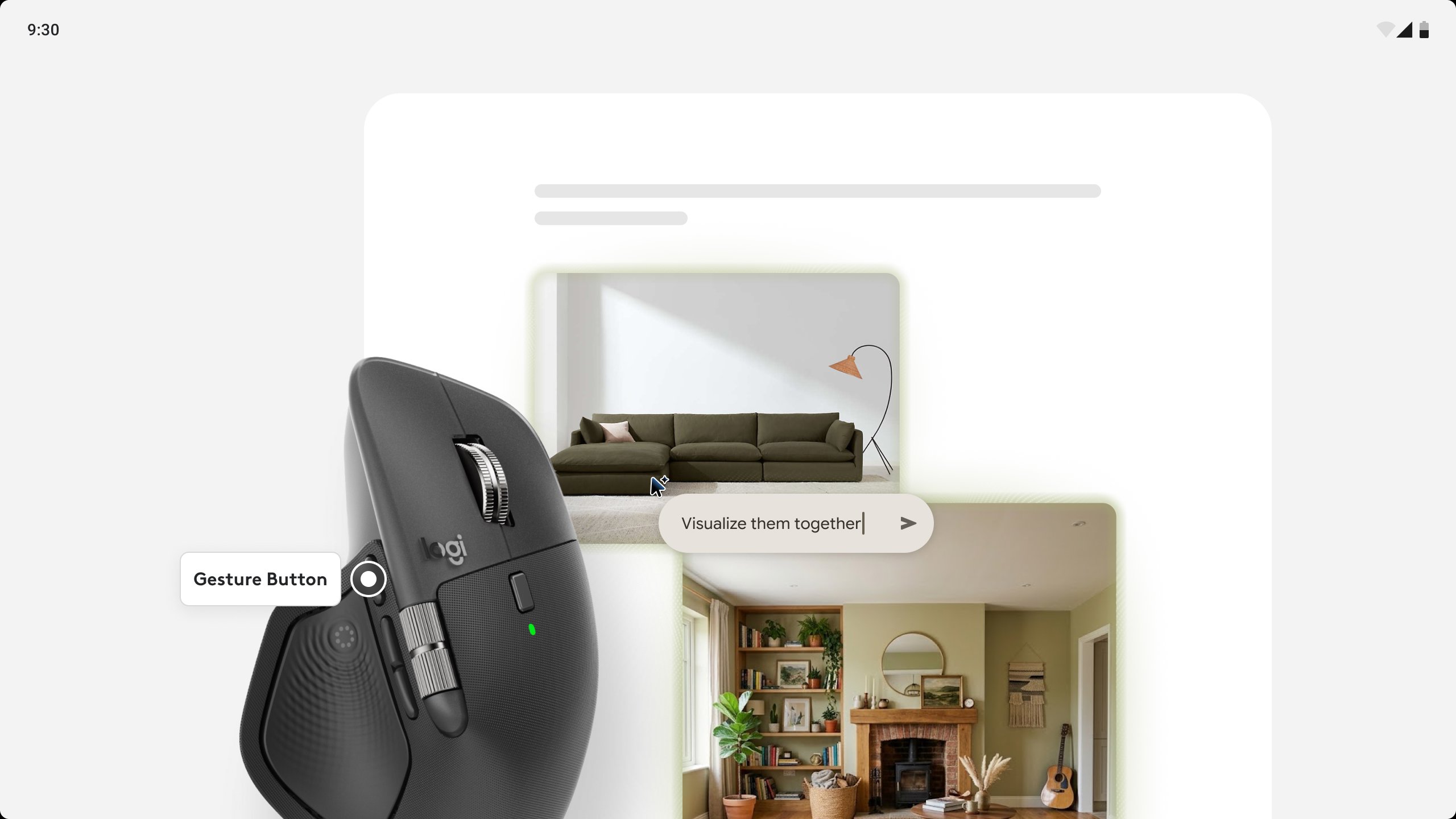
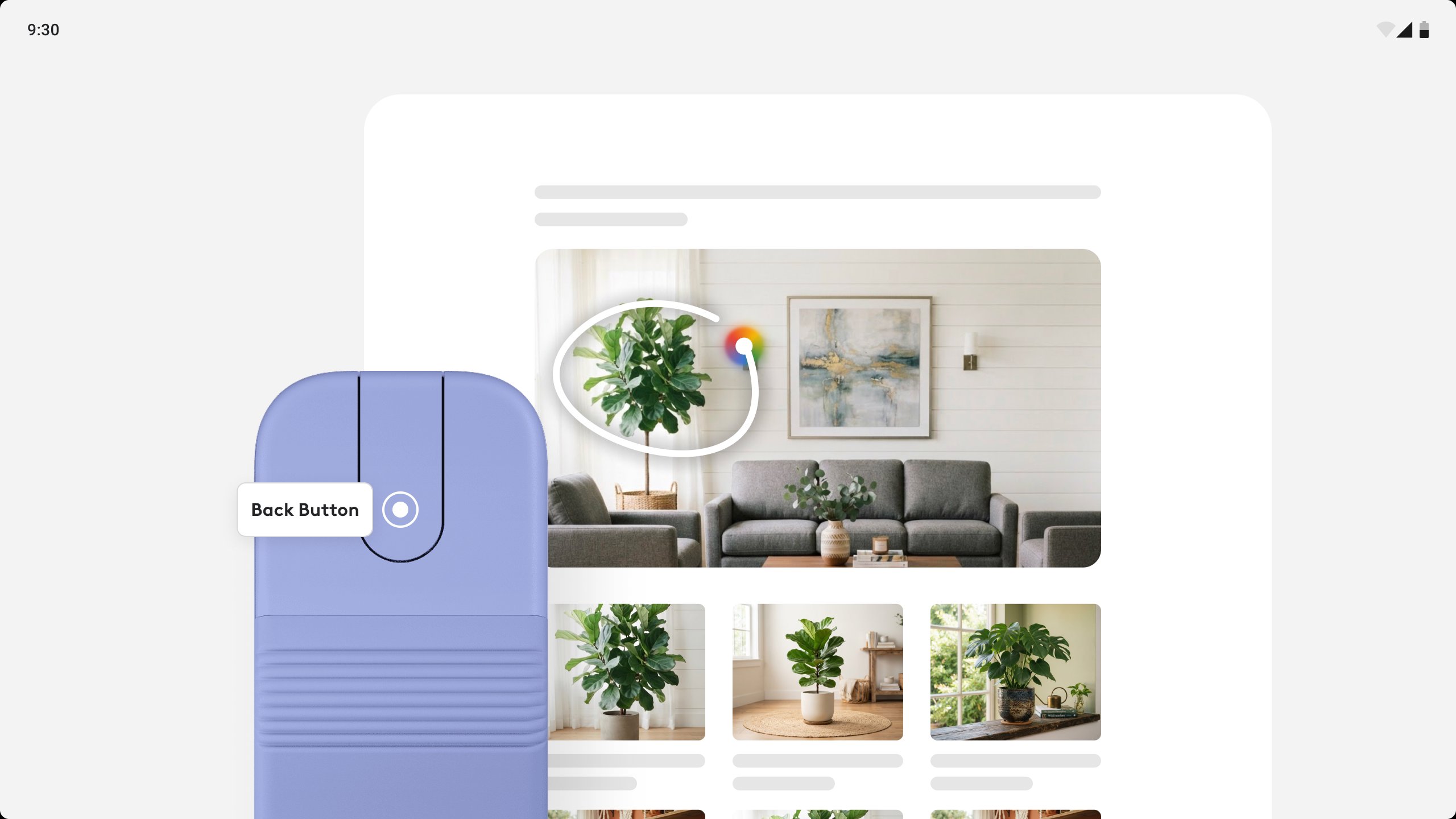
* Magic Pointer: Simply point at and select objects on your screen and ask, compare, or create with Gemini effortlessly.
* Circle to search: Instantly search anything you see on your Googlebook. Just circle an image or text, even in a video and get answers without switching apps.
* Custom Button & Key Assignments: Assign mouse buttons and keyboard keys to your most-used shortcuts.
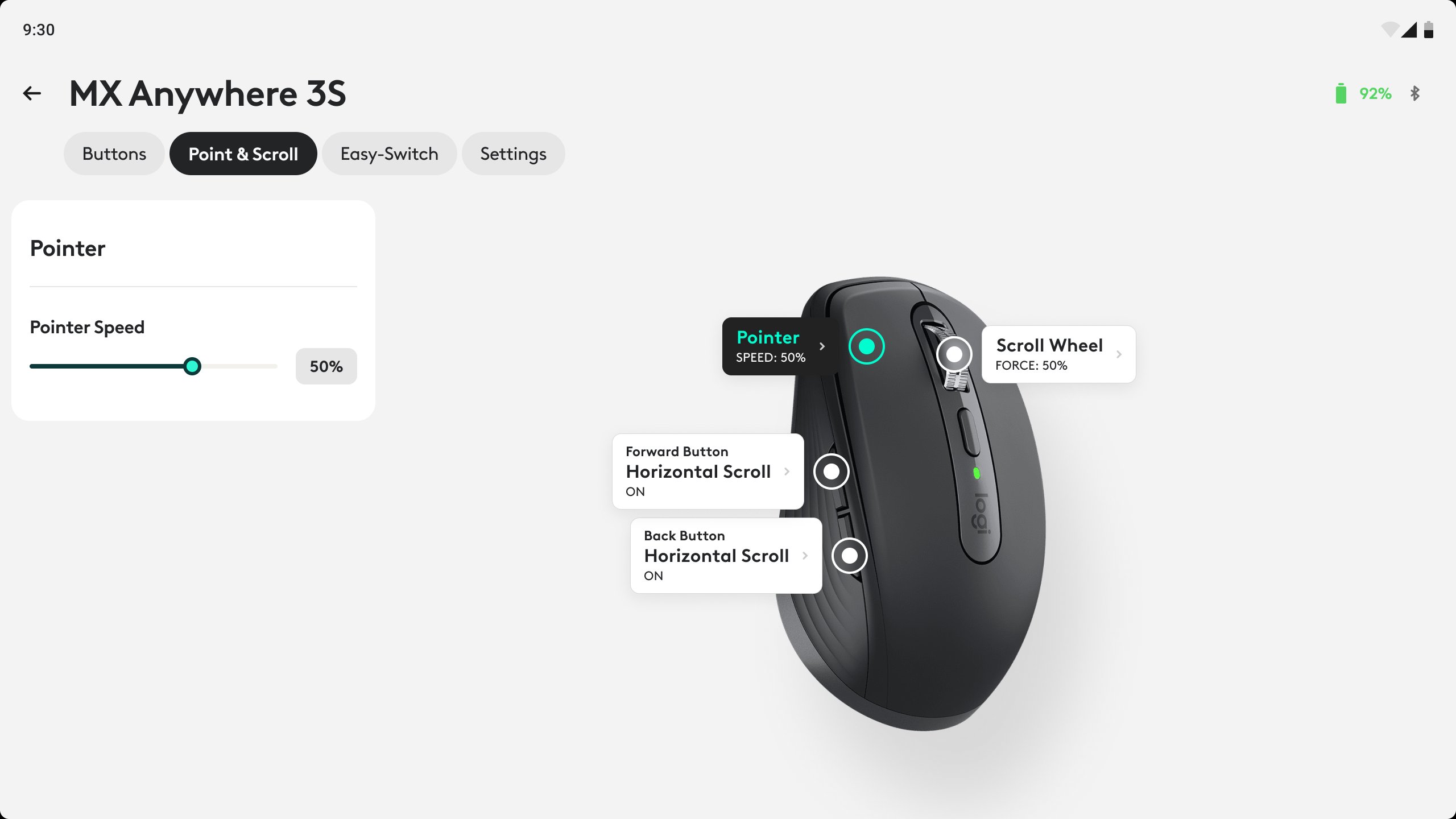
* Optimize Pointer & Scroll Wheel experience: Adjust pointer speed and scrolling force for smooth, responsive tracking.
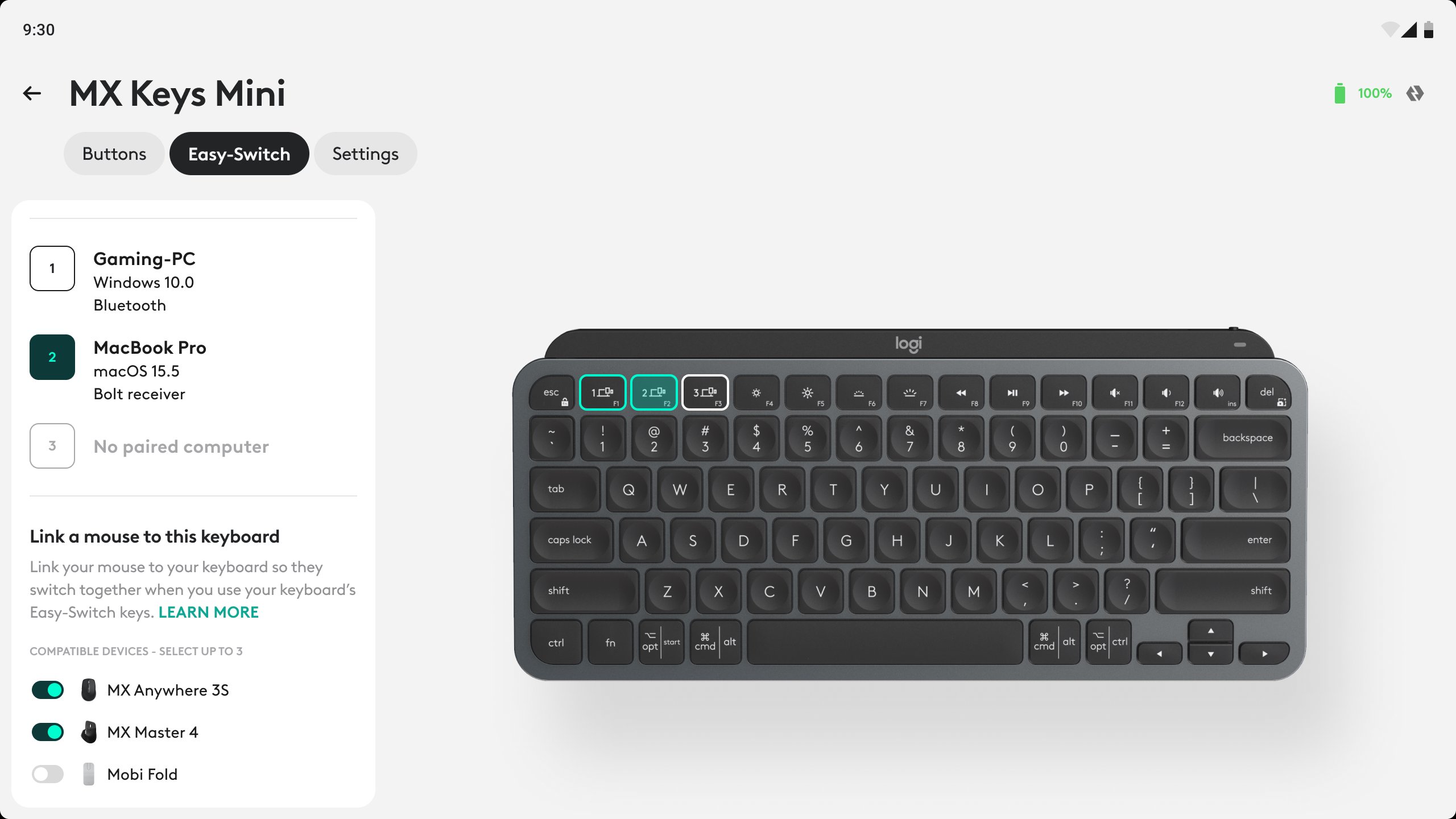
* Easy-Switch: Pair your mouse or keyboard to up to three devices using Easy-Switch.You can even switch your mouse and keyboard together with one key press on your supported keyboard using the enhanced Easy-Switch feature.
* Built for Googlebook: Tailored to elevate your supported Logitech device experience on Googlebook.
Download Logi Options+ App today and customize your Logitech devices for Googlebook to work your way!
Supported Devices:
Mice:
• MX Master 4
• MX Master 4 for Mac
• MX Master 3S
• MX Master 3S for Mac
• MX Anywhere 3S
• MX Anywhere 3S for Mac
• Mobi Fold
• Lift
• Lift Left
• Signature Comfort Plus M850 L
• Signature M750
• Signature Plus M750L
• Signature AI Edition M750
• Signature M650
• Signature M550
• Pebble Mouse 2 M350s
• Pop Mouse
Keyboards:
• MX Keys S
• MX Keys S for Business
• MX Keys Mini
• MX Keys mini for Business
• Keys-To-Go-2
• Wave Keys
• Wave Keys for Business
• Alto Keys
• Signature Slim Solar+ K980
• Signature Slim Solar+ K980 for Business
• Signature Slim K950
• Signature Comfort Plus K880 L
• Pebble Keys 2 K380s
• Pop Icon Keys
Latest Version
1.0Requires Android
Category
Free Productivity AppContent Rating
Everyone
Report
Flag as inappropriateLast updated on Oct 5, 2026
This release includes minor bug fixes and general improvements. Update to the latest version for the best experience.




APKPure - A multi-platform app store primarily focused on Android, providing extensive app-related content. Discover the app you want easier, faster, and safer, with quick and efficient downloads and installations.