
Package Name:com.pp.lockstar
SHA-256:fb6e06471ba9d338a72bcf9341462c6ec131dbb564d41538ba70d71d4700ff49
Show More
**LockStar: Premium Privacy, App Lock & Encrypted Vault**
Your personal data is nobody else's business. LockStar is a premium, privacy-focused security suite designed to protect your most sensitive apps, photos, and files behind an impenetrable wall of encryption and biometric security.
Featuring a stunning "Liquid Glass" design and lightning-fast performance, LockStar doesn't just secure your device—it looks beautiful doing it.
🌟 **PREMIUM APP LOCK**
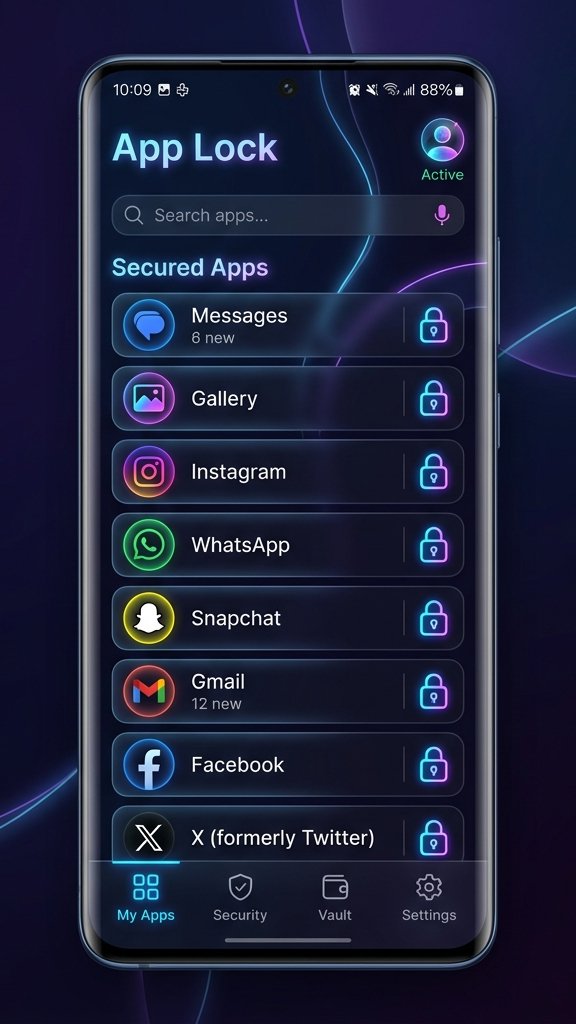
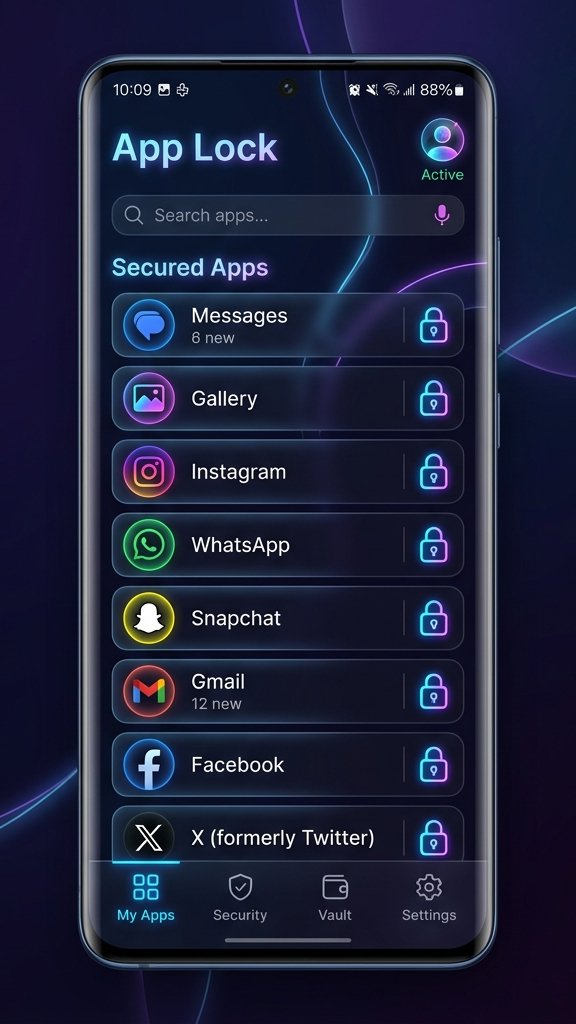
Never worry about handing your phone to a friend or family member again. Lock down your social media, banking apps, messages, and emails with a secure PIN, Pattern, or Biometric (Fingerprint/Face) unlock. LockStar intercepts unauthorized launches instantly, keeping your private conversations and financial data completely secure.
🔒 **MILITARY-GRADE ENCRYPTION**
Your hidden files aren't just hidden—they are encrypted. LockStar uses robust AES-256 GCM encryption to secure your imported photos, videos, and documents on disk. The plaintext data is never saved, ensuring that even if someone accesses your device storage or roots your phone, your files remain completely unreadable.
📸 **INTRUDER SELFIE**
Catch snoopers in the act! If someone tries to guess your PIN and fails, LockStar quietly snaps a photo using the front-facing camera and logs the exact date and time of the intrusion attempt.
👻 **STEALTH MODE**
Take your privacy to the next level by making LockStar completely invisible. Stealth Mode hides the LockStar icon from your app drawer and home screen. The only way to launch the app is by entering a secret code (`*#1234#`) into your phone's dialer.
🛑 **FAKE CRASH DIALOGS**
Throw snoops off the trail. When someone tries to open a locked app, LockStar can display a fake "App has stopped" error message instead of a PIN screen. Only you know the secret gesture to bypass the crash and enter your PIN.
🛡️ **DECOY VAULT**
Forced to open your vault? No problem. Set up a secondary "Decoy PIN" that opens a completely isolated, fake vault. You can store harmless files in the decoy vault to satisfy anyone demanding access, while your true private data remains perfectly hidden.
🎨 **BEAUTIFUL MATERIAL DESIGN**
Security doesn't have to be ugly. LockStar features a state-of-the-art "Liquid Glass" UI with full support for Light Mode, Dark Mode, and Dynamic Colors (Android 12+). Enjoy smooth micro-animations and a premium user experience every time you unlock an app.
📵 **100% OFFLINE & PRIVATE**
Your data never leaves your device. LockStar requires no internet connection and does not sync your private files or analytics to any cloud server. Everything is stored locally, ensuring your absolute privacy.
**Key Features at a Glance:**
• Lock any app with PIN, Pattern, or Fingerprint
• AES-256 Encrypted Photo & Video Vault
• Intruder Selfie capture
• Stealth Mode (Hide App Icon)
• Fake Crash screen for locked apps
• Decoy Vault with a separate PIN
• Premium "Liquid Glass" aesthetics
• 100% Offline—No cloud syncing, no data sharing
Take absolute control of your digital privacy today. Secure your apps and hide your media with LockStar!
*(Note: LockStar uses the Accessibility Service permission to detect app launches and quickly display the lock screen before the unauthorized app is visible. We do not collect or share any personal data through this service.)*
Latest Version
1.1Uploaded by
أسيمة طيفور
Requires Android
Android 7.0+
Category
Free Tools AppContent Rating
Everyone
Security Report
Check Now
Report
Flag as inappropriateLast updated on Oct 13, 2026
Bug fixes and UI enhancements





APKPure - A multi-platform app store primarily focused on Android, providing extensive app-related content. Discover the app you want easier, faster, and safer, with quick and efficient downloads and installations.