Limit Volume allows you to set a maximum volume for your device. With it, you can ensure that your volume is never set too high, either to avoid ear damage or because you simply do not like your ringtone too high. By default, a popup will notify you when the volume is turned down automatically. To disable this, simply go to the settings in the top right corner.
The app can also be locked with a PIN so that other users (children for example) of your device cannot change the maximum volume.
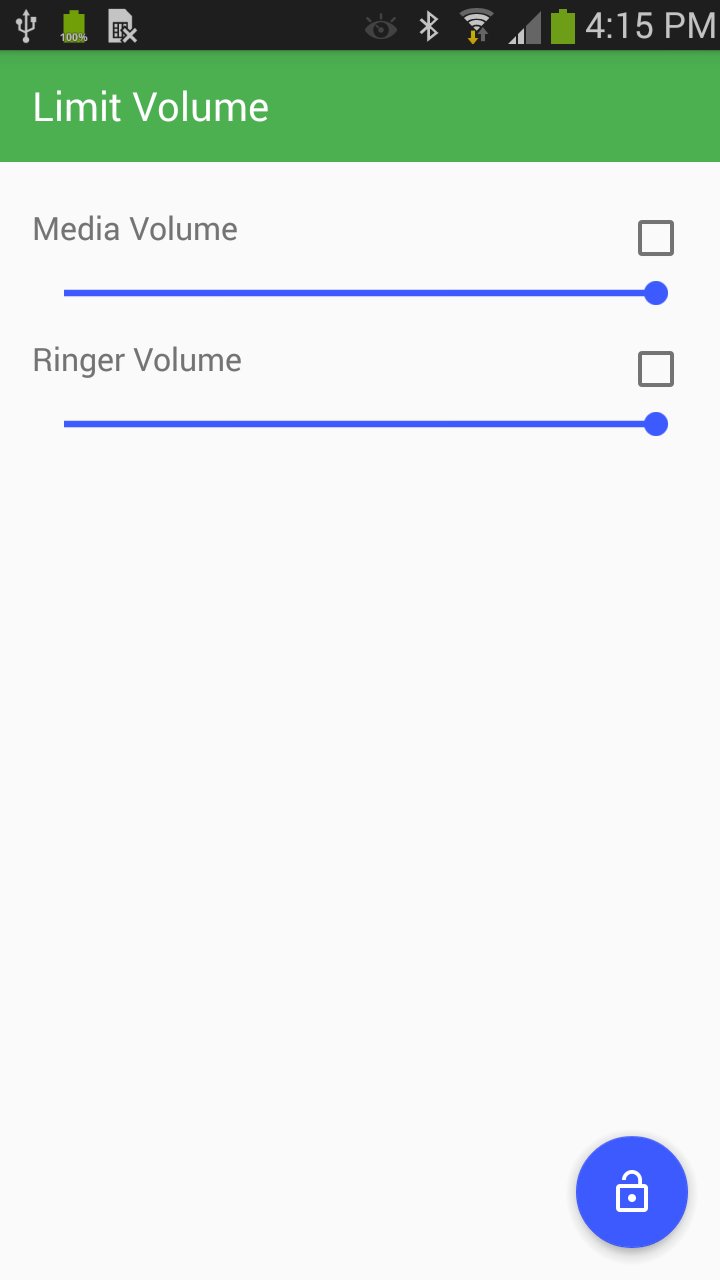
To enable the cap, simply press the check box and move the slider to the desired location. The first screen shot is an example of where the cap is enabled, and the second an example of where it is not.
If you have questions, comments, concerns, or feature requests, please email us at : limitvolumehelp@gmail.com. This app is ad-free, the internet permission is merely for crash detection.
Latest Version
1.2.2Uploaded by
Allen Gab Pediangco-Zamora Panaguiton
Requires Android
Android 4.1+
Category
Free Productivity AppContent Rating
Everyone
Report
Flag as inappropriateLast updated on May 30, 2017
Fixed several bugs, updated android version.




APKPure - A multi-platform app store primarily focused on Android, providing extensive app-related content. Discover the app you want easier, faster, and safer, with quick and efficient downloads and installations.