IMPORTANT: I wanted to share that all my apps are now free to use. While I appreciate your support. I regret to inform you that I will no longer be providing ongoing support or updates for my applications. Thank you for being a part of this journey.
Lee
This theme will change the look of your desktop/home screen and application drawer icons and must be selected from Nova or Apex launcher.
This app cannot be launched directly and must be selected in a one of the supported launchers.
If you have issues, please email me at lcdroiddev@gmail.com and/or review the instructions below.
If you find bugs or have suggestions, please email me as posting a review will not provide the details of your issue or suggestion.
INSTALLATION
• Make sure Nova Launcher or Apex Launcher is compatible with your device before downloading. The theme may work with other launchers.
• Apex Launcher: Go to Apex Settings → Themes → Downloaded → select the theme you just installed.
• Nova Launcher: Go to Nova Settings → Look and Feel → select the desired theme.
The theme has no permissions or advertisements.
LCDroidDev Themes change the look of your desktop/home screen and application drawer icons. You must use Nova Launcher or Apex Launcher. The Themes will most likely work in many other launchers, just try it. In most cases select icon pack from theme settings. Instructions for installing in some launchers is listed below.
** If you have issues, please email me at lcdroiddev@gmail.com and/or review the instructions below. **
** Themes cannot be launched directly. See Installation instructions below. **
*** If you find bugs or have suggestions, please email me and do not post them as comments as I cannot reply to those and solve your issue. ***
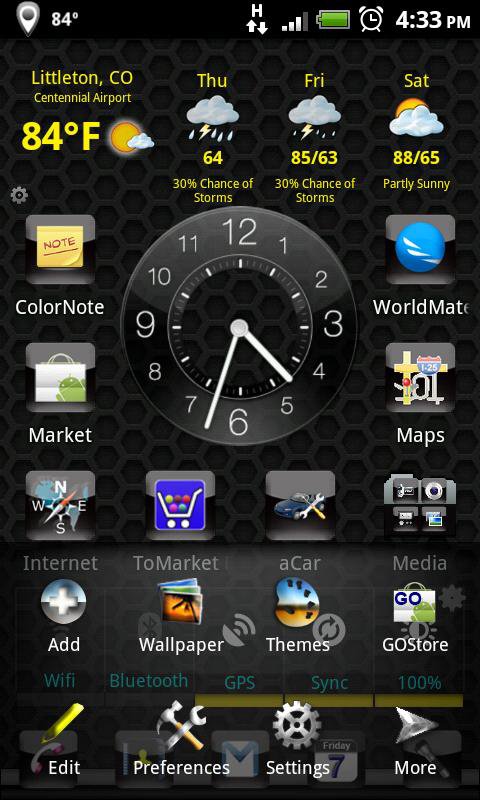
Screen shots may include wall from the them itself or apps like Google Wallpaper.
INSTALLATION
• Make sure Nova Launcher, Apex Launcher or Evie Launcher is compatible with your device before downloading. May work with other launchers. Only the launchers below have been tested.
• Apex Launcher: Go to Apex Settings → Themes → Downloaded → select the theme you just installed.
• Nova Launcher: Go to Nova Settings → Look and Feel → select the desired theme.
• Evie Launcher: Go to Settings (Long press on home screen) → Settings → Icon Pack and select the desired theme.
• Microsoft Launcher: Go to Settings (Long press on home screen) → Launcher Settings → Personalization Icon Packs and select the desired theme.
• ADW Launcher: Go to Settings (Long press on home screen) → Themes → Select the desired theme.
THEME TIPS
• Nova Launcher or Apex Launcher or Evie Launcher is required to run. Other launchers may work, just try it.
• Themes cannot be run directly, you must apply the theme from a launcher. See instructions in the INSTALLATION section.
Latest Version
1.16Requires Android
2.3
Category
Free Personalization AppContent Rating
Everyone
Report
Flag as inappropriateLast updated on Oct 6, 2022
This release includes minor bug fixes and general improvements. Update to the latest version for the best experience.





APKPure - A multi-platform app store primarily focused on Android, providing extensive app-related content. Discover the app you want easier, faster, and safer, with quick and efficient downloads and installations.