Themed Icons helps users who want their home screen icons to match wallpaper colors on older Android phones. It creates shortcuts inspired by the Android 12 look, so your setup stays consistent without manual editing. The app focuses on simple controls and a clear interface, making it easy to set up and adjust. If you plan to download Themed Icons, expect a lightweight tool aimed at color coordinated shortcuts on devices running Android 8 and higher.
Wallpaper-aware shortcuts
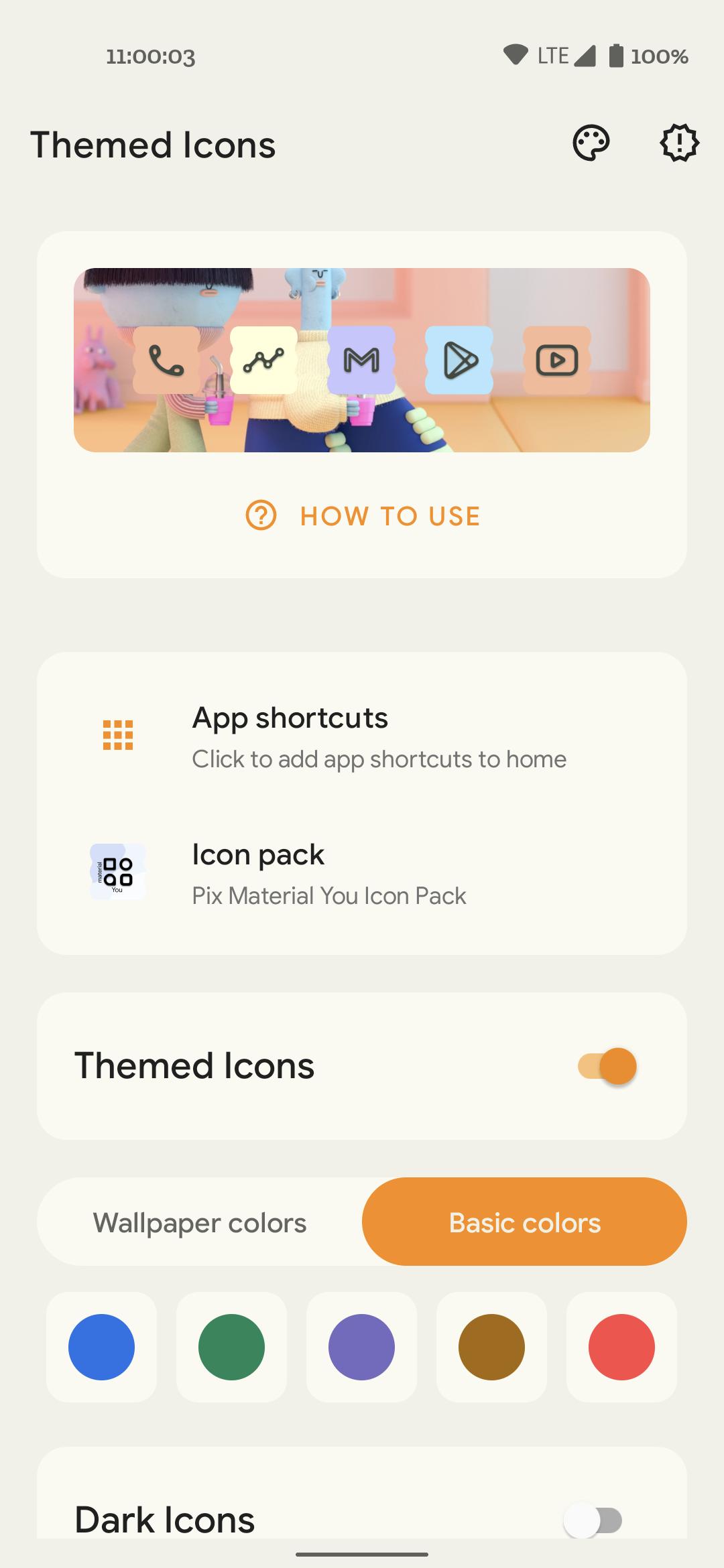
Themed Icons creates app shortcuts that pick colors from your current wallpaper, similar to the Android 12 style. This brings a consistent look to your home screen on devices running Android 8 or higher.
Color choices and icon styles
You can choose from organized wallpaper based colors or basic palettes that fit any background. Easy switching between icon packs and support for dark or monochromatic icons help you match different themes without extra steps.
Quick color refresh
For faster updates, you can refresh extracted wallpaper colors using an app shortcut or a Quick Settings tile. This avoids opening the full app every time your wallpaper changes.
Light and dark appearance with minimal permissions
Themed Icons offers light and dark appearance options inside the app. It does not request unnecessary permissions. When installing Themed Icons APK, storage access is used only to read the wallpaper image and extract colors for the shortcuts.
Themed Icons brings wallpaper aware app shortcuts to Android 8 and above with a straightforward setup. Try the Themed Icons latest version to create consistent icon shortcuts that match your wallpaper colors without extra effort.
Latest Version
1.7Uploaded by
Rushikesh Kamewar
Requires Android
Android 8.1+
Category
Free Personalization AppContent Rating
Everyone
Report
Flag as inappropriateLast updated on Aug 5, 2022
1. New season icons
2. Support for LawnIcons and all related forks as an icon pack
3. New app icon and design revamp
Attention!
To remove watermark:
1. Nova launcher: Go to Nova settings >> Search and Uncheck "Reshape legacy icons"
2.Lawnchair 2: Go to Home settings >> Search and Disable "Create Adaptive Icons"
Happy Theming!





APKPure - A multi-platform app store primarily focused on Android, providing extensive app-related content. Discover the app you want easier, faster, and safer, with quick and efficient downloads and installations.