Scan Date:May 17, 2026
Show More

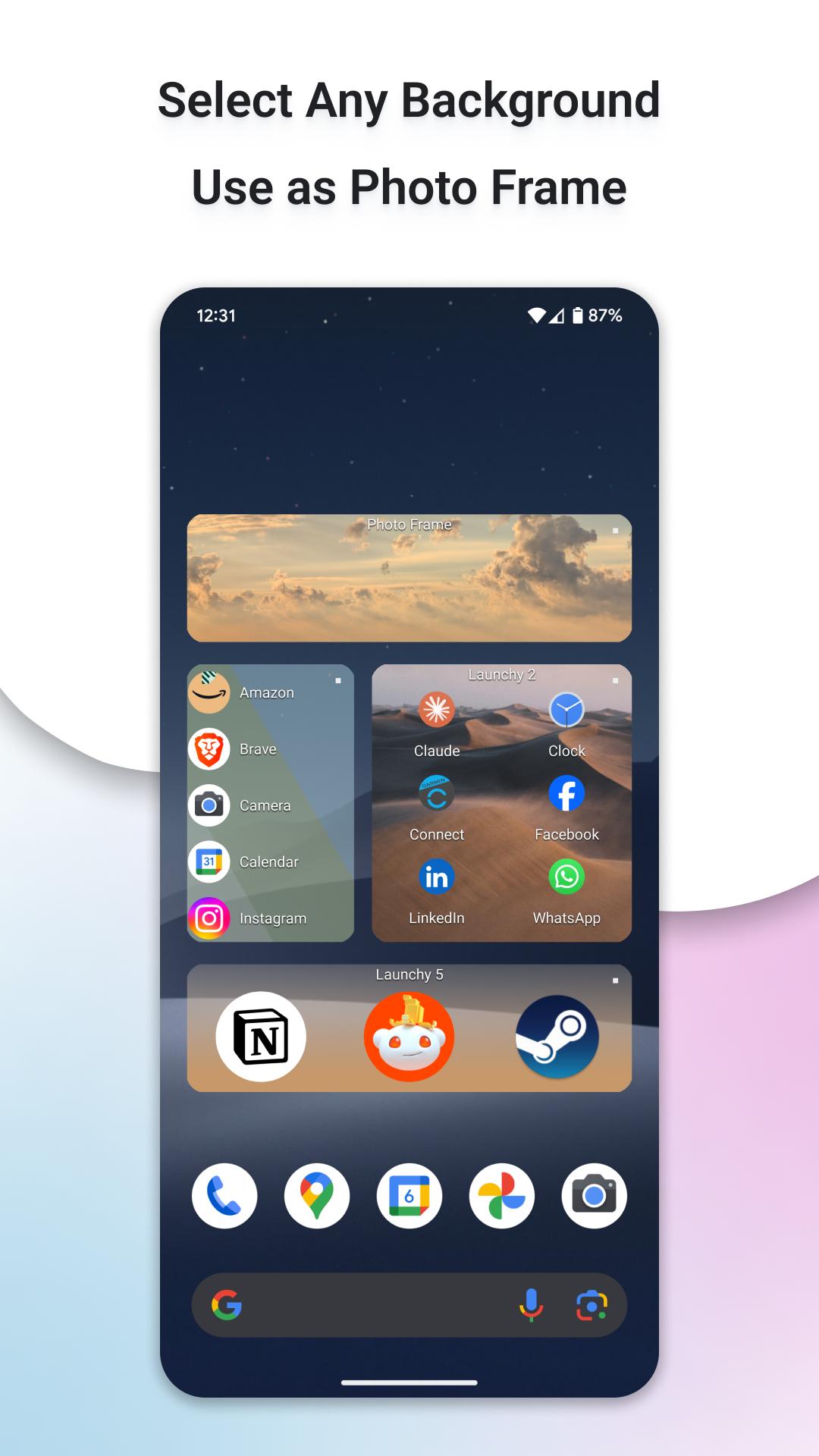
Organize and easily start apps, shortcuts, device settings, make calls and open browser bookmarks. Launchy can replace folders, contacts widgets and bookmarks widgets. Organize your desktop, make it look great and much more intuitive to use, apply skins and third party icon packs for unique looks.
Official Website:
https://www.launchywidget.com/
Your feedback is important!
Use the below Google Form to provide your feedback
https://forms.gle/FEsoEmTvAjfU5Gny6
Buy me a Coffee:
https://buymeacoffee.com/novarossk
Short Demo:
https://www.youtube.com/watch?v=7wHsxiJVi7g
The In-app purchase is used to upgrade to Launchy Pro which has even more customization options.
Feel free to try the Pro Version, 48 hours refund policy.
MAIN FEATURES:
- Folders replacement: create scrolling lists of your favorite apps
- Contacts widget: add contacts to a new Launchy on the home screen, touch a contact to start a call
- Bookmarks widget: import bookmarks and history from Android browser and Google Chrome
- Icon packs support including masking
- Use multiple icon packs on one home screen
- Select what to show: icons and or labels
- Customizable icons size from 50% to 250% *
- Customizable font, size and color of labels *
- Change the location of the labels
- A selection of Skins
- Fully resizable (long press widget to resize)
- Vertically scrollable
- Multiple columns option
- Add up to 10 unique widgets
- Infinite scroll option
* Requires In-app purchase
* Feel free to try, 48h refund policy.
LAUNCH FROM LAUNCHY:
Apps, Direct dials, Browser Bookmarks, Shortcuts: Contacts, Device Settings (Battery, Screen...), Direct dials, Direct messages, Dropbox folders, Gmail labels, WhatsApp contacts and more.
ICON PACKS SUPPORT:
Apply icon packs without installing a third party launcher app!
Use different icon packs on one home screen!
To apply an icon pack: Launchy Settings Screen > Layout > Icon > Theme.
Tested with:
- Belle UI
- Kinux, Krom
- Up icons
- Gel
- Tiny White
- Peek
- Voxel
- Minimalico
- Yoma
- Rounded Up, Google Now
- Rooundy
- And many others
HOW TO USE:
1 - After installing, add the Launchy widget to your home screen, like you add any other widget. (If Launchy does not appear in the widgets list, it is most likely because the widgets list did not refresh. Reboot your device to refresh the widgets list.)
2 - In the following dialog, select "Launchy 1". It should be already checked.
3 - A widget will appear on your home screen with the green Launchy "Edit" icon.
4 - Click the Launchy "Edit" icon to enter Launchy edit screen.
5 - In the edit screen, add your favorite items to the Launchy. Use the "Configure" screen to customize it.
6 - Go back to your home screen by pressing back or the home button.
7 - The newly added Launchy will show your items as a scrollable list.
8 - Resize the Launchy as you would resize any other widget.
9 - Add another Launchy with different items: add a new Launchy to your home screen, but this time select "Launchy 2" in step number 2. You can add up to 10 individual Launchy widgets. Each Launchy can have its own items and appearance customizations.
NOTES:
- Use novaross@gmail.com for suggestions, help and any other issues.
- This application uses Google Analytics to collect usage patterns and crashes.
- The permissions used by the app are needed for its functionality and nothing else.
Latest Version
4.18.0Uploaded by
Lu Soe Lay
Requires Android
Android 8.0+
Category
Free Personalization AppContent Rating
Everyone
Security Report
Report
Flag as inappropriateLast updated on May 16, 2026
New Dashboard Screen
View full release notes at:
https://launchywidget.com/release-notes/




APKPure - A multi-platform app store primarily focused on Android, providing extensive app-related content. Discover the app you want easier, faster, and safer, with quick and efficient downloads and installations.