
** THIS APP IS DESIGNED ONLY FOR USE WITH THE HARDWARE COMPONENT MIDI-SEQ-8 FROM PMFOUNDATIONS AND AN ANALOG SYNTHESIZER. OTHERWISE, THIS APP WON'T DO ANYTHING INTERESTING FOR YOU. **
You can get the hardware here: http://www.tindie.com/stores/pmfoundations/
• Play MIDI files from your phone/tablet on your analog synthesizer
• Convenience of a smartphone/tablet driven sequencer
• 8 MIDI channels supported which can drive 8 synth voices
• Play your own MIDI compositions on your synth from your phone
• Create and play CV sequences up to 16 steps on 8 channels
• Gate or Trigger mode
• Adjustable Clock in BPM
• Start / Stop /Rewind / Step
The MIDI Sequencer will directly play through your analog synthesizer over USB using the Midi-Seq-8 hardware. Treasure the convenience of a smartphone or tablet driven sequencer instead of a traditional and expensive hardware sequencer.
Our hardware module is Eurorack size and only 8HP wide leaving room in your rack for other modules.
If you are a composer, play your own MIDI sequences, backing tracks or songs on your synthesizer from your phone.
PLAYING MIDI FILES ON YOUR SYNTH
- To get midi files onto your device, you can connect the device to your PC with the USB cable and copy/paste files with the .MID extension into folders of your device which should appear as a window on the PC.
- Alternatively, you can use your device web browser to find and download files.
- Connect the CV and gate jacks of the MIDI-SEQ-8 hardware module to your synth VCOs and envelope shapers for as many channels as you are using.
- Open the Player screen on the app by swiping from the left to get the navigation menu.
- Open a previously copied or downloaded midi file of your choice by selecting Browse and browsing to the file location.
- You will need to experiment with various MIDI files to learn about the capabilities of the MIDI-SEQ-8.
USING THE SEQUENCER
- Connect the CV and gate jacks of the MIDI-SEQ-8 hardware module to your synth VCOs and envelope shapers for as many channels as you are using (up to 8).
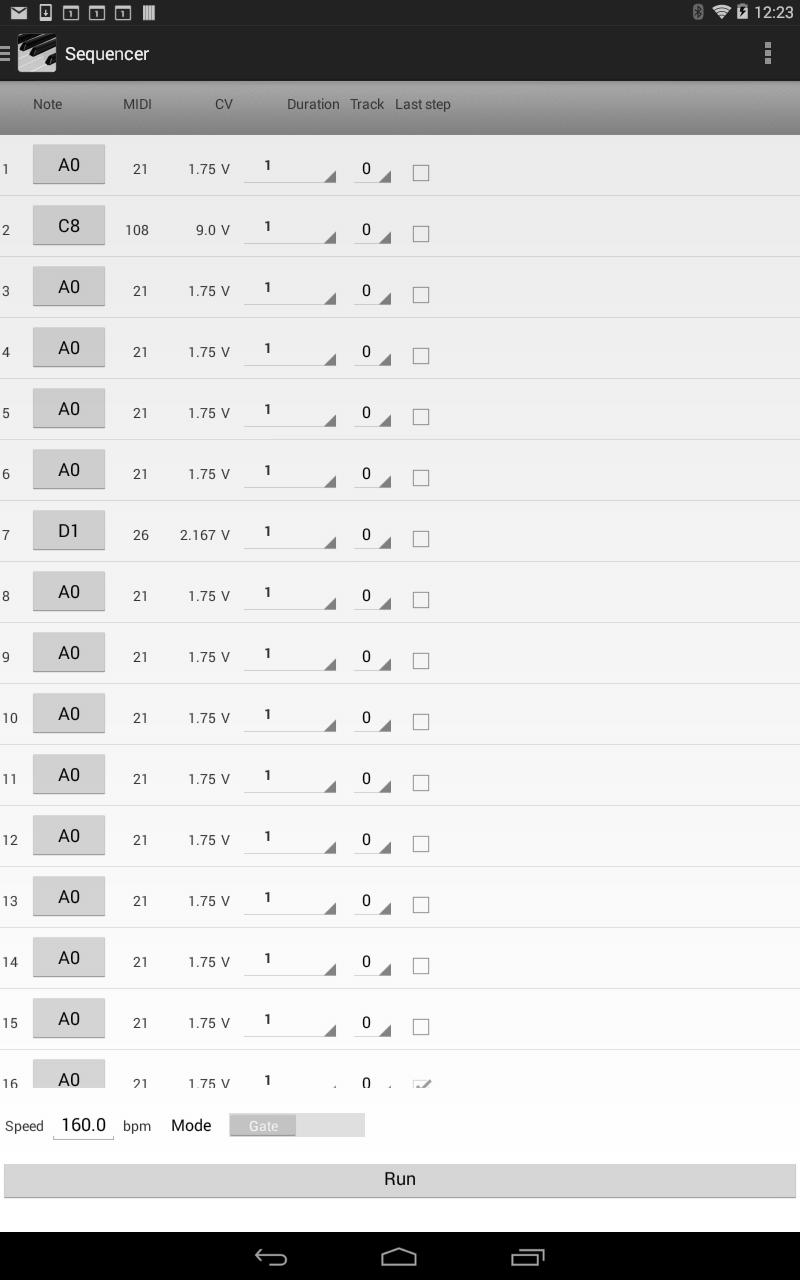
- Open the Sequencer screen on the device by swiping from the left to get the navigation menu.
- Build up to a 16 step sequence by selecting notes/rests and durations.
- Select Run to transfer the sequence to the Player where you can use the player controls to play the sequence.
- Your creativity is required here!
The control section includes buttons for Start, Stop, Step and Rewind.
Last updated on Mar 18, 2016
이 버전에는 사소한 버그 수정과 전반적인 개선 사항이 포함되어 있습니다. 최상의 환경을 위해 최신 버전으로 업데이트하세요.



APKPure - 안드로이드를 중심으로 한 멀티플랫폼 앱스토어로, 다양한 앱 관련 콘텐츠를 제공합니다. 더 쉽고, 빠르고, 안전하게 원하는 앱을 찾아보세요. 빠르고 효율적인 다운로드와 설치가 가능합니다.