
Share internet with WiFi on your smartphone is now even easier! Just enable toggle
internet sharing - wifi tethering is a way to create wifi from 2G/3G or 4G from your android phone network You can change the name of your phone's Wi-Fi network name (SSID) and secure its Wi-Fi network when it's acting as a portable hotspot. internet sharing is a wifi hotspot that will allow you to turn on the internet sharing feature on your Android smartphone with a single touch.
Use internet sharing - Wifi tethering :
Share internet with WiFi on your smartphone is now even easier! Just enable toggle
internet sharing - wifi tethering is a way to create wifi from 2G/3G or 4G from your android phone network You can change the name of your phone's Wi-Fi network name (SSID) and secure its Wi-Fi network when it's acting as a portable hotspot.
internet sharing is a wifi hotspot that will allow you to turn on the internet sharing feature on your Android smartphone with a single touch.
Use internet sharing - Wifi tethering :
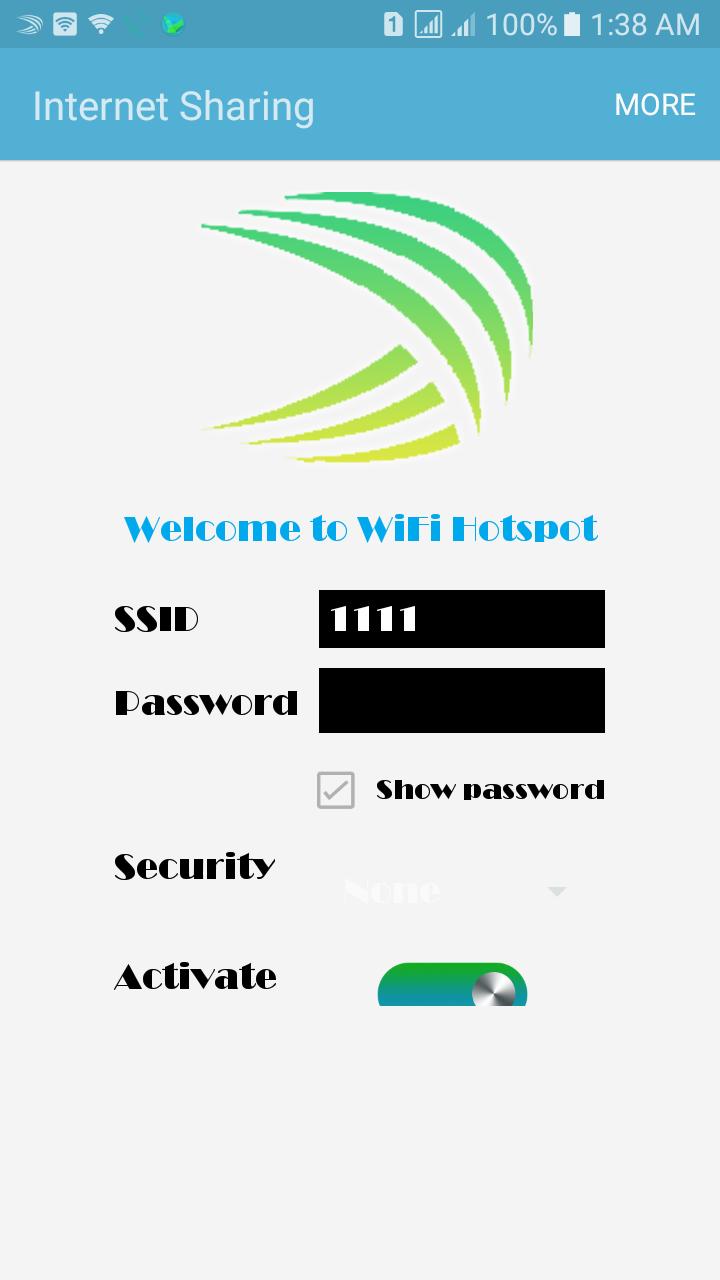
1. Wifi name or SSID and password is set Available
2. You can edit the name and password as you wish
3. Use internet sharing without security protocol
4. Start intenrnet sharing or stop wifi tethering by toggle button
With internet sharing, Things simply with one click of a button.
Thanks you for using internet sharing
Share internet with WiFi on your smartphone is now even easier! Just enable toggle
internet sharing - wifi tethering is a way to create wifi from 2G/3G or 4G from your android phone network You can change the name of your phone's Wi-Fi network name (SSID) and secure its Wi-Fi network when it's acting as a portable hotspot.
internet sharing is a wifi hotspot that will allow you to turn on the internet sharing feature on your Android smartphone with a single touch.
Use internet sharing - Wifi tethering :
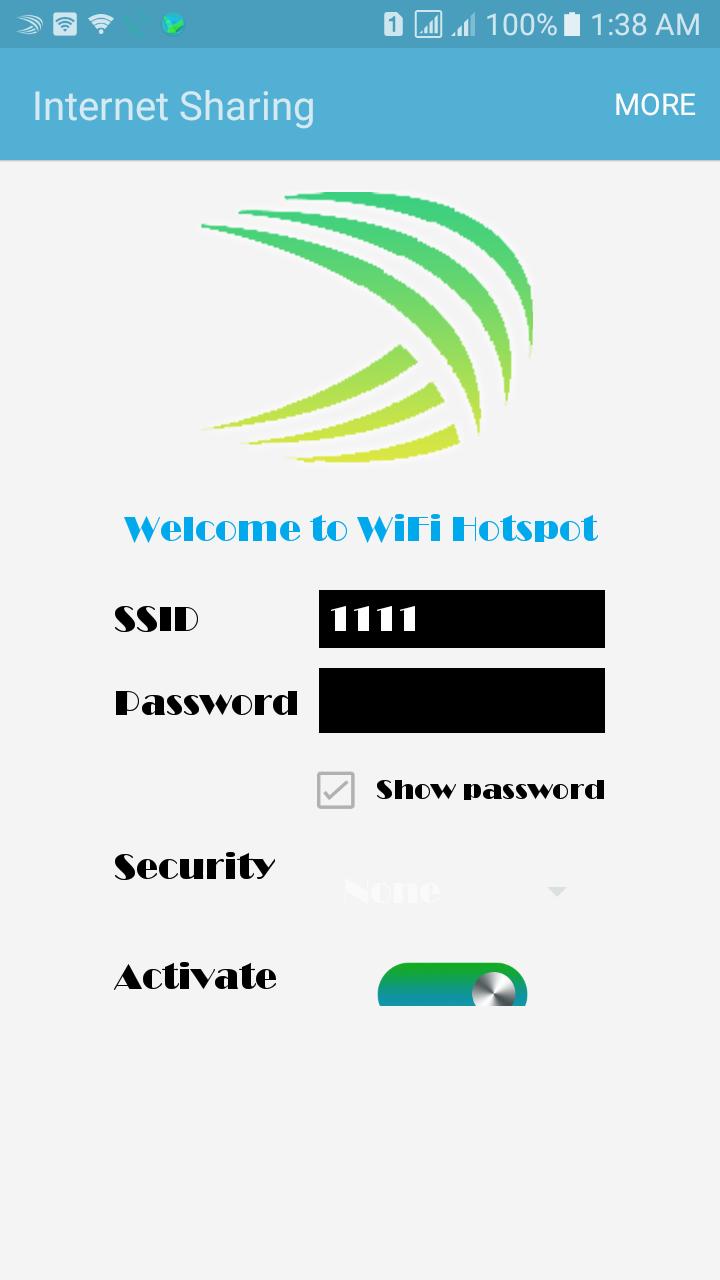
1. Wifi name or SSID and password is set Available
2. You can edit the name and password as you wish
3. Use internet sharing without security protocol
4. Start intenrnet sharing or stop wifi tethering by toggle button
With internet sharing, Things simply with one click of a button.
Wifi name or SSID and password is set Available
You can edit the name and password as you wish
Use internet sharing without security protocol
Start intenrnet sharing or stop wifi tethering by toggle button
With internet sharing, Things simply with one click of a button.
Thanks you for using internet sharing
Latest Version
1.2Uploaded by
Nukul Yindee
Requires Android
Android 4.0+
Category
Free Communication AppContent Rating
Everyone
Report
Flag as inappropriateLast updated on Mar 28, 2018
Some bug fixes







APKPure - A multi-platform app store primarily focused on Android, providing extensive app-related content. Discover the app you want easier, faster, and safer, with quick and efficient downloads and installations.












