
Do control the app to be used and the screen in conjunction with the intercom.
Intercom Assistant, can be done in one shot from the widget settings to use the intercom.
It is also possible to switch applications that use with Intercom by volume buttons.
Screen set in consideration of the use of the motorcycle can also be carried out.
■ Caution
+ Even if the assist function is active, volume change, application startup, application switching will not work during function setting.
+ Depending on the type of intercom device, it may take some time for the volume to change.
+ Applications can not be switched by the volume button until the volume is changed.
+ If application switching by the volume button does not work, please double click on it.
+ Application switching by the volume button will not work if an application (such as camera application) that assigns the volume button to another function is set as the startup application.
+ Since the automatic start of the application is restricted on Android 10 or later, it will be started by notification.
+ If Android 6.0 (Marshmallow) or higher has enabled "Bluetooth scanning" with "Location" sttings, you may not be able to correctly determine the intercom device connection.
+ When setting to suppress the consumption of power and memory (activation of suppression application) is being performed, It may not operate normally.
If you experience the following symptoms, connection not recognized display of notification area does not disappear etc. Please remove this application from subjects of consumption suppression.
■ Usage and functions
- Setting usage conditions -
+ Launch the application and set usage conditions in the service setting item.
Income Device is mandatory, be sure to set it.
Start-up application is optional.
If using Android 5.0 (Lollipop) or higher, please turn on "Apps whdth usage access".
If using Android 6.0 (Marshmallow) or higher, please turn on "Allow modify system settings" and "Do Not Disturb access" and "Permit drawing over other apps".
+ Add widgets to the home screen as necessary.
- Start the assist function -
+ When starting from an application
Launch the application and turn on or check the assistance service.
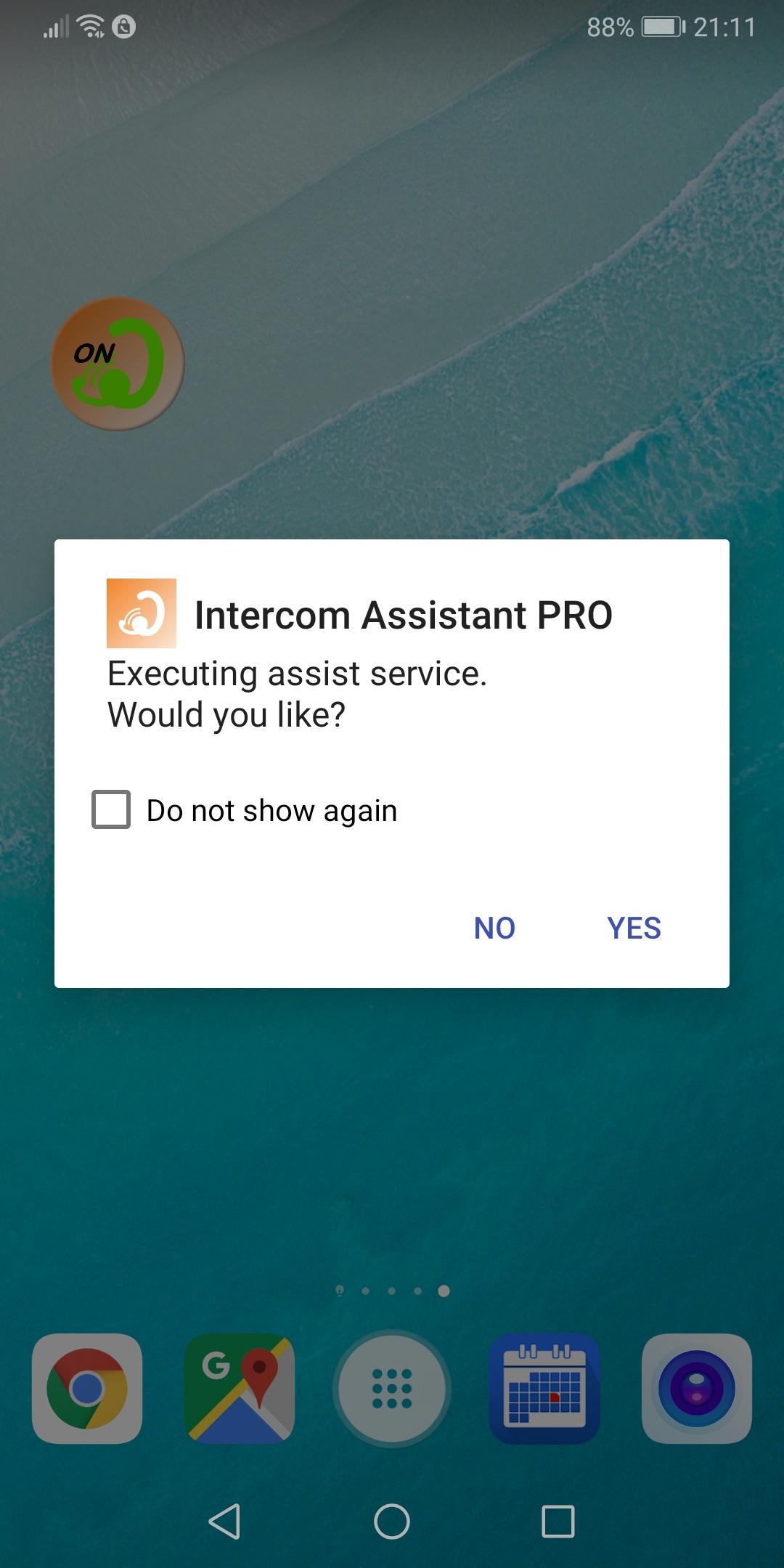
+ When starting from a widget
Click on the widget.
A confirmation dialog is displayed, so select Yes.
(Dialogs can also be hidden)
+ When starting from a shortcut (available on Android 7.1.1 or later)
Press and hold the app icon.
Click Start Service from the displayed shortcut menu.
The assist function enters the execution state and waits for intercom device connection.
When the connection of the intercom device is confirmed, the set application is started up.
Depending on the setting, the volume for the smart device is changed.
- End assist function -
+ When exiting from the application
Launch the application, turn OFF the assist service or uncheck it.
+ When exiting from the widget
Click on the widget.
A confirmation dialog will be displayed, so select Yes.
(Dialogs can also be hidden)
+ When exiting from the shortcut (available on Android 7.1.1 or later)
Press and hold the app icon.
Click Stop Service from the displayed shortcut menu.
Assist function is ended, Bluetooth is turned OFF (option).
The smart device volume returns to the state before using the application.
- Regard to switching by PLAY button -
Operated by double click.
Depending on the device, quick double click there is a thing to be ignored.
If this is the case, please click slowly twice within two seconds.
Does not work during the screen operation.
From the screen operation is completed, it will take effect after 5 seconds.
When can not be switched, the icon in the notification area will turn into a thin white.
■ Operation verification device
SYGNHOUSE B+COM SB4X
SONY MDR-EX31BN
■ Supported OS version
Ver 4.0 or later
Latest Version
1.13.07Requires Android
4.0
Category
Lifestyle AppContent Rating
Everyone
Report
Flag as inappropriateLast updated on Aug 10, 2021
This release includes minor bug fixes and general improvements. Update to the latest version for the best experience.




APKPure - A multi-platform app store primarily focused on Android, providing extensive app-related content. Discover the app you want easier, faster, and safer, with quick and efficient downloads and installations.