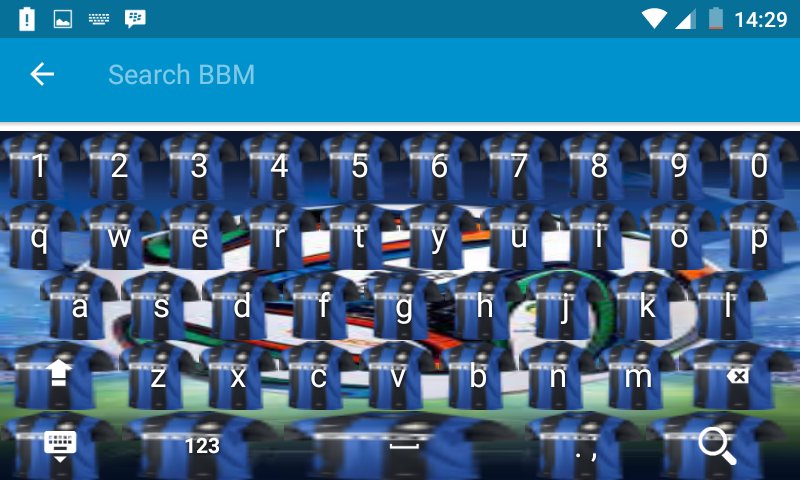
which will make your smartphone cooler with decorated with various themes and buttons on the jersey inter milan
How to use?
- Open the application after finally installed
- Click "Enable Keyboard" and select "Keyboard Theme" (later returned)
- Click "Set Input Method" and select "Keyboard Theme" (later returned)
- Click "Set Theme" and then select the keyboard theme you want.
- Done. keyboard theme has been changed to the selected theme on the application.
* You can choose to include a photo of you that will be used as the theme for your keyboard
- Open the app
- Click on "Scene Background" then
- Click "Set Background Gallery" select existing photos in your gallery.
- Set the image size to be used as a keyboard theme (later returned)
- Click "Set Theme" under the menu "Set Background Gallery"
- Done. keyboard theme you have turned into the theme of the photo you choose.
Thank you
Latest Version
1.0Uploaded by
Emy Rodrigues
Requires Android
Android 2.3.2+
Category
Free Personalization AppContent Rating
Everyone
Report
Flag as inappropriateLast updated on Jun 29, 2016
This release includes minor bug fixes and general improvements. Update to the latest version for the best experience.




APKPure - A multi-platform app store primarily focused on Android, providing extensive app-related content. Discover the app you want easier, faster, and safer, with quick and efficient downloads and installations.