
Legacy app
This app got replacement with the all new new "Immersive Mode Manager" app.
You can find the app using the link below or by looking into my other apps.
In the long run this app will be unavailable for new users and will be used only as a premium unlocker in the new app
Link to new app:
https://play.google.com/store/apps/details?id=com.ivianuu.immersivemodemanager2
"Immersive Mode" just the way you like!
The "Immersive Mode" itself is a awesome feature right? But it's really annoying
that some apps don't make use of this beautiful way to enjoy a bigger screen.
Wouldn't it be nice if you could define the way it works yourself?
Well now you can with "Immersive Manager".
"Immersive Manager" allows you to tweak every aspect of where and how the
"Immersive Mode" should work on your device.
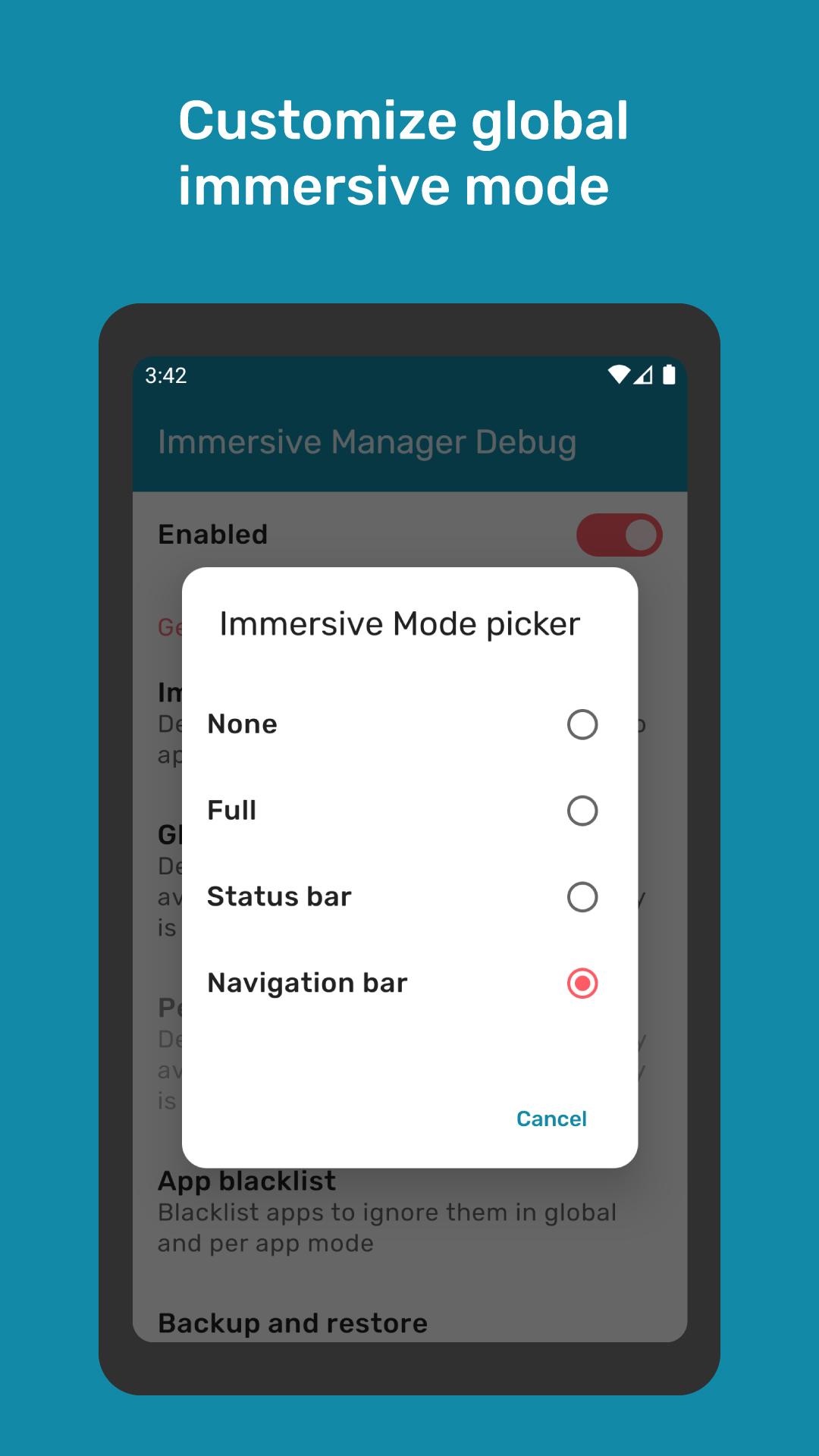
You can either define a global "Immersive Mode" which will be applied system wide.
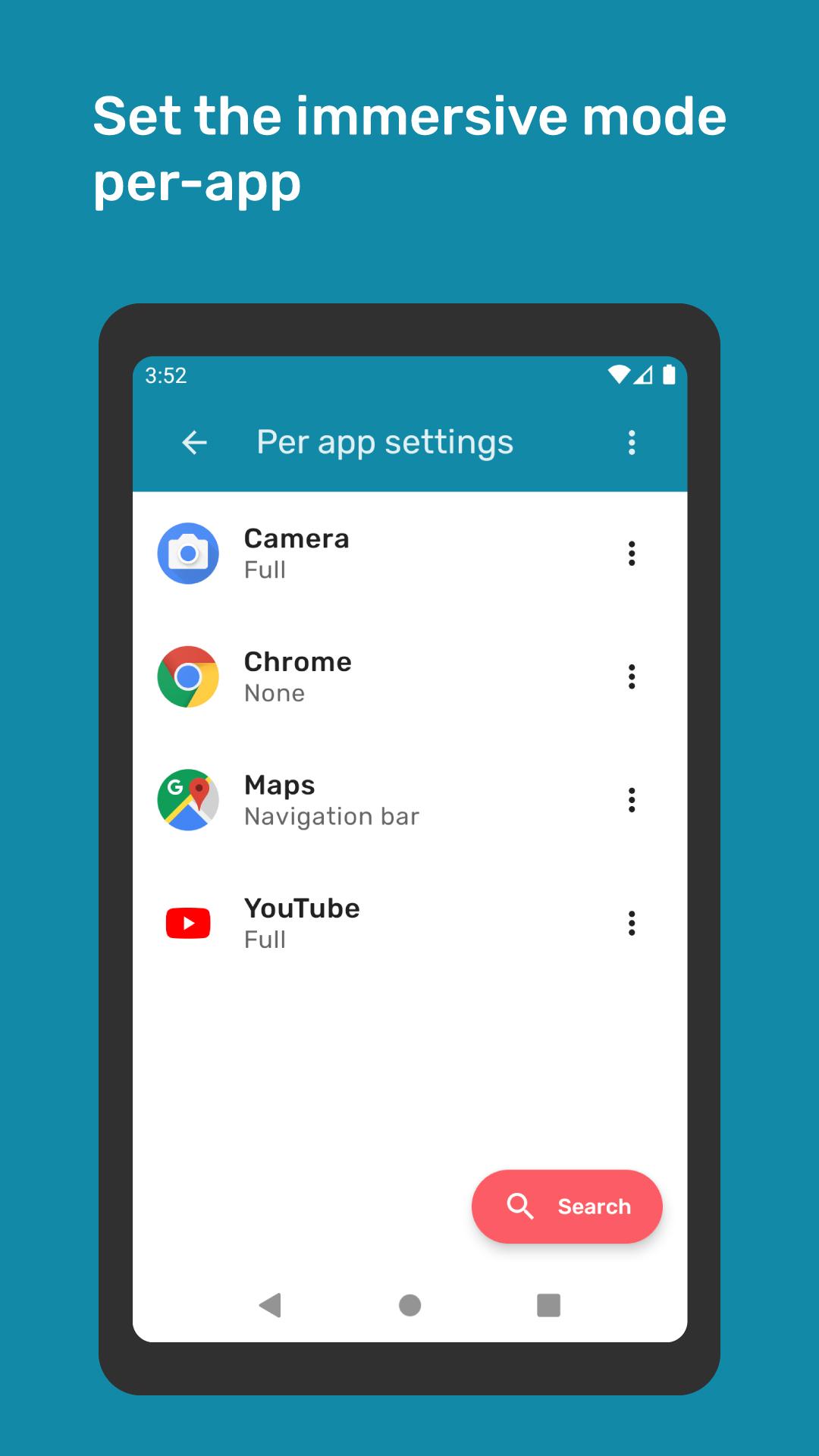
Or if you wanna go further you can define the "Immersive Mode" per-app.
The following options are available and can be applied individually:
Full -> Will hide both the status bar and the navigation bar
Status -> Will only hide the status bar
Navigation -> Will only hide the navigation bar
None -> Will leave both system bars visible
No root required!
No draining background services!
No hacky or buggy overlays!
Just a simple and clean user interface which applies your settings in real time.
In order to make "Immersive Manager" work the WRITE_SECURE_SETTINGS permission must be granted.
Normally this permission is only granted to system applications because it allows the app to write system settings.
If you're device is rooted you can grant the permission from inside the app with just one click.
Otherwise you have to do it manually with a simple ADB command.
You will find a detailed tutorial inside the app.
There's also a super handy quick settings tile to switch between "Immersive Mode"'s
The internet permission is used for analytics only.
"Immersive Manager" also offers support for Tasker view broadcasts.
So let's go make the "Immersive Mode" your own
More features will come in the future.
Android ADB PC instructions
1 - Enable Developer Mode in the Android settings.
2 - Enable USB Debugging
3 - Setup ADB on your PC
4 - Run the following adb command to grant the permission:
adb shell pm grant com.ivianuu.immersivemodemanager android.permission.WRITE_SECURE_SETTINGS
How to install ADB
Gadget Hacks - https://youtu.be/CDuxcrrWLnY
Lifehacker - https://lifehacker.com/the-easiest-way-to-install-androids-adb-and-fastboot-to-1586992378
Xda developers - https://www.xda-developers.com/install-adb-windows-macos-linux/
Links
Reddit:
https://www.reddit.com/r/manuelwrageapps/
Latest Version
2.4.4Requires Android
9
Category
Tools AppContent Rating
Everyone
Report
Flag as inappropriateLast updated on May 4, 2026
Minor bug fixes and improvements. Install or update to the newest version to check it out!

APKPure - A multi-platform app store primarily focused on Android, providing extensive app-related content. Discover the app you want easier, faster, and safer, with quick and efficient downloads and installations.