OS10 - The next version of OS 9, was released in June this year. Do you want Lock Screen OS 10 on your android devices ?
This is the best free Lock Screen style OS 10 with iNotification and iControl like a phone. You will get the cool OS10 lock screen to make your android phone look like phone 6 and phone 7. What are you waiting for? the lock screen experience right style OS 10, Beautiful , clear and easy to use
Features iLocker Screen OS10 :
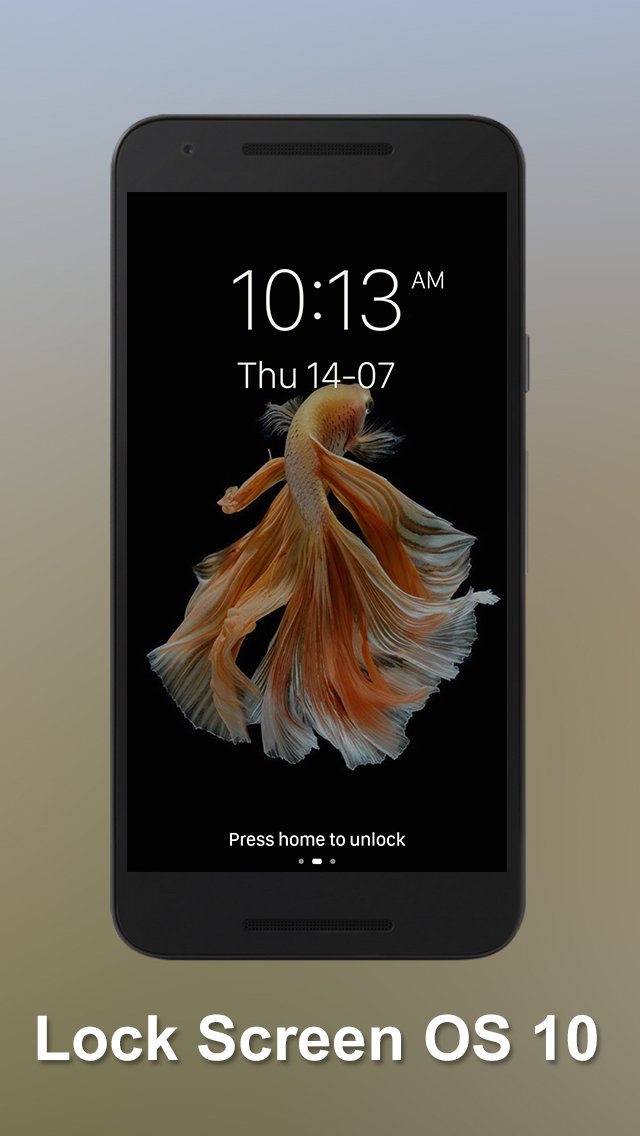
- Press Home to unlock
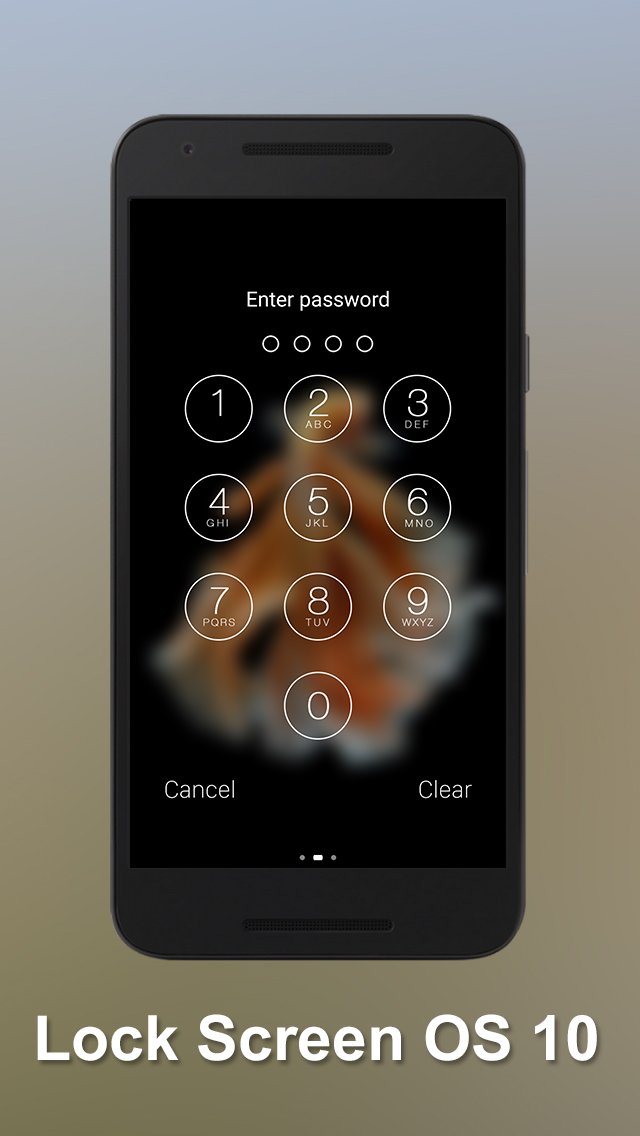
- iLocker Screen will protect your phone safety with 2 ways, passcode or pattern.
- Set pincode or passcode easy with our application
- Many beautiful wallpapers full HD from íOS9 wallpaper and ìOS 10 wallpaper, custom yourself your lock screen with style 9 completely free
- Change text slide to unlock, example: "I love you" or "You are my sunshine" or "iLocker Screen OS 10 is perfect and great ^^"
- 2 time-formats 12-Hour or 24-Hour
- You can set your own personalized image from iGallery
- You can customize your lock screen or use the íPhòné 6 and íPhòné 7 styles
- enter your 4 -digits password to unlock the screen
- You can slide right to activate the iCamera
- You can slide left to activate the widget
- Control center style with the latest íòs 10
- iControl with two tab style OS 10
- Control tab support quick setting wifi bluetooth audio screen rotation
- iControl tab support quick start flash light, iAlarm, iCalculator, iCamera
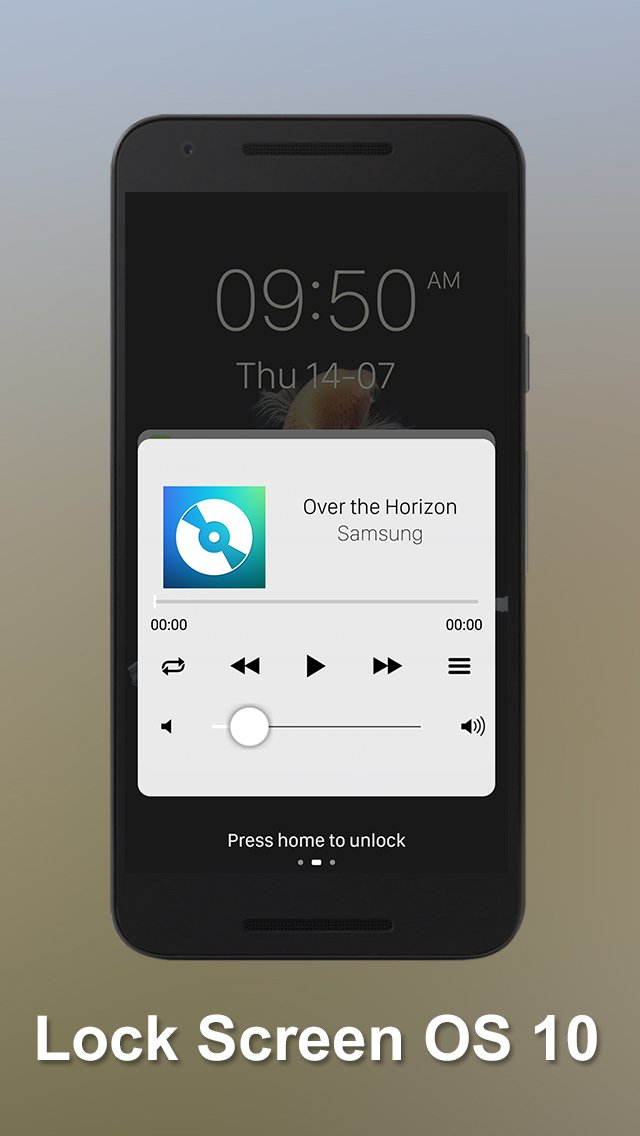
- Music tab support play iMusic in your iLock screen
- Read message and notification from iLock Screen
- See OS10 weather style, choose a city where you want to track weather
- Working fine with Lock Screen Notification OS10
- Tomorrow event will be reminded
- Show carrier, signal strength and wifi signal.
- Show battery status, time, date
- Show list of miss call and message
- Smart Control includes setting wifi, mobile data, bluetooth.
- iControl includes setting flash light, orientation
- Turn on/off iControl center
- Turn on system Lock Screen
iControl
- New theme with two tabs control center style íOs 10
- Support quick setting for Airplane Mode
- Support quick setting for Wi-FI
- Support quick setting for Silent mode
- Support quick setting for Data Connection
- Support quick setting for Portrait Orientation Lock
- Support quick setting for Screen Timeout
- Support quick setting for Vibration Mode
- Support quick setting for Bluetooth
- Support Access to iFlashlight
- Support Access to iClock
- Support Access to iCalculator
- Support Access to iCamera
- Support Access to System settings
- Support slide to adjust the brightness
- Support play iMusic on the iLock Screen
- Play music right on the screen lock with style íos 10
How to use iLocker Screen OS 10:
- Install our iLocker Screen OS 10
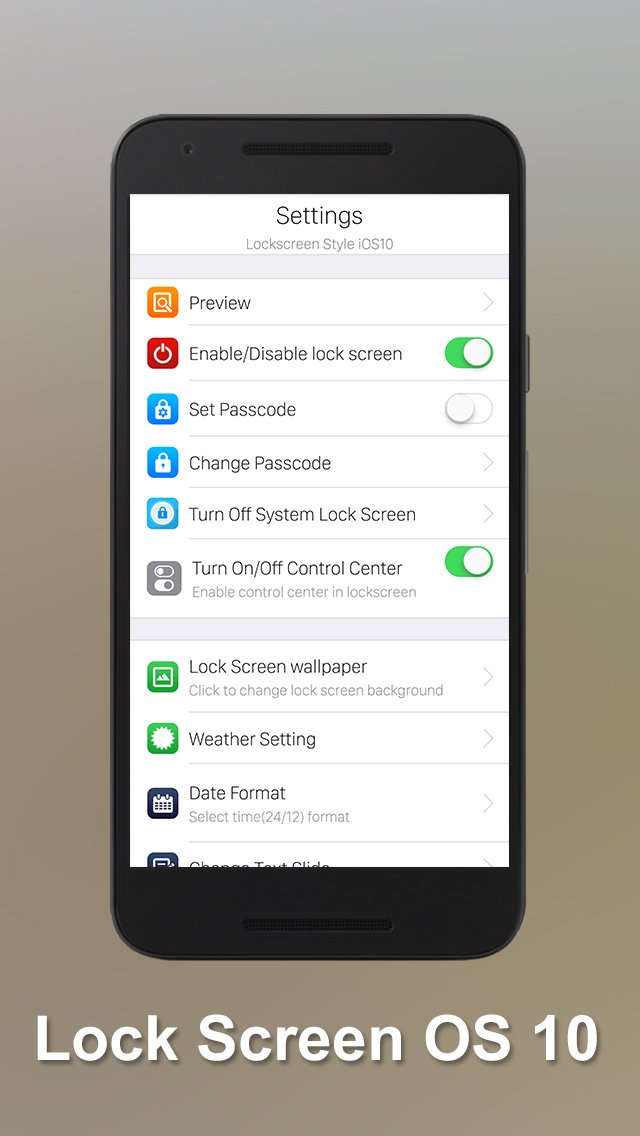
- Open setting and enable iLocker
- Setting and change passcode, password
- Setting weather
- Setting iLock Screen wallpaper style íOS 10 or wallpaper íOS 9
- Change time format 12-hour or 24 hour
- Change text slide (default “Press home to unlock”),
- Turn on/off iControl Center
- Do not forget share and rate our app
Download now and recommend your friend this app. We will give you a great experience from the íÒS 10 style. We are very happy to receive feedback from you. Thank you!
Latest Version
1.2Uploaded by
သႀကီးသမတ္ ႀကီးသမတ္ ကိုဘခတ္ ဘတုတ္
Requires Android
Android 4.0.3+
Category
Free Entertainment AppContent Rating
Rated for 3+
Report
Flag as inappropriateLast updated on Jul 15, 2016
This release includes minor bug fixes and general improvements. Update to the latest version for the best experience.





APKPure - A multi-platform app store primarily focused on Android, providing extensive app-related content. Discover the app you want easier, faster, and safer, with quick and efficient downloads and installations.