Scan Date:Aug 15, 2024
Package Name:com.smartartstudios.halloweensfree.interactive.watchface
SHA-256:220bdcf9a4e2677d9ca1e47fd25ce41a763b72c668f96307ad7230835e9c3024
SHA-1:6fd6b64cdde4220b87abe1453cb3b9f06ce40036
Show More
★★ KEEP CALM and SCARY ON ★★
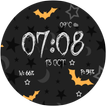
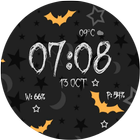
★★Halloween Spooky Interactive Watch Face !! A Unique Halloween Interactive Watch face with Interactive Actions, For Wear OS 4.0. ★★
★★Features ★★
✔ Wear OS 4.0 Fully supported.
✔ Standalone watch face for iPhone and Android users.
✔ Hourly Chime Sound effect and Vibration on every hour
✔ Touch Sound Effect and Touch Vibration.
✔ Unique Halloween design watch face, with Interactive Actions.
✔ Choose Between 15 Unique Different Halloween Themes.
✔ New Style Phone and Watch battery info.
✔ Screen Bright Time Option
✔ 2 Ambient Modes Option, Simple Black and White and Full Colorful Ambient Mode.
✔ Choose Between Full and Black and White Ambient Modes
✔ Tap on anywhere on watch face to change theme.
✔ Unique Style Date, Day, Month Name
✔ Short Peek Cards Option
✔ Peek Cards in Ambient Mode ON/OFF Option
✔ Translucent peek Cards
✔ Transparent or Opaque BG of Status Bar icons
✔ Status Bar Icon's Custom Position
✔ OK Google's Custom Position
★★Halloween Interactive Watch Face is a Halloween Design inspired Watch Face with Unique 15 Halloween themes, This is your watch face for the October Month . Spooky Halloween on your Wrist★★
★Supported All Watches Resolutions
★Compatible with Wear OS Watch Only , Not for Samsung Watches
★How To Use
1. You Can Enable or Disable Sound effects and Vibration from Companion app.
★How do I install the watch face on Wear OS 1.0?
1. After install run 'Re-sync app' from the Wear OS app.
2. Long press your watch and choose "Halloween Spooky Watch Face" as your watch face, or select the watch face using the Wear OS app.
★How do I install the watch face on Wear OS 2.0 & 3.0 & 4.0?
1. Install it from Google Play Wear Store on your watch.
2. Install the companion app for fully customization (Android phone devices).
★Useful Tip
✔ Sometimes you need to wait longer for transfer to watch
✔I recommend a bit of patience .
✔This is not caused by the watch face, but rather Wear OS app.
✔ If the watch face is not shown on your watch after few minutes, to try re-sync or follow these steps:
1. Disconnect devices (watch and phone)
2. Uninstall the watch face
3. Restart watch and connect device again
4. Then finally install the watch face
★Visit Our Exclusive Wear face collection for Wear OS on the Play Store https://goo.gl/RxW9Cs
IMPORTANT NOTE: Your watch Must have speaker to get Hourly and touch Sound Effects.
NOTE: if you have any problem first email us before leaving a 1 star rating on play store, we will solve it
Latest Version
2.0Uploaded by
Huy Lê
Requires Android
Android 6.0+
Category
Free Personalization AppContent Rating
Everyone
Security Report
Report
Flag as inappropriateLast updated on Nov 7, 2023
V2.0:
1. Optimizes for Wear OS 4 Watches. Wear OS 4 ready.
2. New settings layout on watch and Phone App.
3. New method to get weather location on watch face. TAP on Weather
4. Fix Automatic Weather update. More accurate weather update Now.
5. Tap on weather to Refresh weather.
6. Fix Remote Install Button on Phone app.
8. Fix Hourly sound and vibration timing offset some time.
7. Fix Some minor bugs.



APKPure - A multi-platform app store primarily focused on Android, providing extensive app-related content. Discover the app you want easier, faster, and safer, with quick and efficient downloads and installations.