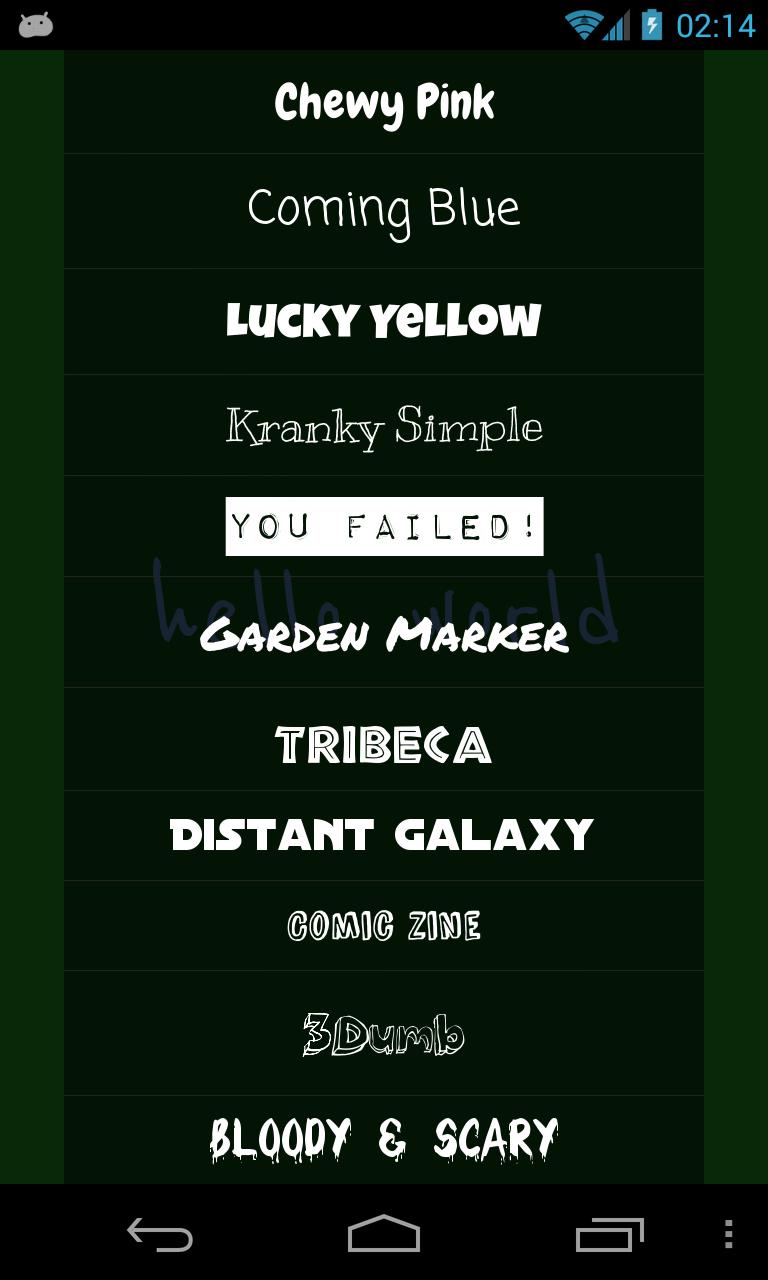
gzaas! fits moments when you need your words to stand out online but built in formatting gets in the way. Instead of small default fonts, your text appears big on a clean page that is easy to read. The service creates a unique link for each message, so you can paste it into email, chats, social posts, or forums. If you use Android, the gzaas! APK provides a simple way to compose and share from your phone.
Create large message pages
gzaas! turns your text into a full screen view with prominent type. Readers see the message without menus or clutter. This helps when a short announcement or quote needs clear presentation. You focus on the words while the app handles the display.
Share with one link
After you write a message, gzaas! gives you a single URL you can use anywhere. This keeps sharing consistent across different services and devices.
Anyone with the link can open the page in a browser and read the message.
Fast, repeatable workflow
You write your text and quickly get a link to share. There is no need to reformat posts for each platform, since the same link works across them. This reduces repeated typing and keeps attention on the message itself. It is practical for quick updates, invites, or reminders.
gzaas! focuses on clear text shown on a dedicated page and shared through a single link. To get started, install the gzaas! latest version, create a message, copy the link, then paste it where your audience will see it.
Latest Version
2.3.0Uploaded by
Long Mai Vo Hoang
Requires Android
Android 2.2+
Category
Free Entertainment AppContent Rating
Everyone
Report
Flag as inappropriateLast updated on Feb 20, 2018
Minor bug fixes and improvements. Install or update to the newest version to check it out!






APKPure - A multi-platform app store primarily focused on Android, providing extensive app-related content. Discover the app you want easier, faster, and safer, with quick and efficient downloads and installations.