📢 WHEN YOU CAN'T SEE THE WEATHER COMPLICATION AFTER INSTALLING THE WATCH FACE:
- PLEASE UPDATE THE WEATHER MANUALLY ON THE WATCH
IF THAT DOESNT WORK:
- PLEASE SWITCH TO OTHER WATCH FACE THEN SWITCH BACK TO THIS ONE
- FOR THOSE USING FAHRENHEIT - WEATHER COMPLICATION NEEDS SOME TIME TO UPDATE AND SYNC WITH THE WATCH. THAT IS WHY YOU MAY SEE TEMPS LIKE 69°C AFTER SOME TIME IT WILL SWITCH TO F
Designed for Wear OS
FEATURES:
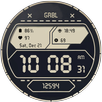
✅ Supports AM/PM and 12H/24H format
✅ 5 custom complications
✅ 11 custom weather icons based on Nothing OS
✅ Date (format change based on user's locale)
✅ AOD battery friendly and readable, with theme-matching colors
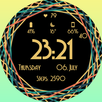
✅18 themes
✅ Dotted seconds - you can turn them on/off by tapping on them
If you face any problem, please reach out at grubel.watchfaces@gmail.com. I’ll gladly provide screenshots and step-by-step instructions to help you install the watch face.
📢Watch faces do not change automatically after installation. To set it up, return to the home display, tap and hold, swipe to the end, and tap ‘+’ to add the watch face. Use the bezel to find it.
Samsung Developers offer a helpful video showing multiple ways to install a Wear OS watch face:
🎬 https://youtu.be/vMM4Q2-rqoM
📢THE COMPANION APP DOES NOT INSTALL THE WATCH FACE ON YOUR WATCH. IT ONLY OPENS THE PLAY STORE LISTING ON YOUR WATCH, WHERE YOU CAN INSTALL IT YOURSELF.
PLEASE READ INSTRUCTIONS BELOW.
There are two ways to install this watchaface to your WearOS device:
From PLAY STORE APP:
1. Use the drop-down menu and select the target
device on the PLAY STORE APP:
after a few minutes the watch face will transferred on
watch.
2- ACTIVATE WATCH FACE:
Once installed, you need to activate the watch face.
Long press screen, swipe left and tap "ADD WATCH
FACE" to activate it.
From PLAY STORE WEBSITE:
1 - Go to the watch face link through a Web Browser on
PC / Mac such as Chrome, Safari (etc.). You can search
the watch face name on Play Store.
Click on "Install on more devices" and select the target
device:
after a few minutes the watch face will transferred on
watch.
2- ACTIVATE WATCH FACE:
Once installed, you need to activate the watch face.
Long press screen, swipe left and tap "ADD WATCH
FACE" to activate it.
for API 34+
📢 Remember , if you want your watch to show phone's battery status, you should install Phone Battery Complication app
DISCLAIMER
📢 Each device offers different custom complications, and selection varies by third-party apps. Custom complications shown in store screenshots come from third-party app - Phone Battery Complication
Latest Version
Varies with deviceRequires Android
Category
Personalization AppContent Rating
Everyone
Report
Flag as inappropriateLast updated on Oct 6, 2025
This release includes minor bug fixes and general improvements. Update to the latest version for the best experience.



APKPure - A multi-platform app store primarily focused on Android, providing extensive app-related content. Discover the app you want easier, faster, and safer, with quick and efficient downloads and installations.