Package Name:com.levelpulse.gamepilot
SHA-256:f8681147ebc50bf2d49785ef9fc158c9d9e176648e4181d50f73169fa3103350
Show More

Game Mode is a game launcher and gaming toolkit for Android. Customize your device settings for each game with per-game profiles, floating overlay tools, screen recording, and session tracking. Game Mode gives you full control over your gaming experience.
Game Launcher with Per-Game Profiles
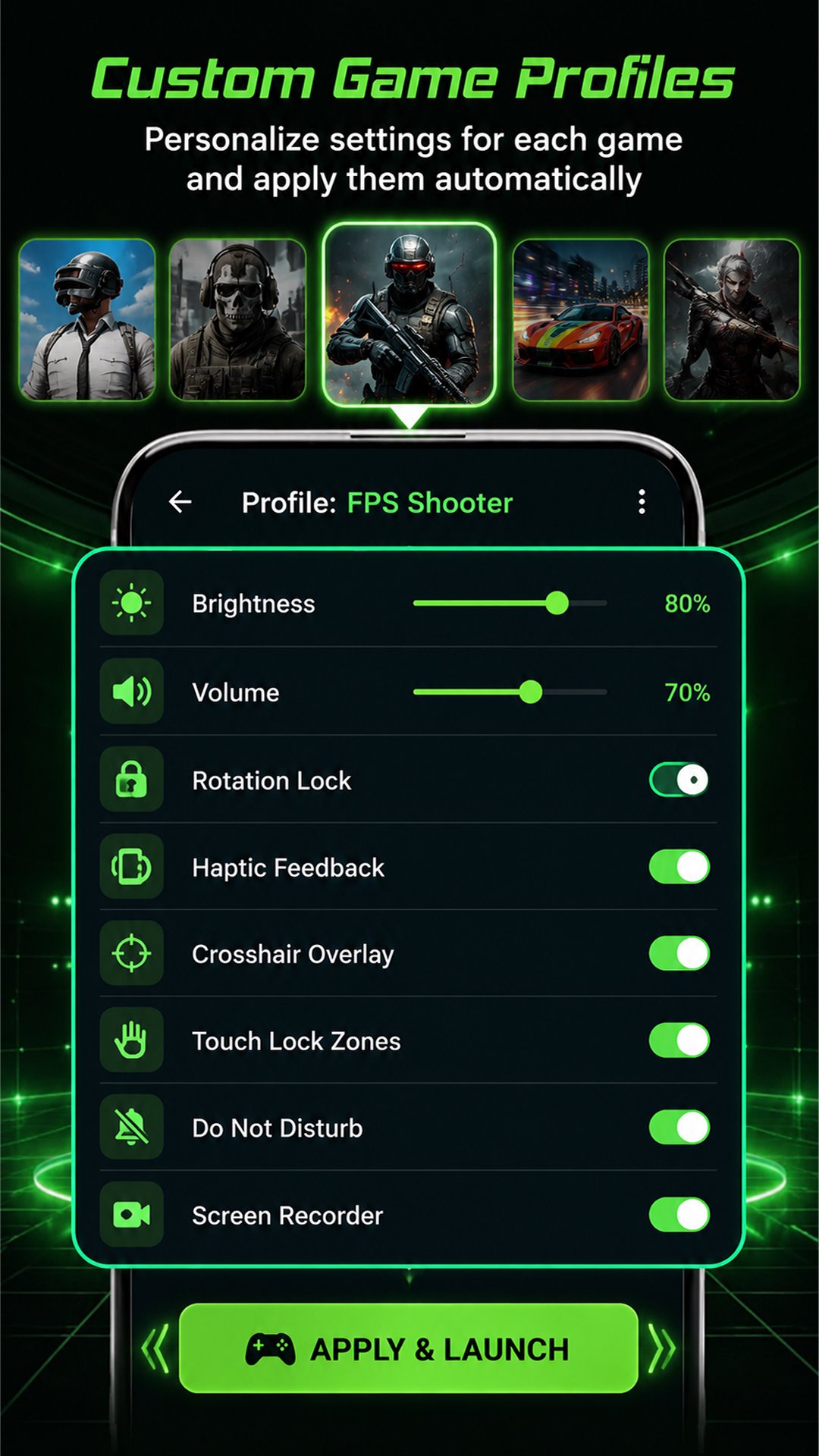
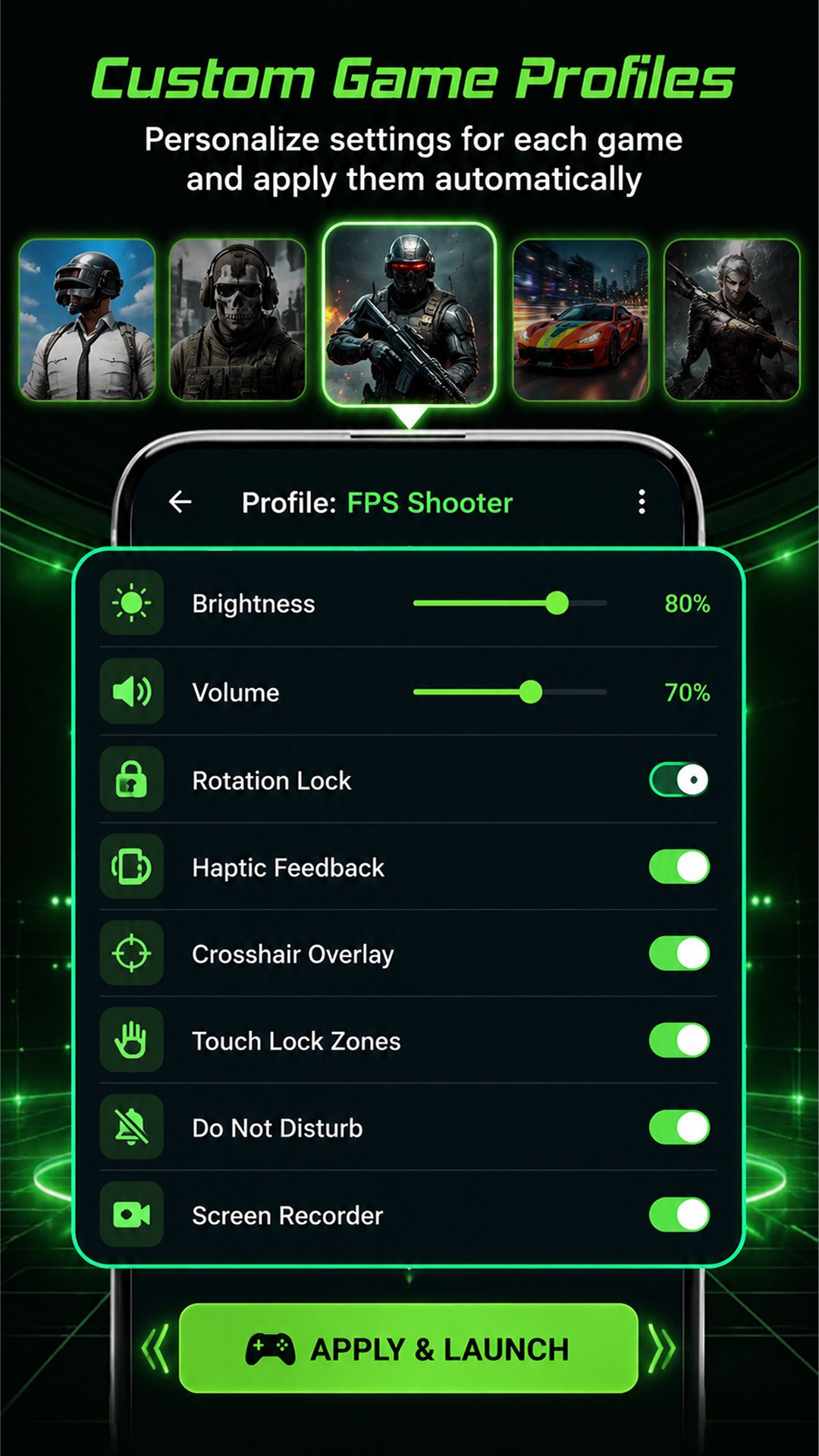
Use Game Mode as your primary game launcher. It auto-detects all installed games on your device. Pin your favorite games for quick access or manually add any app. Create custom profiles for each game with specific brightness, volume, rotation lock, haptic feedback, Do Not Disturb, and DNS settings. Game Mode applies your preferred settings automatically every time you launch a game. When you close the game, your original device settings are restored.
FPS Counter Overlay
Monitor your real-time frame rate with the built-in FPS counter. The FPS overlay uses Android Choreographer API to display accurate frames per second on top of any game. Drag the FPS counter to any position on screen. Track your device frame rate and identify frame drops during gameplay.
Session Timer Overlay
Track how long you play with the floating session timer. The session timer overlay displays elapsed time in hours, minutes, and seconds on top of any app. Drag it anywhere on screen. Monitor your gaming habits and manage your play time effectively.
Temperature Monitor Overlay
Display your device temperature in real time using the battery hardware sensor. The temperature overlay shows degrees Celsius on screen while you play. Monitor device heat to avoid overheating during extended gaming sessions.
Touch Lock Bars
Block accidental screen touches during gameplay. Touch lock places transparent bars on the left and right screen edges to prevent unintended swipes on bezel-less phones. Essential for mobile gaming on edge-to-edge displays.
Screen Recorder
Record your gameplay with microphone audio. Game Mode uses Android MediaProjection API to capture your screen in MP4 format. Videos are saved locally on your device. View, manage, and share recorded gameplay videos from the built-in video gallery. No watermark, no time limit.
Floating Screenshot Button
Capture screenshots during gameplay with a single tap. The floating screenshot button is a draggable overlay that takes screenshots using MediaProjection. Screenshots are saved directly to your Photos gallery.
Smart Battery Brightness
Game Mode dynamically adjusts screen brightness based on your battery level. When battery drops below a set threshold, brightness is automatically reduced to extend your gaming session. Smart battery management for longer play time.
Device Dashboard
View RAM usage, battery percentage, battery temperature, and storage status at a glance from the home screen. Monitor your device status before and during gaming sessions.
Gaming Session History and Statistics
Game Mode automatically logs every gaming session. Track start time, duration, battery drain, and device temperature for each session. View your gaming history with charts and detailed statistics. Understand your gaming habits over time.
Game Library Management
Auto-detect installed games on your device. Organize your game collection, pin favorites for one-tap access, and manage your gaming library from a single dashboard.
Permissions
Display over other apps: FPS counter, temperature overlay, session timer, touch lock bars, screenshot button. Modify system settings: brightness, haptic feedback, rotation lock within game profiles only. Notification access: Do Not Disturb control in game profiles. Screen capture: gameplay recording with microphone audio. All permissions are requested only when you enable the related feature. No data is collected or transmitted. All data stays on your device.
Game Mode is a free game launcher, gaming toolkit, FPS counter, screen recorder, and gaming session tracker for Android.
Latest Version
2.7.0Uploaded by
Phakkhaphol Songim
Requires Android
Category
Free Tools AppContent Rating
Everyone
Security Report
Check Now
Report
Flag as inappropriateLast updated on Nov 2, 2026
Session Timer Overlay
Track how long you play with the floating session timer.





APKPure - A multi-platform app store primarily focused on Android, providing extensive app-related content. Discover the app you want easier, faster, and safer, with quick and efficient downloads and installations.