Free, Safe, Simple. File manger no ads. Manage your files efficiently and easily with Fs File Explorer-File Manager.
Fs File Explorer-File Manager is the best file manager for android. It provides full-featured file management like copy, move, paste, rename, delete, share, encrypt for internal storage and SD card. File explorer xplore files and folder easily by category and search.
Fs File Explorer-File Manager is a file locker. Using advanced encryption algorithm to encrypt files like images, videos, documents, music and hide them in a safe box to avoid unauthorized access. Nobody can xplore your encrypted files except yourself.
Fs File Explorer-File Manager is a file cleaner. It can analyze storage usage (include SD card), clean junk to save your internal storage and SD card space.
Like moto file manager, htc file manager, samsung file manager, es file manager, Lenovo file manager, Fs File Explorer-File Manager is one of the best file managers for android. A file explorer for android, which is not only easy to use, but also be able to using encryption to hide your files in safe box to protect your privacy, and cleaning junk files to save phone memory, SD card space.
Key Features of Fs File Explorer-File Manager
File explorer for android
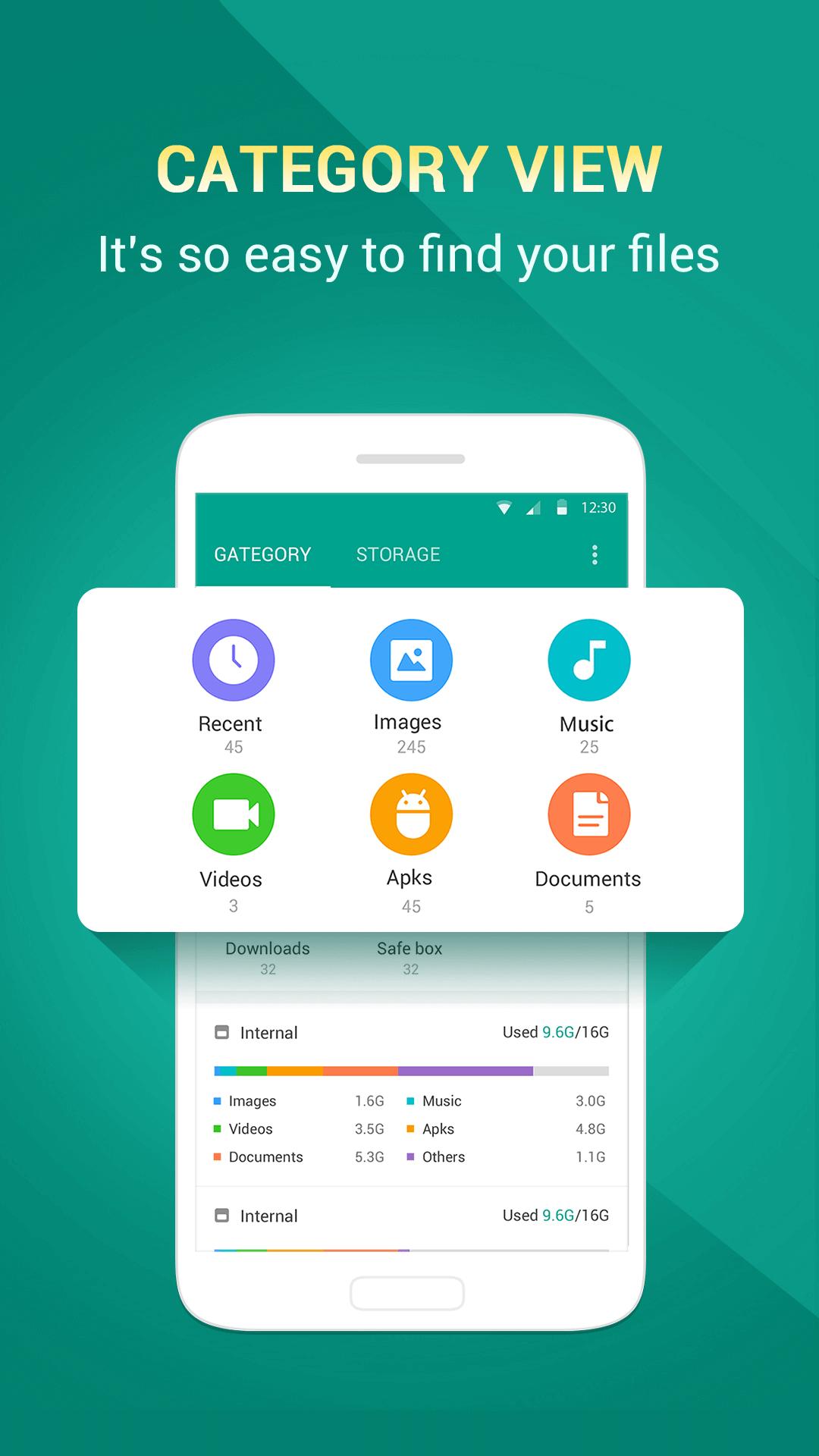
Xplore files by category on homepage easily. Recent, images, music, videos, documents, downloads, safe box. You can find files by search immediately. All files can be found easily including files in SD card.
Best file manager for android
Manage your files with copy, move, paste, rename, delete, share, encrypt, see detail both in internal memory and SD card. Copy or cut files and move to SD card.
File Locker with encryption
Encrypt your images, videos and other files, hide them in Safe box to prevent others from discovering your secretive files, be it personal privacy or business secrets. Nobody can check your encrypted files except yourself. Therefore your files and information are completely safe, no risk of file leak. Click Safe Box on home page to get the feature.
File Cleaner: Storage Analysis, Junk Clean
Scan disk and SD card to analyze storage usage. Then user can make sense of memory usage. Detecting app cache, app residual, AD junk, obsolete apks, system cache, large files and clean them to free up storage, boost speed and improve the performance of your device and SD card. Duplicate files, recently created files, redundancy files detecting are coming soon. Then you can clean them to save more space.
App Manager
Xplore all your apps easily. You can open, uninstall and see the detail. You can also share interesting apps with friends, even the installed ones. No this feature in many other file manager, like samsung file manager, moto file manager, es file manager, htc file manager, Lenovo file manager.
Clean Design, File manager no ads
Simple & Clean, Light & Smooth, No ads. Powerful as es file manager, samsung file manager, cleaner than them.
How to use the best file manager for android?
Xplore the files by category on home page, or by path in storage, SD card.
Click the file if you want to open it.
Long press the file, then you can cut, copy, rename, delete, share, and encrypt, even move to SD card.
How to use the file locker
Click ‘Safe box’ on home page and set your own lock pattern.
Long press the file you want to lock.
Press the encrypt button.
View your encrypted files in Safe Box.
How to use the file cleaner
Click ‘Analyze’ button on home page.
After the scanning, click ‘Clean’ button.
Want to use this light, clean file explorer with file locker, file cleaner and app manager? Download Fs File Explorer-File Manager, a new file manager, file manager no ads is waiting for you. A file explorer for android, the best file manager for android.
Latest Version
V1.2.2Uploaded by
Sagad Larqi
Requires Android
Android 4.0.3+
Category
Free Tools AppContent Rating
Everyone
Report
Flag as inappropriateLast updated on Nov 27, 2016
This release includes minor bug fixes and general improvements. Update to the latest version for the best experience.



APKPure - A multi-platform app store primarily focused on Android, providing extensive app-related content. Discover the app you want easier, faster, and safer, with quick and efficient downloads and installations.