Scan Date:Nov 20, 2026
Show More

⏱ Keep the time in sight, on top of any app.
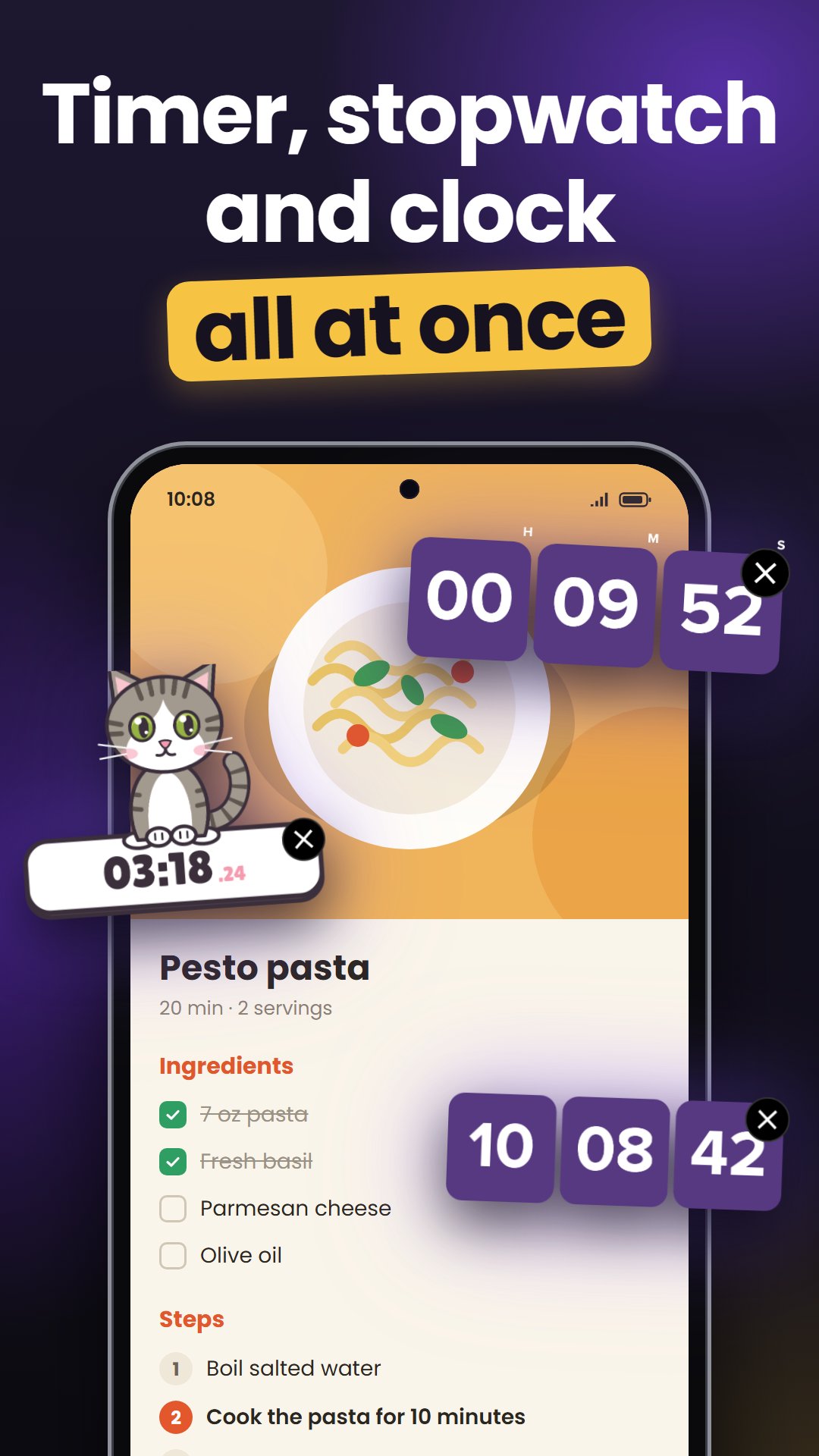
Floty is a floating timer, stopwatch and clock that stays always on top of your screen as an overlay. Game, watch videos, study or work, and check the time left or elapsed without switching apps.
■ Perfect for
・Keeping track of gaming sessions and in-game event countdowns
・Studying and test prep, with a timer always in view
・A kitchen timer that floats over your recipe
・Speeches, presentations and meetings
・Gym sets, rest periods and interval training
・Setting a screen-time limit for the kids
■ Key features
・Floating timer (countdown) and floating stopwatch
・Floating clock: the current time, with seconds, always on top, in any time zone
・Several timers and stopwatches on screen at once
・Three widget sizes: small, medium and large
・Drag the widget anywhere on screen
・Keeps counting with the screen locked or in the background
・Full-screen mode with large, easy-to-read numbers
■ Simple controls
・Tap: start or pause
・Double tap: reset
・Drag: move
・Press and hold: open the menu
■ Choose your style
From minimal designs to starry skies, auroras and Japanese-inspired themes, there are plenty of timer and clock styles. Find new ones in the Floty Store and try them free before you choose.
■ Create widgets with AI
Just say or type something like "a small blue 30-minute timer" and the AI builds the widget for you. Works with on-device AI too, no internet needed. Try it free 3 times.
■ Floty Pro
・Live view: timers, stopwatches, Pomodoros and the clock on your notification panel and lock screen, with pause and resume right from the notification
・Status bar island: on supported phones (Android 16 and later), the time left appears in the status bar island
・Pomodoro timer: manage your focus and break cycles
・Safe Mode: stops accidental taps from pausing your timer
・Spoken time alerts
・Unlimited Pro styles, with no ads
The yearly plan includes a 7-day free trial. Cancel during the trial and you won't be charged.
■ Permissions
To show on top of other apps, Floty needs the "Display over other apps" permission.
We'd love to hear your feedback and suggestions, in the app or in a review.
Latest Version
19.20Uploaded by
Piyush Saroj P S
Requires Android
Android 8.0+
Category
Free Tools AppContent Rating
Everyone
Security Report
Report
Flag as inappropriateLast updated on Nov 20, 2026
The timer no longer falls behind while the screen is locked: it now ends right on time.
New clocks now show your phone's time.





APKPure - A multi-platform app store primarily focused on Android, providing extensive app-related content. Discover the app you want easier, faster, and safer, with quick and efficient downloads and installations.