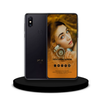
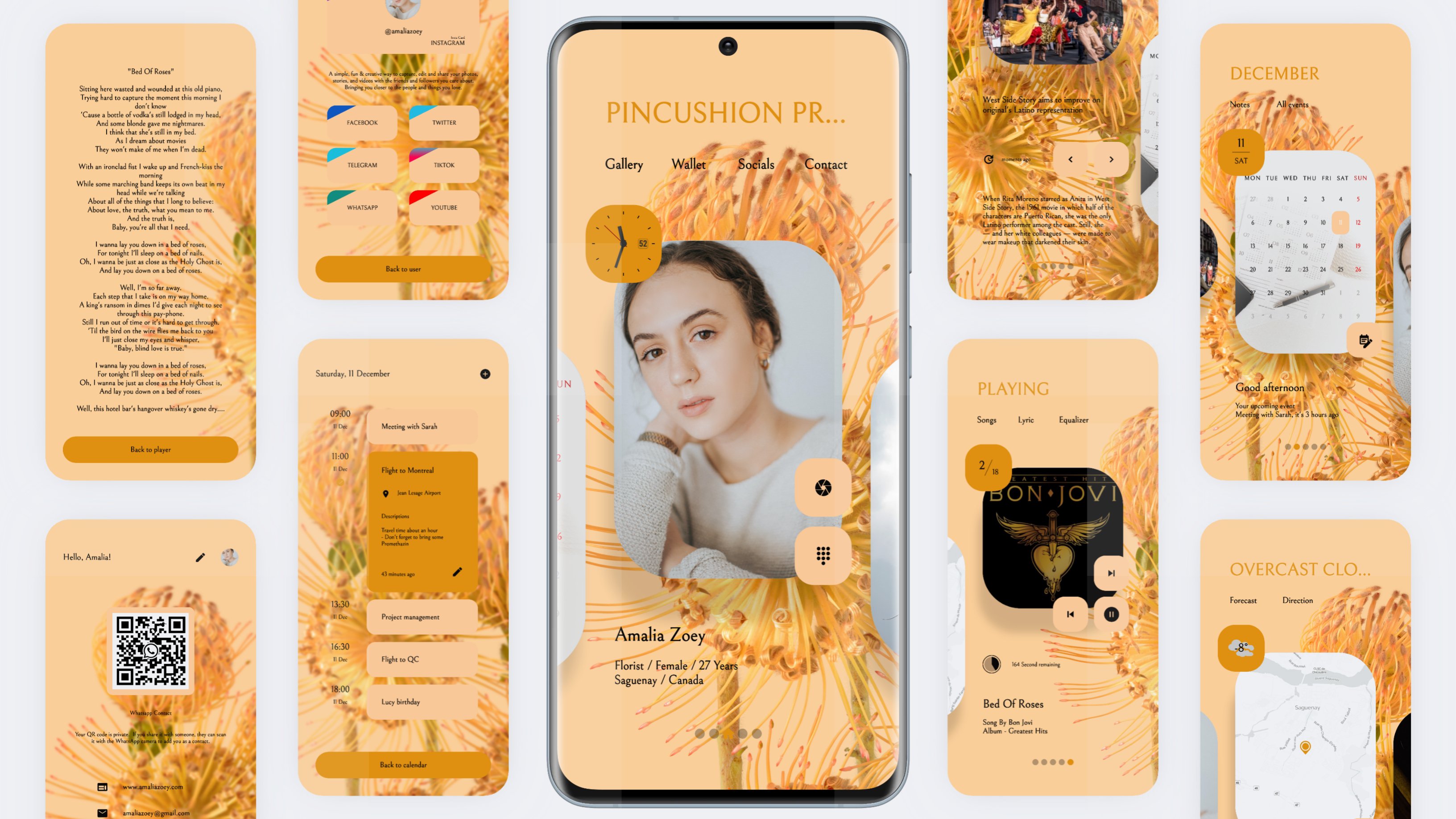
The color is automatically extracted from the selected wallpaper, inspiration from 'Material You', we made these KLWP presets to life on your home screen.
THIS IS NOT A STANDALONE APP. THIS APP WILL WORK ONLY IF YOU HAVE INSTALED KLWP WITH PRO VERSION AND NOVA LAUNCHER
INSTALATION
• Install Florist - KLWP Pro and open the application.
• Tap the preset image displayed in the dasboard and automatically preset will appear on the KLWP dasboard
• Tap the 'Save' icon and return to your home screen
And, at that time Florist - KLWP Pro lived on your home screen.
MANDATORY ADJUSTMENT TO APPLY
• KLWP Settings - Make the number of screens to 5 on the KLWP dashboard with a horizontal swipe (add by tapping the screen icon on the top right on the KLWP dashboard).
• Nova Launcher settings - On the Nova Launcher homepage make it 5 screens with the home screen default in the middle position or on the 3rd screen.
DIRECT ACCESS FROM HOME SCREEN
• Available 5 choices of wallpaper. Dark and light mode with colors automatically following the wallpaper background also wallpaper filtering selection including Dim, Invert and Blur
• Contact details
• Payment card center
• Variety of social media and messaging
• Calendar events and appointments
• A selection of news from various categories
• Cardinal directions and weather forecast 7 days a week
• Music player with lyrics
SHORTCUT TO APPS
Telephone, Camera, Calendar, Maps, News, Keep Notes, Clock, Photos, Chrome, Amazon Shopping, Play Store, Pay Pal, Facebook, Instagram and other social media applications (application shortcut keys may need to be adjusted considering the availability of applications on your device. You can change the shortcut access you want by tapping pop up 'edit' when the application shortcut key is pressed on the dashboad KLWP).
* All of app features may not be available in some countries.
Contact us if you have any questions or problems, send your email to the developer. We can respond to some questions immediately, and for some things we may also need time to answer them.
Latest Version
1Requires Android
5.0
Category
Personalization AppContent Rating
Everyone
Report
Flag as inappropriateLast updated on Nov 30, 2021
Minor bug fixes and improvements. Install or update to the newest version to check it out!






APKPure - A multi-platform app store primarily focused on Android, providing extensive app-related content. Discover the app you want easier, faster, and safer, with quick and efficient downloads and installations.







![Oblique [KLWP] APK](https://image.winudf.com/v2/image1/b2JsaXF1ZS5rdXN0b20ucGFja19pY29uXzE1NTY1NjgxOTdfMDQ2/icon.png?w=102&fakeurl=1)