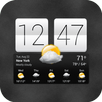
The FlipClock style for Gear fit device.
Features:
★Support 12h AM/PM, 24h, vertical and horizontal style.★
How to use?
1. Download and install Flip Clock.
2. Run application, select time mode (12h or 24h), screen orientation.
3. Click button [Update Style] -> Open Gear Fit manager(Close Advertising if have)
4. Choose Clock Tab, scroll to Gear Clock. You may need switch to other clock and re-select style.
5. Click Done and feeling :)
SAMSUNG_GEAR_FIT_CLOCK
Latest Version
1.1.0Uploaded by
Abdullah AL-Mashharwi
Requires Android
Android 4.1+
Category
Free Personalization AppContent Rating
Everyone
Report
Flag as inappropriateLast updated on Sep 15, 2015
Minor bug fixes and improvements. Install or update to the newest version to check it out!



APKPure - A multi-platform app store primarily focused on Android, providing extensive app-related content. Discover the app you want easier, faster, and safer, with quick and efficient downloads and installations.