
Finger Timer is a speedcubing/speedstacking timer in your pocket!
It's a simple and elegant timer app that you must have!
And, it's free!
[HOW TO USE]
1. Put your fingers on the left and right pads, and hold.
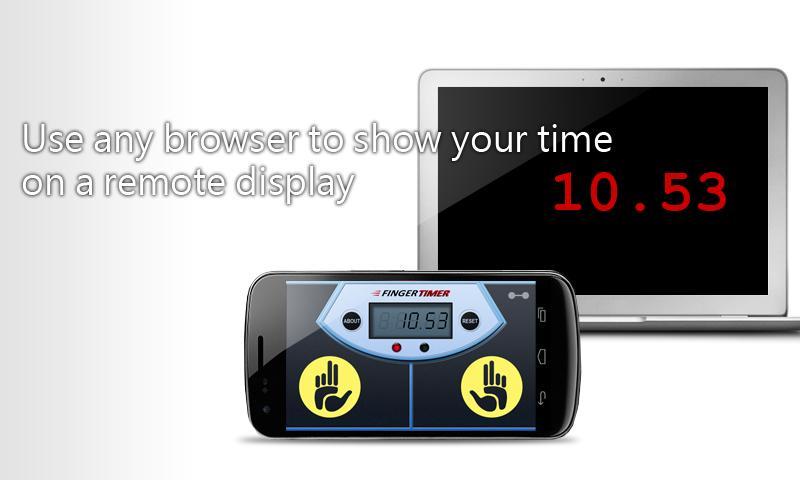
2. When the red and green lights are both on, the timer is ready, and then you can release your fingers to start the timer.
3. When you want to stop the timer, put your fingers back on the left and right pads.
4. If you want to restart the timer, press "RESET" and do the steps 1 to 3.
[DISPLAY CONNECTION]
1. Connect your Finger Timer device (Android) and Display device (PC/Mac/Android/iOS...) to the same Wi-Fi network.
2. In Finger Timer device, tap the top-right icon, and check "Allow connection" checkbox.
3. In Display device, enter the Timer address into the address bar of your browser, and then press "START".
4. Enjoy it!
Like us on Facebook for the latest news:
https://facebook.com/omegastudiopage
Latest Version
1.0.0006Uploaded by
Edohalim Do
Requires Android
Android 2.1+
Category
Free Tools AppContent Rating
Everyone
Report
Flag as inappropriateLast updated on Aug 23, 2015
Minor bugs fixed
App icon refined
Unnecessary permission removed



APKPure - A multi-platform app store primarily focused on Android, providing extensive app-related content. Discover the app you want easier, faster, and safer, with quick and efficient downloads and installations.











