FEMBOY helps users with massive anime image folders who struggle to find specific pictures when needed. It brings basic order to scattered libraries across computers and phones, so your collection is consistent wherever you use it. This suits users who switch between multiple machines or prefer a homelab setup. To begin, install the FEMBOY APK and plan one main device to hold your library, then connect other devices for convenient access. This keeps browsing familiar across platforms.
Auto tagging for anime images
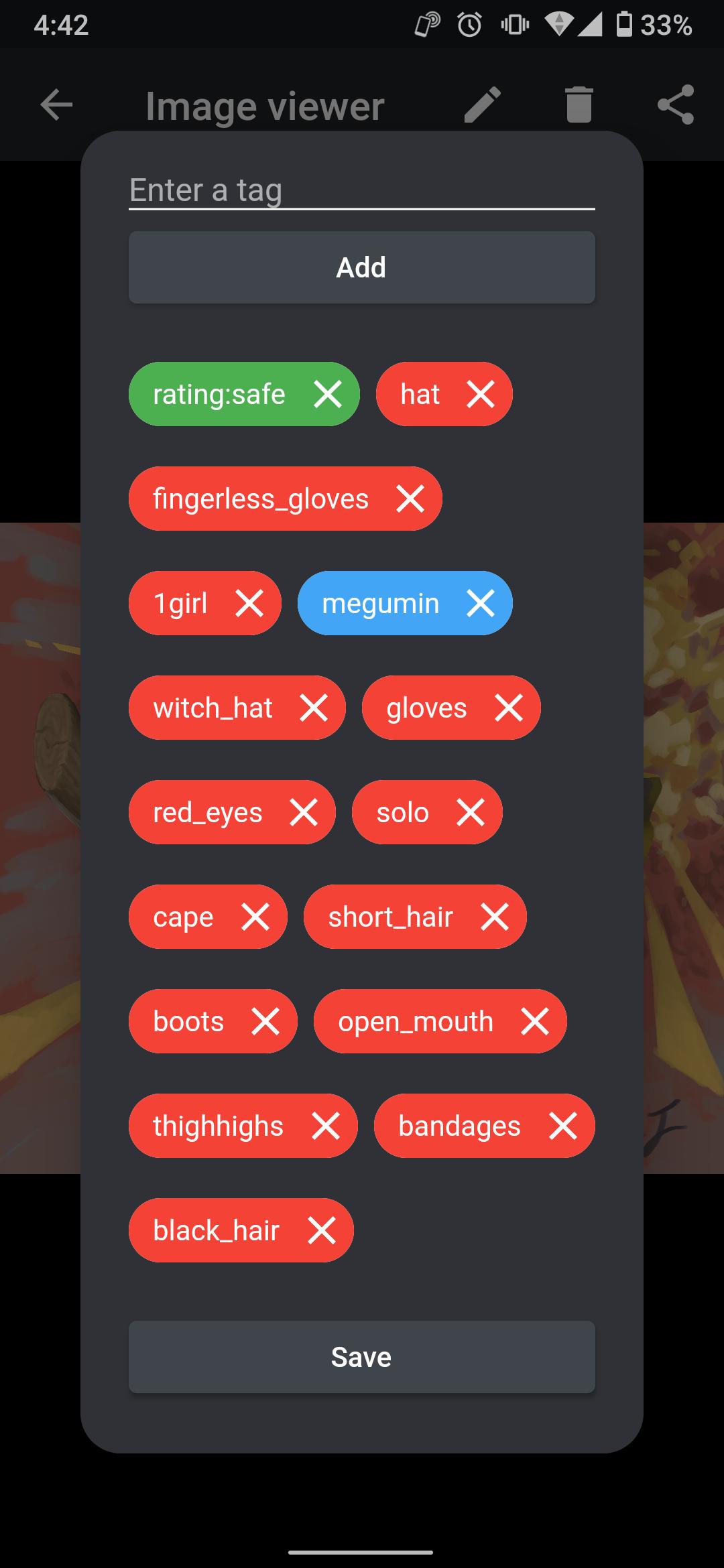
FEMBOY analyzes each image and assigns relevant tags with DeepDanbooru. You can then browse by tags to narrow results and locate specific content faster. Tags are based on visual elements in the image, which helps group similar items without renaming files.
Access your library across devices
Once tagging is in place, set up the server on a computer and access the same library from your phone and other machines. This helps you keep one source of truth while browsing anywhere. Your tag view remains consistent, so switching devices does not change how you find images.
Batch upload large folders
Batch upload reduces repeated steps when importing large folders.
Server option for self hosting
For users who prefer local control, FEMBOY includes a server you can run on your own machine. This keeps your library within your network while still letting phones and other computers connect. It fits homelab setups without relying on third party hosting.
FEMBOY focuses on organizing anime image libraries and keeping them accessible across devices. Use auto tagging and batch import to turn scattered folders into a consistent collection you can browse anywhere. To begin, download FEMBOY and follow the setup to host your library and connect from your phone.
Latest Version
0.1.1Uploaded by
مازن محمود
Requires Android
Android 4.4+
Category
Free Tools AppContent Rating
Everyone
Report
Flag as inappropriateLast updated on Jun 3, 2021
landscape mode modal bugfix




APKPure - A multi-platform app store primarily focused on Android, providing extensive app-related content. Discover the app you want easier, faster, and safer, with quick and efficient downloads and installations.