Simple Tasks is a clean, flexible task manager that adapts to the way you work — not the other way around. Organize your day with folders, build your own custom fields for the details that matter to you, and keep everything private: all your data stays on your device.
✨ Key Features
Custom Fields, Your Way
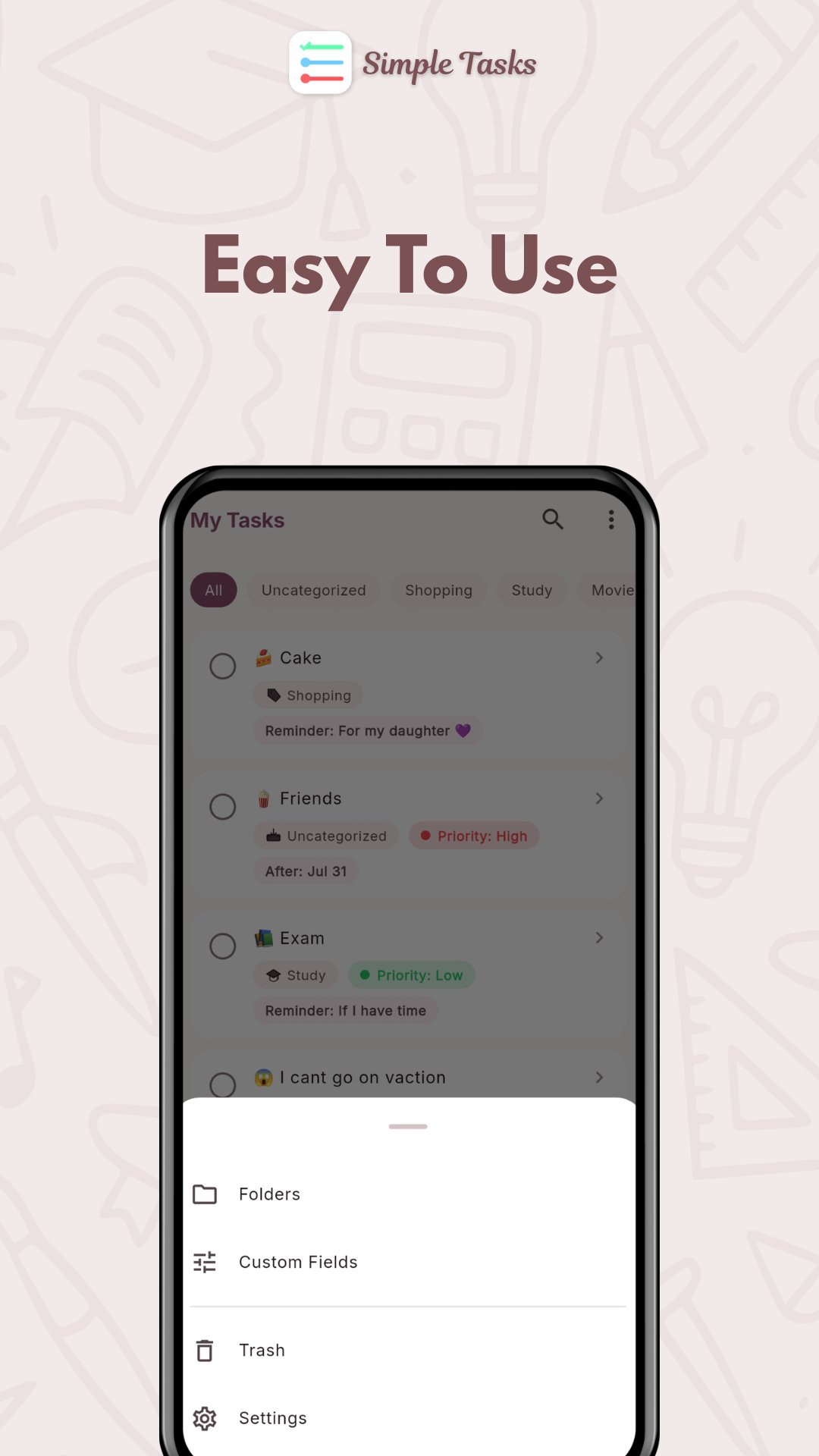
Create your own field types — text, checkboxes, single-select, multi-select, dates, or numbers — and attach them to any task. Give single/multi-select fields their own colors per option (e.g. a Priority field with red "High," orange "Medium," and green "Low"), so the tags on your task list are instantly recognizable at a glance. Set fields to auto-attach to every new task, and choose which ones show up as tags right on the task list.
Folders That Work Two Ways
Organize tasks into folders with 15 hand-drawn icons. Switch between a horizontal filter bar for quick swiping between folders, or a folder grid for visual browsing — and optionally show each folder's task count right in the bar.
Find Anything, Fast
Search your tasks by title from either the To Do or Completed list. Sort by time or alphabetically, whichever helps you scan faster.
Bulk Actions
Select multiple tasks at once to move them to another folder, mark them done or not done, or send them to Trash — all in a couple of taps.
Smart Trash with Auto-Purge
Deleted tasks go to the Trash — never accidentally lose data again. Restore anything with one tap, or delete permanently. Enable automatic trash cleanup with a configurable retention period (default 30 days).
Completed Tasks Timeline
Watch your progress take shape. Completed tasks are grouped by day — Today, Yesterday, and beyond — so you get a clear sense of daily accomplishment, with the same folder-swiping and search you get on your To Do list.
Full Backup & Restore
Export all your data (tasks, fields, folders, settings) as a single JSON file, whenever you want. Import it anytime to restore or move to a new device — fully offline, no cloud account required.
Beautiful, Customizable UI
- Light, Dark, or System theme modes
- Pick any accent color with the built-in color picker
- Material 3 design throughout, with hand-drawn illustrated icons
📋 At a Glance
- Create, edit, and complete tasks with optional notes
- 6 custom field types, each with a default value and an on/off "show as tag" toggle
- Per-option colors for single/multi-select fields
- Folder bar (with optional task counts) or folder grid view
- Search and sort on both To Do and Completed
- Multi-select: bulk move, bulk complete/undo, bulk delete
- Soft-delete with restore and permanent delete
- Full import/export via JSON, on your own schedule
- No accounts, no sign-up, no tracking
🔒 Privacy First
Simple Tasks is fully offline by design. Every task, folder, and field lives only on your device. There's no account to create
💡 Perfect For :
- Personal task tracking
- Project checklists with custom statuses or priorities
- Habit and goal tracking
- Shopping lists with custom fields
- Work task management across folders
- Anyone who wants a to-do app that bends to their needs — not the other way around
Latest Version
Varies with deviceRequires Android
Category
Free Productivity AppContent Rating
Everyone
Report
Flag as inappropriateLast updated on Oct 8, 2026
This release includes minor bug fixes and general improvements. Update to the latest version for the best experience.





APKPure - A multi-platform app store primarily focused on Android, providing extensive app-related content. Discover the app you want easier, faster, and safer, with quick and efficient downloads and installations.