Package Name:com.virtupn.kai
SHA-256:1c5bc520254936af26411e6937206f8e1a0ffce2bfbce5675a942b08f4277894
Show More


Kai VPN suits users who want a straightforward way to start a secure session without browsing long server lists. The layout focuses on clarity so you can see what is happening at a glance, which is helpful during quick tasks or when on the move. As a result, the app keeps the process simple from start to finish without extra setup. Users looking to download Kai VPN can expect a minimal experience focused on quick access and clear status feedback.
One tap connect and instant disconnect
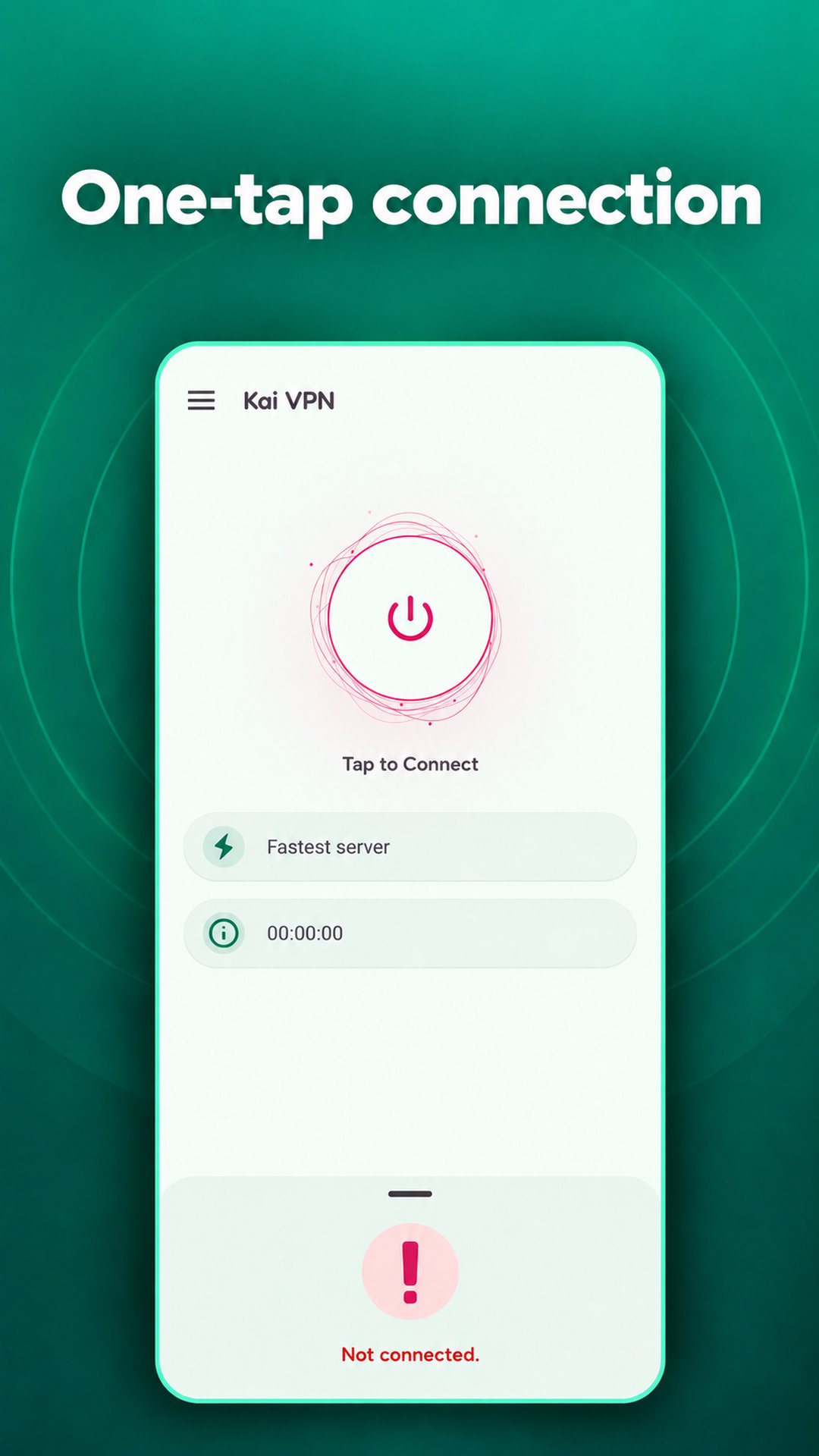
Kai VPN reduces extra steps so you can start or end a session with a single tap. This helps when you only need a short session and do not want to manage multiple screens. The control stays on the main view to keep actions quick and visible.
Automatic server selection
The app picks a suitable server automatically, removing the need to scroll through long lists. This design helps you connect faster and keeps the focus on getting online rather than choosing locations. If speed and simplicity are your goals, this approach supports a short setup time.
Clear connection status and live details
Kai VPN displays clear states for disconnected, connecting, and connected so you always know what is happening. The current server and a live connection timer appear on screen for transparency. With this information in view, you can decide when to end or extend a session with confidence.
Spin for More Time
When the session is running low, you can use the built in Spin for More Time to extend it. The app presents a wheel inside the interface, and you spin when available to add more minutes. This option supports longer use without leaving the app, which can be helpful during an ad supported, free experience.
Simple interface with encrypted traffic
The interface stays minimal so essential connection info is always easy to find. Traffic is encrypted in transit, which supports private use of public or shared networks. For quick on the go tasks, the combination of a clean layout and essential protection helps keep the experience focused.
Kai VPN is designed for quick connections and essential status info, not for advanced configuration. The app relies on automatic server selection, so users who prefer manual location picking may find fewer options to adjust. Sessions may be time based, and Spin for More Time is provided to extend use when available. Because the experience is ad supported, short pauses can appear as part of sustaining the free service.
Getting started is simple and does not require complex setup. The interface focuses on a main connect button and clear status guidance, which helps during short tasks. If you installed the Kai VPN APK, the following steps outline a typical session.
Kai VPN focuses on one tap access, automatic selection, and clear status details for quick sessions. It suits users who want a simple Android VPN to handle short tasks without extra setup. To stay current, consider the Kai VPN latest version for the most recent interface and stability improvements.
For official resources related to Kai VPN, refer to the links below.
Latest Version
26.10.3Uploaded by
Kristians Marstupa
Requires Android
Category
Free Tools AppContent Rating
Everyone
Security Report
Check Now
Report
Flag as inappropriateLast updated on Oct 17, 2026
This release includes minor bug fixes and general improvements. Update to the latest version for the best experience.





APKPure - A multi-platform app store primarily focused on Android, providing extensive app-related content. Discover the app you want easier, faster, and safer, with quick and efficient downloads and installations.