
Package Name:com.pixel9.cineflow
SHA-256:9838a400bed309758140e06423e0edfa297a06ab7a7a6576eccc952ebf1e7949
Show More
Transform your smartphone into a professional cinema monitor and AI filmmaking assistant with CineFlow Studio!
Designed for directors, cinematographers, indie filmmakers, content creators, and film students, CineFlow Studio bridges traditional camera operators' workflows with cutting-edge AI shot analysis and cinematography education.
🎬 KEY FEATURES
🎥 PROFESSIONAL CAMERA HUD & VIEWFINDER
• Real-time 3D motion telemetry (Pitch, Roll, Yaw) with instant tilt/angle feedback.
• Automatic shot angle detection (Low Angle, High Angle, Eye Level, Bird's Eye, Dutch Angle).
• Dynamic camera movement tracking (Pan, Tilt, Roll, Static, Dynamic Tracking).
• Cinema Aspect Ratio overlays: 16:9, 2.39:1 Anamorphic, 4:3, 1:1, and 9:16 vertical.
• Rule of Thirds grid, center crosshairs, and live frame capture.
• Digital Slate / Clapperboard management: Log Scene, Take, Reel, FPS, Shutter Angle, ISO, and White Balance.
🤖 CINE AI DIRECTOR (POWERED BY GOOGLE GEMINI)
• AI Shot Composition Analysis: Instant feedback on framing, headroom, lead room, and balance.
• AI Lighting & Color Suggestions: Recommendations for key light ratios, mood, and color temp.
• Generative Video Prompt Helper: Refine prompts for AI video generators (Veo, Sora, Runway Gen-2, Pika).
• Automated Shot Breakdown: Generate professional shot lists from visual descriptions.
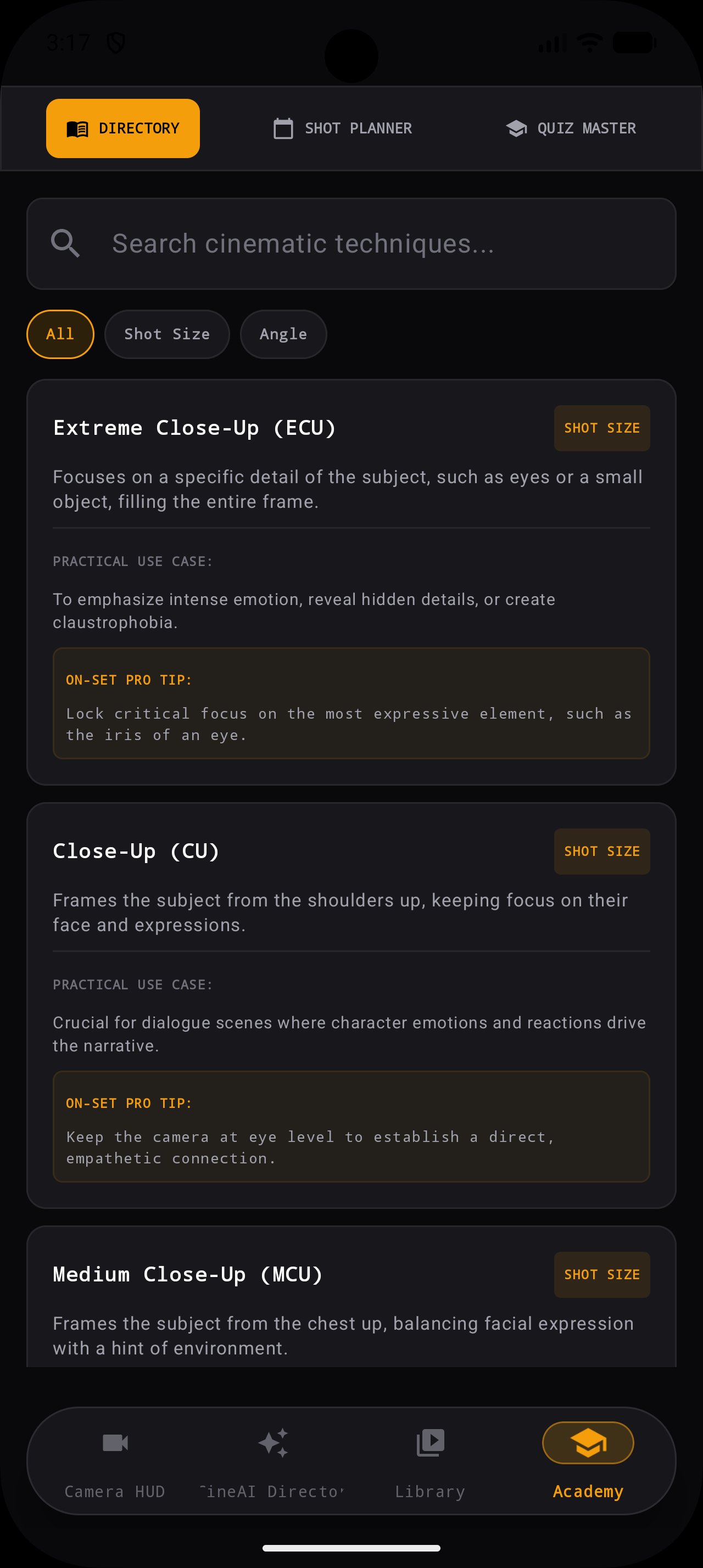
🎓 CINEFLOW ACADEMY
• Interactive Cinematography Masterclasses: Learn camera movements, lens selection, and focal lengths.
• Lighting Setup Diagrams: Interactive guides for 3-Point Lighting, Rembrandt, High-Key, Low-Key, and Silhouette setups.
• Camera Movement & Angle Catalog: In-depth visual reference guide for visual storytelling.
• Production Cheat Sheets: Quick reference for depth of field, exposure triangle, and lens compression.
⚡ WHY CINEFLOW STUDIO?
Whether you're prepping a feature film storyboard, operating on set, refining prompts for generative AI video, or learning the craft of visual storytelling, CineFlow Studio gives you real-time feedback and expert tools in one seamless interface.
Download CineFlow Studio today and elevate your filmmaking!
Latest Version
1.6Uploaded by
HaModî Al-harah
Requires Android
Android 7.0+
Category
Free Productivity AppContent Rating
Everyone
Security Report
Check Now
Report
Flag as inappropriateLast updated on Oct 8, 2026
Interactive Clapperboard: Edit scene & take metadata with 1-tap auto-increment.
Advanced Framing: 3x3 Grid, Crosshair & Safe Broadcast Zones.
Aspect Ratio Switcher: 2.39:1 Anamorphic, 1.85:1, 16:9, 4:3 & IMAX.
Focal Length FOV guides (24mm, 35mm, 50mm, 85mm).
Faster On-Device AI Director recommendations.
Fixed sample files in Media Library.
Enhanced Landscape & Tablet layout support.





APKPure - A multi-platform app store primarily focused on Android, providing extensive app-related content. Discover the app you want easier, faster, and safer, with quick and efficient downloads and installations.