File manager app allows users to manage files and folders stored on a mobile phone or other storage devices. It provides an interface for users to create, view, copy, move, rename, and delete files and folders, as well as to perform other file-related operations such as searching for files, compressing and decompressing files, and changing file attributes.
FX File explorer typically display the files and folders in a hierarchical tree-like structure, allowing users to navigate through the file system and access files and folders quickly and easily. It also includes features such as file previews, file sorting and filtering, and integration.
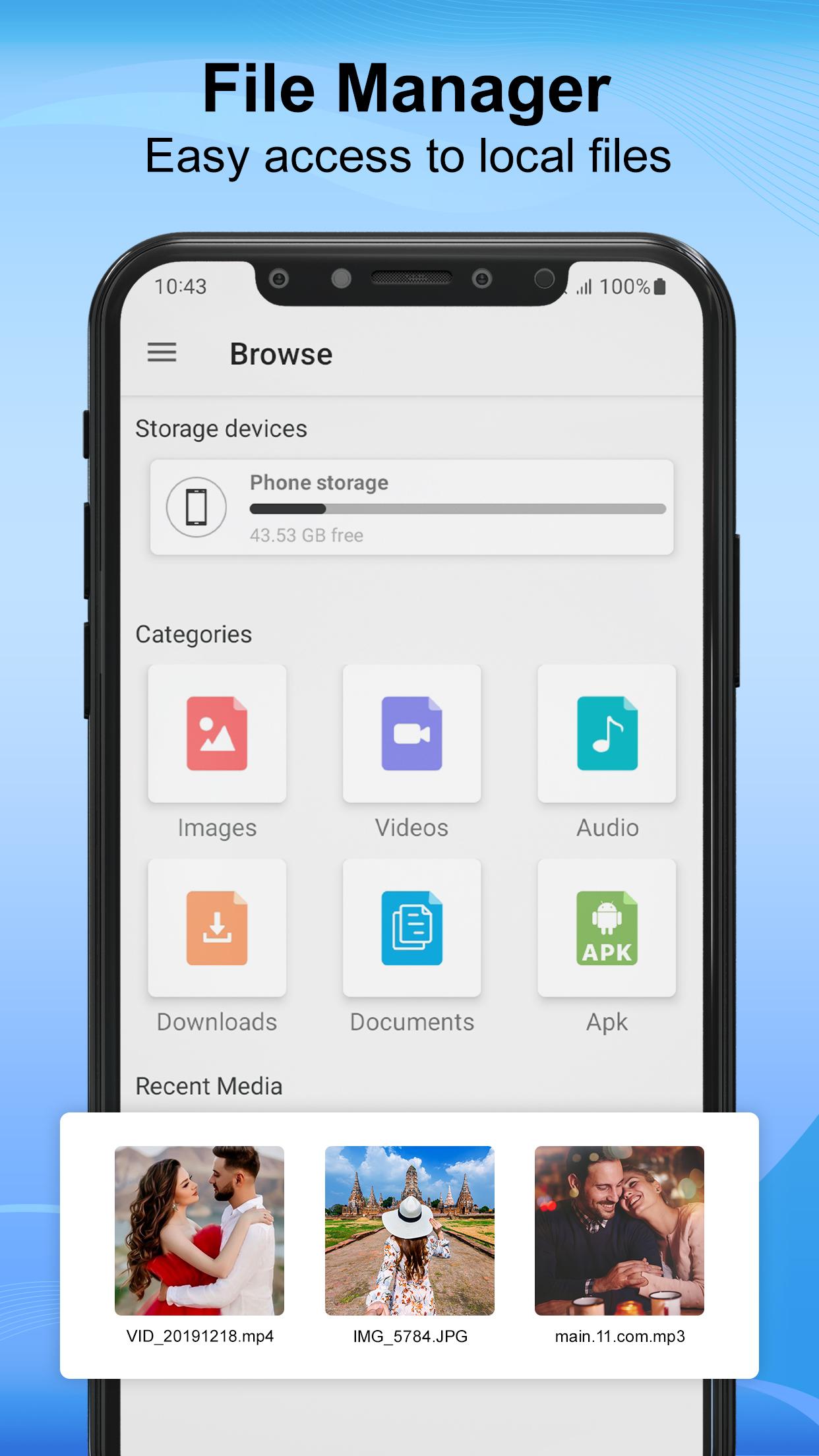
CX File Explorer generally has several categories of files and folders that can be managed.
Here are some common categories:
- Documents: This category typically includes files such as text documents, spreadsheets, presentations, and PDFs.
- Images: This category includes all the photos present in a device.
- Videos: This category includes all the videos present in a device.
- Audio: This category includes all the audios present in a device.
- Downloads: This category includes files that have been downloaded from the internet, such as software installers, images, music, and videos.
- APK: This category includes installed applications and their associated files, such as configuration files, data files, and cache files.
These categories can help users organize their files and folders more efficiently, making it easier to find and manage their files. EX File Explorer app typically display these categories in a hierarchical tree-like structure or a graphical representation of the file system, allowing users to navigate through the file system and access files and folders quickly and easily.
Here are some additional details about the features and capabilities of SD card file manager:
1. Navigation: EX File manager app allows users to navigate through the file system, either through a hierarchical tree-like structure or a graphical representation of the file system.
2. File operations: File manager allow users to perform various file operations such as copy, move, rename, delete, and create files and folders.
3. Search: File commander provides a search function that enables users to search for files based on their name, size, type, and other attributes.
4. Sorting and filtering: FX File explorer allow users to sort files and folders based on various criteria such as name, size, date, and type. They also allow users to filter files based on specific criteria, such as file type or date.
5. File previews: File CX manager provide a preview of files, allowing users to view files without opening them in their associated application.
6. Compressing and decompressing files: File manager also includes tools for compressing and decompressing files in popular archive formats such as ZIP, RAR, and 7-Zip.
7. Deleting Files: This SD Card File manager app for Android can help users free up storage space by identifying and deleting unnecessary files and cache data, thereby improving the overall performance of the device.
8. User-friendly Interface: It provides an intuitive and user-friendly interface.
9. Recent Media: You can find recently opened videos and images in Recent Media section.
Overall, file manager is a versatile and powerful app that enables users to manage their files and folders with ease, providing a range of features and capabilities to make file management simple and efficient.
Latest Version
1.0Requires Android
4.4
Category
Free Productivity AppContent Rating
Everyone
Report
Flag as inappropriateLast updated on Mar 29, 2023
Minor bug fixes and improvements. Install or update to the newest version to check it out!



APKPure - A multi-platform app store primarily focused on Android, providing extensive app-related content. Discover the app you want easier, faster, and safer, with quick and efficient downloads and installations.