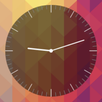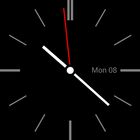
Minimal-style clock as your device wallpaper or widget
Note! Check out Minimal Clock 2 for more customization options!
Instructions:
1) To use as a wallpaper, select Settings -> Display -> Live Wallpapers -> Minimal Clock
2) To use as a widget, select Apps -> Widgets -> Minimal Clock
3) To use as a lock screen widget, swipe left on your lock screen and select "+" -> Minimal Clock
Última Versión
1.0.1Presentado por
Olando Kirlew
Requisitos
Android 4.0.3+
Categoría
Gratis Personalización APPClasificación de contenido
Everyone
Reportar
Marcar como inapropiadoLast updated on 13/08/2015
- updated app icons



APKPure - Una tienda de aplicaciones multiplataforma enfocada principalmente en Android, que proporciona un amplio contenido relacionado con aplicaciones. Descubre la aplicación que deseas de forma más fácil, rápida y segura, con descargas e instalaciones rápidas y eficientes.