Scan Date:Apr 25, 2026
Show More
Easy Area is an area calculator app for measuring Land Area, distance and perimeters on Map or Images in the easiest way. There is an inbuilt Unit Converter for measuring areas and distances in various Indian Land Units
There are two ways to create measurements:
1) Using Maps - You can search the location of your land/field or can find Current location and place border of the region for which area or distance has to be calculated.
- In the maps, you can find the area with zero knowledge of any prior measurements.
2) Importing Photo - You can import a photo of land, field or any other structure of randomly shaped polygon. Then simply draw over the imported photo to do the measurements. You need to provide the distance for the first line created to set the scale ratio for the image.
- This feature can be used when you have distance measurements of your land boundaries done by self or by regional Patvari (Government Accountant) and require to calculate the area for those measurements.
- Simply create a rough sketch and put the measured lengths for boundaries to get the area calculated at real time.
- The calculated area can be converted to any Unit. The Unit converter has all the Imperial Units, Metric Units and also includes major Indian Units used for land records in different states.
Awesome Features:
- 100% Accuracy of the areas calculated using Coordinate and Spherical geometry.
- Displays point to point distances for each line created on the map.
- Manual distances. You can input land border measurements manually. Tap on the distance label of any line to manually change the length of that line. Currently available only while measuring on photos.
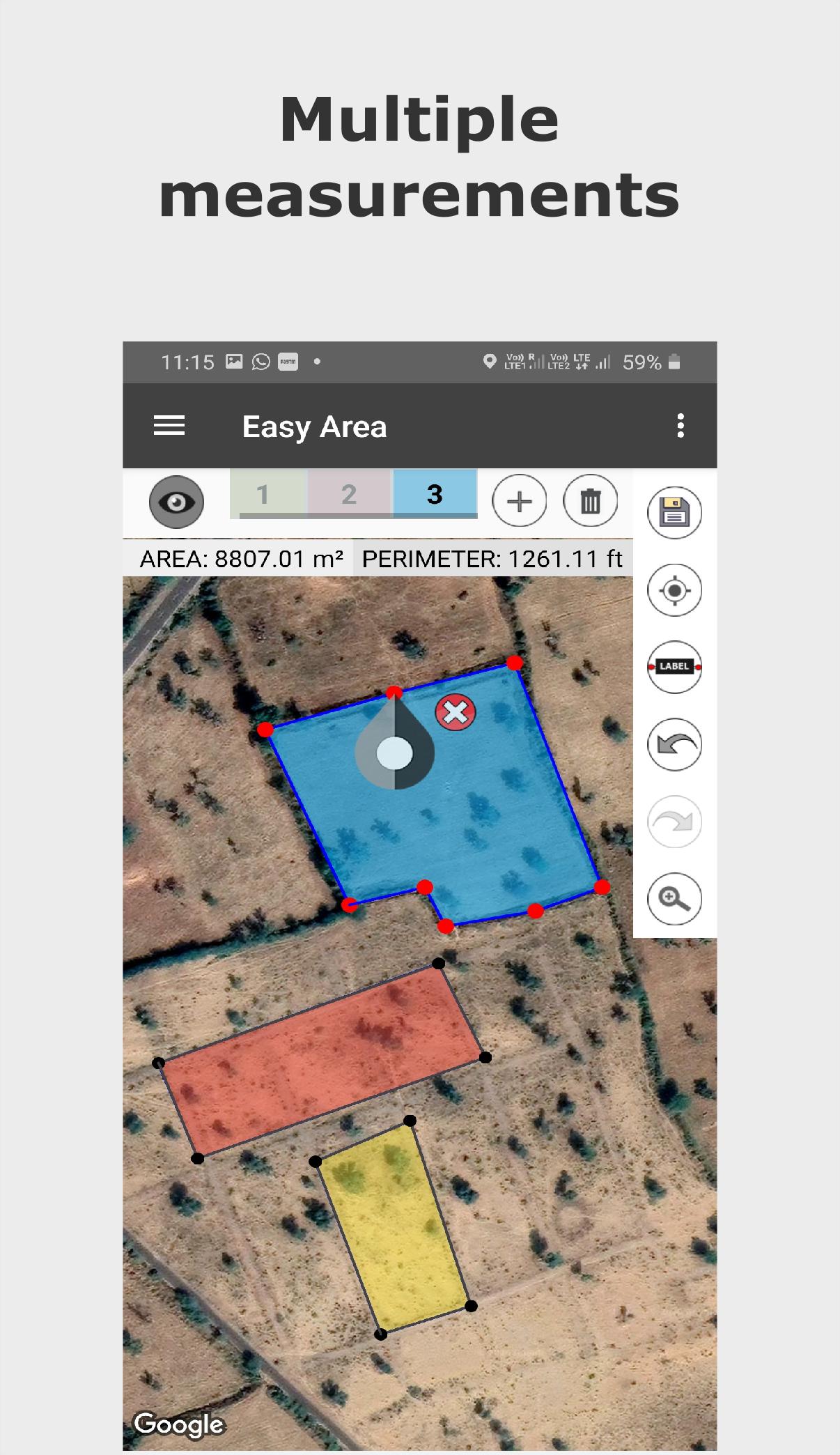
- Multiple Layers for measuring multiple areas on same map.
- Save and load calculated measurements.
- Sharing Area link You can share the link to your saved area. User having the link can view update the area over the link.
- Infinite zooming and scrolling of the map with standard gestures.
- Easy tools to create, update, delete points on map.
- Single tap to add new point.
- Tap to select a Point, drag and drop the selected point to easily change position.
- Double tap on any line to add new point at that position.
- Separate Area and Distance Measuring Units with instant calculation.
Major India Units Included are as follows:
- Bigha
- Biswa
- Aankadam
- Shatak
- Perch
- Rod
- Vaar (Gujarat)
- hectare
- Acre
- Are
- Guntha
- Marla
- Cent
- ground and many more..
Latest Version
5.0.4Uploaded by
Aleksander Nowak
Requires Android
Android 8.0+
Category
Free Maps & Navigation AppContent Rating
Everyone
Security Report
Report
Flag as inappropriateLast updated on Apr 25, 2026
- Bug fixes*
- Multiple Area divisions(land plotting) possible now.
- Optimized Places Search.
- Added Walking GPS measurements.
- Long Press to add Marker for direction.
- Separated Distance and Area measurements for maps.
- Now you can divide area into two parts!
- Eased area polygon creation using middle points.
- Added Sign in with Google to preserve data.
- Now you can share the link to your created map!
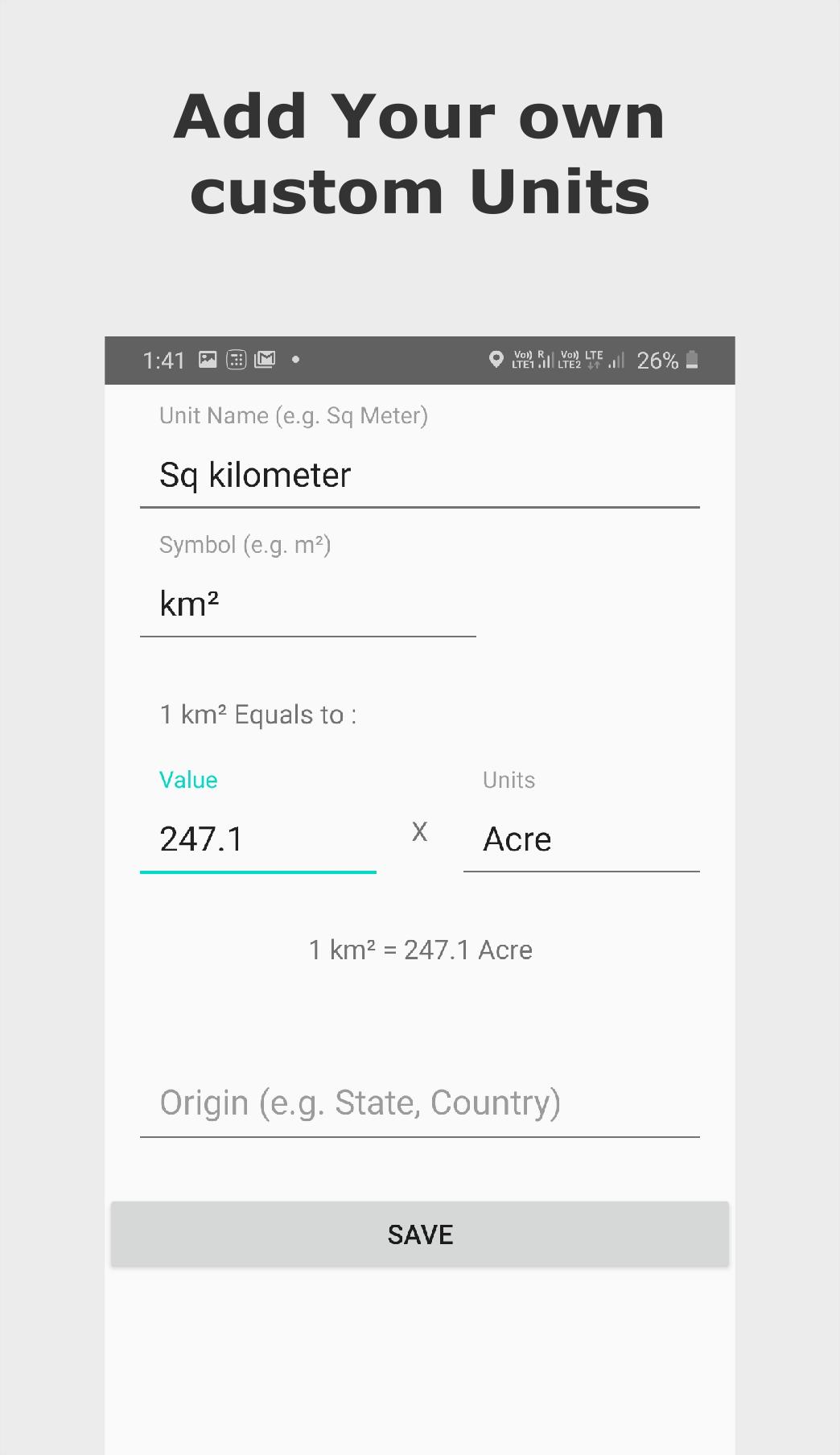
- Now you can add your own custom Units!
- Added Indian Land Area and Distance Units.








APKPure - A multi-platform app store primarily focused on Android, providing extensive app-related content. Discover the app you want easier, faster, and safer, with quick and efficient downloads and installations.