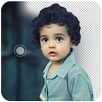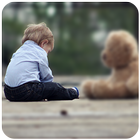
DSLR Camera Effect tool allows you to blur the background of your photo very fast to create amazing photos with blurred background.
Blur the unwanted part of your photo to make focusing effect.
Blur image lets you selectively blur or un-blur the parts of your pictures so that you can manually focus on the subject properly.
You can easily undo, redo the wrong actions in this app.
How to Use -:
- Start DSLR Camera Effect App
- Select Image From Gallary
- You can blur or un-blur areas you want to put focus on.
- Done..
- Save the photo into your sd-card or share it on your favourite social media.
Latest Version
2Uploaded by
Min Myat Thu Ya
Requires Android
Android 4.0+
Category
Free Photography AppContent Rating
PEGI 3
Report
Flag as inappropriateLast updated on Apr 19, 2017
This release includes minor bug fixes and general improvements. Update to the latest version for the best experience.



APKPure - A multi-platform app store primarily focused on Android, providing extensive app-related content. Discover the app you want easier, faster, and safer, with quick and efficient downloads and installations.