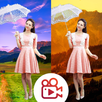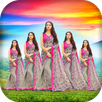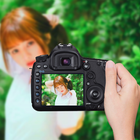
DSLR Camera : Blur Effect apply blur effect to your photo with sticker, text... Don't need be a professional photographer, don't need a DSLR camera or you, just with your finger to make DSLR Style Blur Background effect on your Photo. Create beautiful photo with camera pip effect, one in object and one blurred background behind.
With this you have a best way to create creative photos with blurred background and photo frame in over.
Addition, you can add text and sticker to your creator. Creative Photo Frame.
Latest Version
1.2Uploaded by
Mohamed Elhabal
Requires Android
Android 4.1+
Category
Free Photography AppContent Rating
Everyone
Report
Flag as inappropriateLast updated on May 29, 2019
Minor bug fixes and improvements. Install or update to the newest version to check it out!



APKPure - A multi-platform app store primarily focused on Android, providing extensive app-related content. Discover the app you want easier, faster, and safer, with quick and efficient downloads and installations.