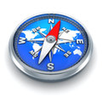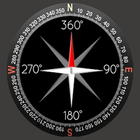
A compass is an instrument used for navigation and orientation that shows direction relative to the geographic "cardinal directions", or "points". Usually, a diagram called a compass rose, shows the directions north, south, east, andwest as abbreviated initials marked on the compass. When the compass is used, the rose can be aligned with the corresponding geographic directions, so, for example, the "N" mark on the rose really points to the north. Frequently, in addition to the rose or sometimes instead of it, angle markings in degrees are shown on the compass. North corresponds to zero degrees, and the angles increase clockwise, so east is 90 degrees, south is 180, and west is 270. These numbers allow the compass to show azimuths or bearings, which are commonly stated in this notation.
The magnetic compass is the most familiar compass type. It functions as a pointer to "magnetic north", the local magnetic meridian, because the magnetized needle at its heart aligns itself with the horizontal component of the Earth's magnetic field.
This digital compass show degree automatic in number and north, south, east and west. Your phone will need a magnetic sensor. To see latitude and longtitude you need internet connection and enable GPS location service in setting of your phone.
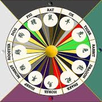
Compass is easy to use . When you travel , or on a camping trips, compass is most important thing you need. To measure your house to take degree for fengshui, this compass is also exactly.
Large iron and steel objects can influence the magnetic sensor in your Android device, causing it to point in the wrong direction. This is called deviation. If you suspect this is happening, simply move away from the object several feet and the problem should correct itself.
Latest Version
1.0Uploaded by
Sajed Haseein
Requires Android
Android 2.3.2+
Category
Free Tools AppContent Rating
Everyone
Report
Flag as inappropriateLast updated on Jul 4, 2016
Minor bug fixes and improvements. Install or update to the newest version to check it out!




APKPure - A multi-platform app store primarily focused on Android, providing extensive app-related content. Discover the app you want easier, faster, and safer, with quick and efficient downloads and installations.