Scan Date:Jan 28, 2026
Show More


DeeProxy is designed for moments when Telegram feels slow or blocked in your region. It gives you a straightforward way to find a working proxy and get back to chatting with minimal effort. Because it focuses only on Telegram connectivity, setup stays simple and quick, which helps new users and regular users alike. With a clear layout and a direct flow, the app keeps distractions low, so you can focus on connection. For easy access on Android, you can get the DeeProxy APK and start right away.
One-tap proxy selection
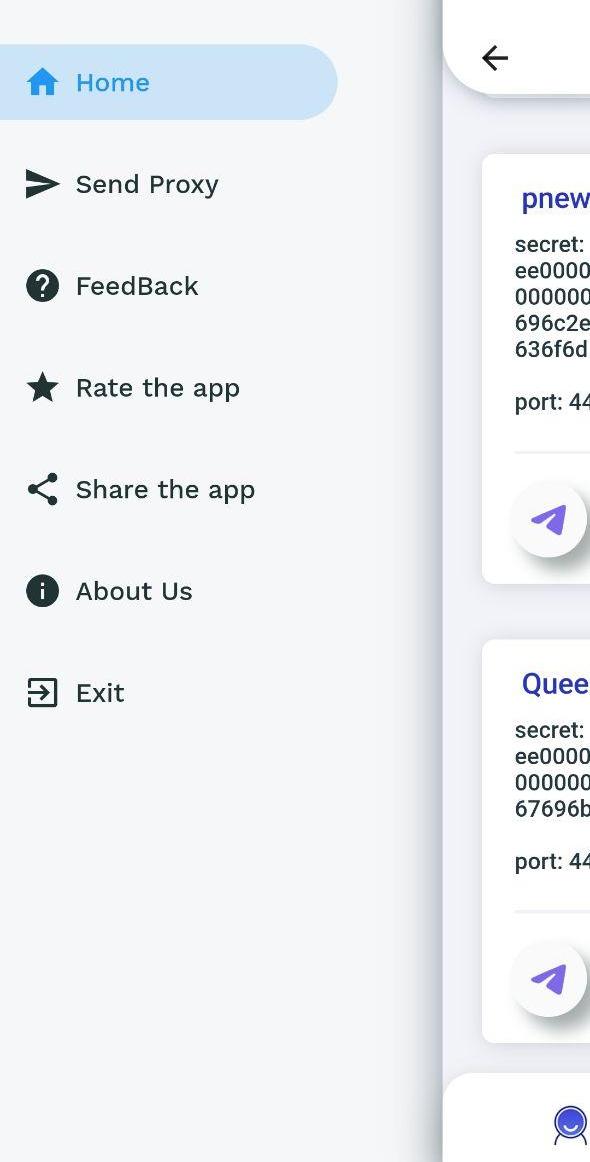
DeeProxy keeps the setup short. You open the app, pick a proxy, and connect to Telegram with one tap. This flow reduces extra settings and gets you online faster. If a proxy becomes slow, you can return and choose another with the same simple steps.
Curated options focused on speed and stability
Next, DeeProxy presents a set of powerful proxies selected for performance. The goal is to help you reach Telegram quickly and stay connected. You avoid manual searching and testing because the app does the heavy lifting behind the scenes.
IP masking for privacy
When you connect through a proxy, DeeProxy routes your Telegram traffic via an intermediary server. This masks your IP from Telegram’s servers, which adds a layer of privacy to your connection. It does not change your chats or messages inside Telegram, and it keeps usage straightforward.
Reliable access in restricted regions
In some places, Telegram may be limited by local networks or providers. DeeProxy helps you bypass such regional restrictions by connecting through a proxy that can reach Telegram’s service. Connection quality may vary by time and location, so switching proxies can help maintain access.
Simple and free on mobile
The DeeProxy app uses a clean, minimal interface that stays easy to navigate. It is free to use and works on Android and iOS, which supports users across devices. For updates and tips, the official Telegram channel shares news that can help you find a better connection. This cross-device availability ensures you can carry the same approach wherever you go.
A Telegram proxy is a middle server that forwards your Telegram connection when the direct route is blocked or unreliable. By using a proxy, your traffic reaches Telegram without exposing your original IP to Telegram’s servers, which can improve privacy. This is useful when your network restricts Telegram or when performance is inconsistent. DeeProxy focuses on providing access to these proxies in a simple way, so you do not need to dig through technical settings.
If Telegram cannot reach its servers due to network rules in your area, it may prompt you to add a proxy. In that situation, DeeProxy provides a quick path to select a working option and restore access. Trusted proxies are ones you feel comfortable using and that perform consistently for your location. Availability and speed can change by region, so testing a few options is often helpful.
Getting started is straightforward, and setup takes only a few taps. For a smooth start on mobile, use the DeeProxy APK to install the app and open it on your phone. Then follow the steps below to connect and return to Telegram without extra steps.
DeeProxy offers a focused route to connect Telegram through fast proxies with minimal setup. To begin, download DeeProxy and follow the quick steps to select a proxy and get back to your chats.
Latest Version
8.3.2Uploaded by
Abdan Sholeh
Requires Android
Android 7.0+
Category
Free Tools AppContent Rating
Everyone
Security Report
Report
Flag as inappropriateLast updated on Sep 20, 2025
Our app now requires devices with at least 16KB memory.
Enjoy smoother performance and a better user experience.
Fixed some minor bugs.





APKPure - A multi-platform app store primarily focused on Android, providing extensive app-related content. Discover the app you want easier, faster, and safer, with quick and efficient downloads and installations.