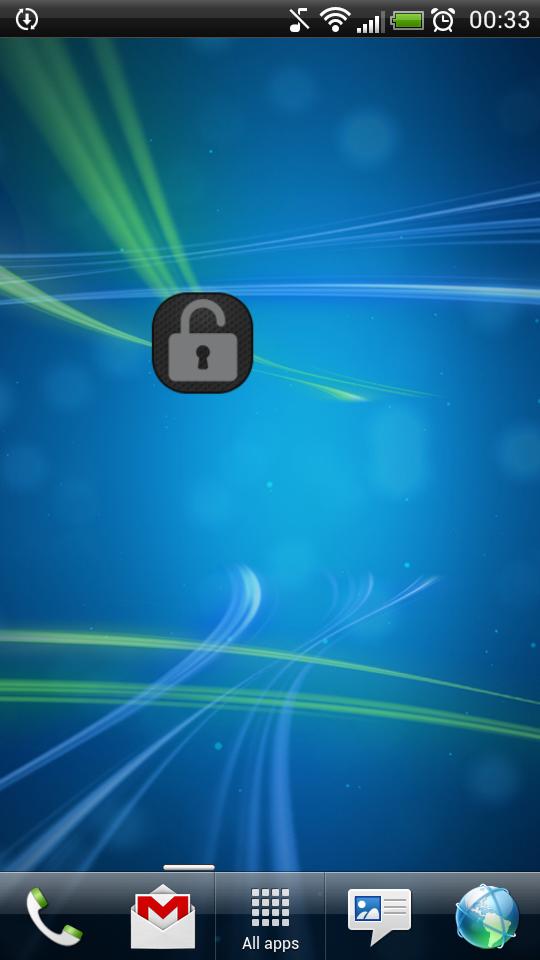
Application "Lock Screen Widget" is a simple widget (1x1) that allows user to easily lock screen.
Before uninstalling the widget make sure to disable admin permissions in Settings -> Security -> Device administrators -> Lock Screen Widget.
How to add widget "Lock Screen Widget" onto your phone's screen:
1. Go to your Home Screen.
2. Long click on empty space on Home Screen.
3. Select "Widgets" from the list.
4. Find widget "Lock Screen Widget".
You have an idea on how to improve "Lock Screen Widget", add a comment below.
Aktuelle Version
2.1Von hochgeladen
Tan'Surachet Saengchat
Erforderliche Android-Version
Android 2.2+
Kategorie
Gratis Tools APPAltersfreigabe
Unrated · Warning – content has not yet been rated. Unrated apps may potentially contain content appropriate for mature audiences only.
Last updated on Sep 19, 2015
Diese Version enthält kleinere Fehlerbehebungen und allgemeine Verbesserungen. Aktualisiere auf die neueste Version, um die bestmögliche Nutzererfahrung zu erhalten.



APKPure – Ein plattformübergreifender App-Store mit Fokus auf Android, der eine Vielzahl an Apps und relevanten Inhalten bietet. Entdecken Ihre gewünschte App, laden und installieren Sie schneller, sicherer und effizienter.