Scan Date:Mar 31, 2026
Show More
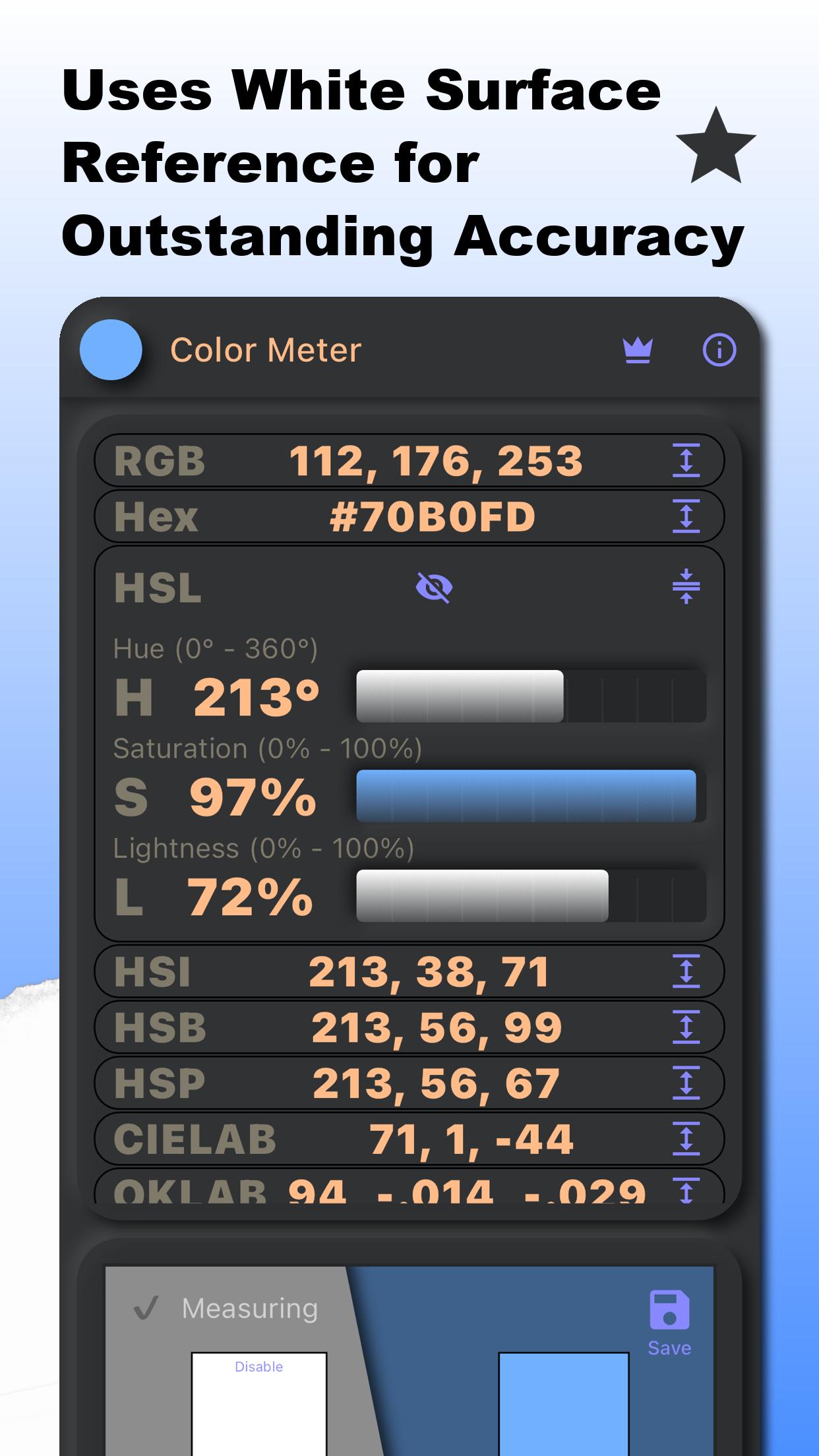
Accurate color measurements by (optionally) using a white reference to compensate for varying lighting conditions, thereby enhancing precision.
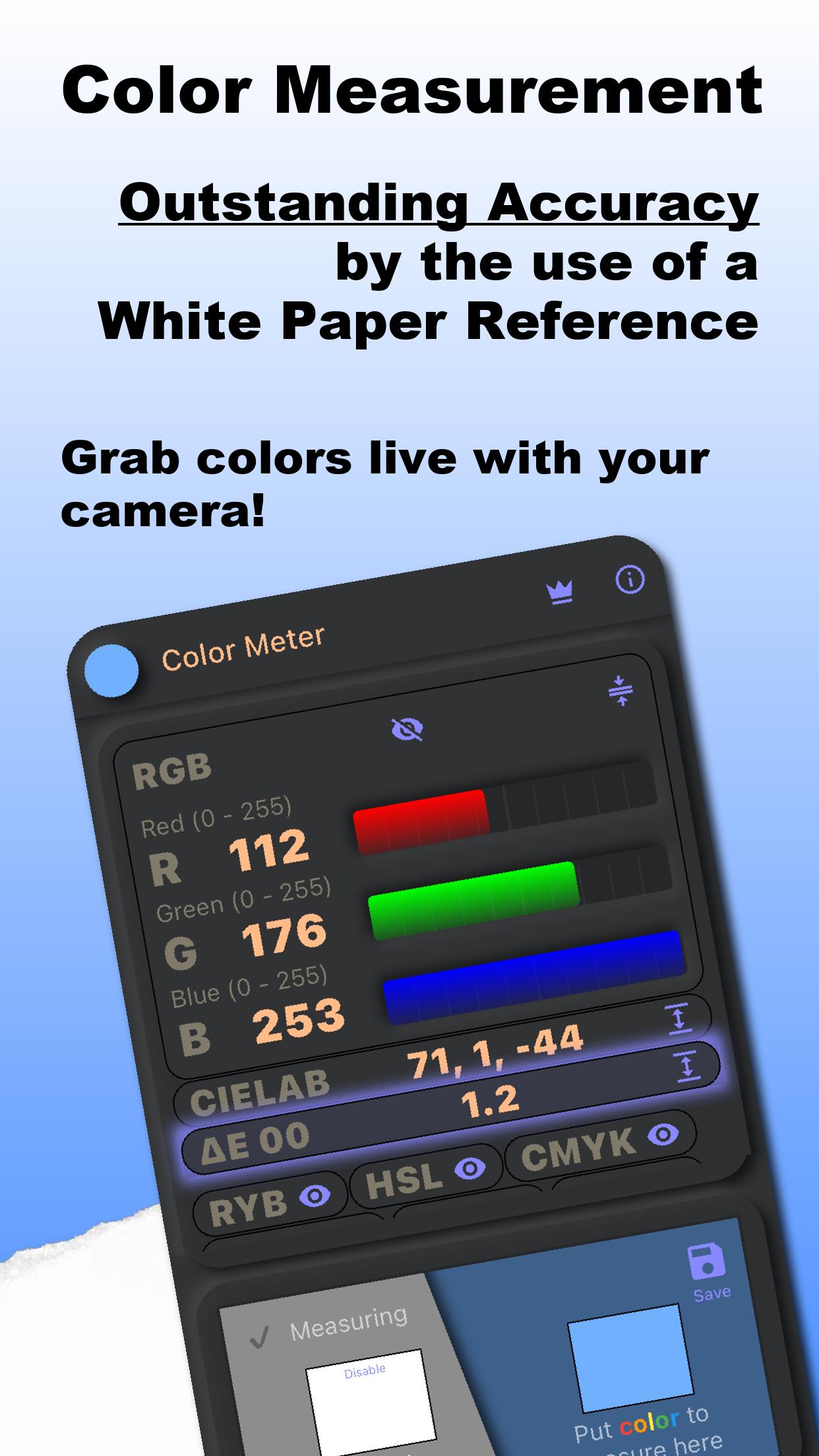
The app measures colors in real time by using the camera of the device and can be used as a live color picker (color grab) or color detector. Also known as a colorimeter.
Key features
📷 Real-time color measurements with the camera
🎯 Increased accuracy with white surface reference
🌈️ Many colors spaces supported (see below)
☀️Measures Light Reflectance Value (LRV)
⚖️ Compare colors with standardized Delta E methods (ΔE 00, ΔE 94, ΔE 76)
👁️ Expand, reorder and hide color spaces as needed
💾 Save measurements with comments
📤 Export to CSV and PNG
🌐 Available in 40 different languages
⚙️ Further customization possible
Supported Color Spaces
Color Meter currently supports RGB, RGB in Hex format, Hue/Saturation based color spaces HSL, HSI, HSB and HSP as well as CIELAB, OKLAB, OKLCH, XYZ, YUV and the subtractive color models CMYK and RYB. The two later, mostly used for paint and dye.
Munsell, RAL, HTML standard colors and color names in 40 different languages are also supported.
Are you missing any color space? Let me know at apps@contechity.com and I will try to add it.
You can see all the color spaces at once, click on the ones you are most interested in for a graphical representation, hide them, or reorder them.
The Power of the White Reference
What sets Color Meter apart from other apps is its innovative use of a white paper reference. By compensating (automatic calibration) for the color and intensity of the ambient light, Color Meter ensures that the color measurements are more precise and reliable. It is like having a professional meter in your pocket.
Perfect for artists, designers, architects, decorators, researchers, print technicians, photographers and anyone interested in colors.
Use the app as for color calibration, experiments, color identification, palette creation, color analysis and more - the possibilities are endless.
Contact
Missing a color space or have ideas for improvement? I'd love to hear from you! Send your feedback, suggestions, or questions to me at apps@contechity.com.
Download the Color Meter now and try it out for free!
Latest Version
4.3.0Uploaded by
Krisztián Nagy
Requires Android
Android 7.0+
Category
Free Tools AppContent Rating
Everyone
Security Report
Report
Flag as inappropriateLast updated on Mar 31, 2026
• Added Undertone analysis - identifies a color's main family and shift, such as "Vivid red with a violet undertone," useful in fashion, styling, and design.
This feature was suggested by a user. Got an idea too? Share it in a review!





APKPure - A multi-platform app store primarily focused on Android, providing extensive app-related content. Discover the app you want easier, faster, and safer, with quick and efficient downloads and installations.