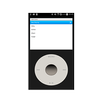
🎵 Your music, with an iPod Classic-inspired click wheel.
ClassiPod brings the familiar iPod Classic experience to your local collection and your own Subsonic-compatible server, including Navidrome. Browse your music, enjoy your album artwork, and listen your way.
🗃️ Your music library
🌐 Stream from Subsonic-compatible servers such as Navidrome. Browse local and server tracks together, or hide local music while your server is enabled.
🎶 Play MP3, WAV, FLAC, M4A, MP4, Ogg, Opus, AAC, AIFF, APE and MOV audio, depending on your platform's playback support.
🧑🎤 Browse songs, artists, album artists, albums and genres, with album tracks sorted by disc and track number.
🔍 Search songs, artists, albums and your ClassiPod playlists.
📃 Create and save custom playlists in ClassiPod.
⭐ Rate songs and view embedded lyrics when available.
⚡ Cache metadata and artwork for faster startup. Refresh your collection or rebuild the index.
📚 Exclude folders, inspect unreadable files in Missing Tracks, and optionally hide duplicate filenames without deleting music.
🎧 Listen your way
⏮️ Skip tracks, seek forward or backward, preview a scrubber position before seeking, and adjust volume in the app.
🔀 Shuffle songs or whole albums, keeping each album's tracks in disc and track order.
➰ Repeat one song or the current queue.
💤 Set a sleep timer for 15, 30, 45 or 60 minutes, or the end of the current song.
💾 Reopen the app with your previous queue and selected song, paused at the beginning.
📱 Keep music playing in the background with mobile notification/media controls.
📡 Recover from temporary server connection failures with buffering feedback and a Retry action.
💿 See progress and queue position in Now Playing, with access to ratings, shuffle controls and available lyrics.
🎡 The iPod Classic experience
🧭 Navigate with a rotating click wheel or touchscreen.
🎞️ Explore Original and Big Cover Flow layouts with smooth wheel motion, artwork reflections and animated transitions.
🎨 Choose light or dark screen themes and device colors including Silver, Black, OLED Black and more.
📺 Enjoy split-screen previews, scrolling titles and a letter indicator when scrolling quickly.
📌 Return to remembered selections and scroll positions when navigating back.
⏱️ Automatically return to Now Playing after inactivity during playback; temporary playback controls return to the progress view.
🔉 Enjoy bundled click wheel sounds and optional vibration on supported devices.
🖥️ Use responsive layouts across screen sizes and fullscreen Immersive Mode.
🔋 View battery level and charging status where supported.
🌍 Explore a multilingual interface, an introductory tutorial and an About screen.
🏠 Local or self-hosted
Local files play offline. Streaming requires your own compatible server, a server account and a network connection. ClassiPod does not provide a music catalog or subscription. Metadata and artwork are cached; server audio is not downloaded for offline listening. Server playlists are not synchronized, and ratings and edits remain in ClassiPod. Native server credentials use OS secure storage.
Latest Version
2.1.0Uploaded by
Kangbingyu Kang
Requires Android
Android 10.0+
Category
Free Music & Audio AppContent Rating
Everyone
Report
Flag as inappropriateLast updated on Oct 9, 2026
✨ New since 1.12.0
🌐 Subsonic/Navidrome streaming alongside local music.
💤 Sleep timer, including end of song.
🔀 Shuffle whole albums in track order.
💾 Restore your queue and selected song.
🎨 Dark/OLED themes and new Cover Flow layouts.
⚡ Faster library indexing and smoother playback.



APKPure - A multi-platform app store primarily focused on Android, providing extensive app-related content. Discover the app you want easier, faster, and safer, with quick and efficient downloads and installations.