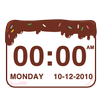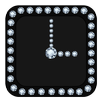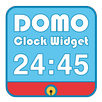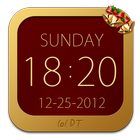
Christmas is approaching, I believe that our software can bring you a different festive atmosphere. Merry Christmas!
Christmas Clock Widget
Features:
--Default language environment;
--Date format custom;
--24 hours mode switch;
--Compulsory English
--Forced case
--Hidden background map Settings;
How to add "Widgets"?
Method 1: normally, unlock the phone, in blank screen long press 2-3 seconds, it will pop up an selection window, select the "Widgets", and then choose the list you want to add.Remember,empty out some place to put of them :)
Method 2: Some mobile phone "Widgets" list is in the function table, such as :Galaxy S3 .The "Widgets" list is in the function table. as the same in the list you choose what you like :)
--If you to our application have any questions, please contact our E-mail, I will try my best to help you solve the problem.
Design2017@gmail.com
Latest Version
2.1.2Uploaded by
Evelin Coronel
Requires Android
Android 2.3.2+
Category
Free Personalization AppContent Rating
Everyone
Report
Flag as inappropriateLast updated on Mar 15, 2016
1. Repair serious Bug (Major update!)




APKPure - A multi-platform app store primarily focused on Android, providing extensive app-related content. Discover the app you want easier, faster, and safer, with quick and efficient downloads and installations.