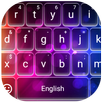

Capital Keyboard app suits users who want clear, high-visibility text and consistent caps in chats or posts. It focuses on simple setup, readable keys, and a calm typing experience that stays local to your device. Moreover, it is built for straightforward everyday use, so you can type confidently without extra prompts or distractions. If that matches your needs, you can download Capital Keyboard app to try an always-capitals style that still feels comfortable for regular daily typing.
Capital Keyboard app provides an always uppercase mode for users who prefer to “shout” or keep messages in caps. Once enabled, letters remain capitalized and you do not need to tap Shift repeatedly. This mode helps maintain consistent formatting across short messages, headlines, or emphasis points.
Themes, large keys, and readable layoutYou can personalize the look with simple theme choices and a clean layout that favors large keys and larger text. This makes characters easier to spot when you type quickly or glance at your screen. For tactile feedback, key click sounds and vibration can be turned on or off so you control how the keyboard feels with each tap.
Dedicated number rowCapital Keyboard app adds a stable number row across the top for quick access to digits and common symbols. This is practical when entering codes, passwords, totals, or phone numbers without switching views. As a result, input feels faster and more consistent across different apps.
Emoji support for everyday chatsEmoji support is built in, so you can add expression to messages while staying within a simple keyboard flow. Open the emoji panel and insert faces, gestures, and symbols as needed. This way, your capital text can still convey tone and context during a conversation.
Privacy-first designCapital Keyboard app requires no permissions and does not use Internet access. Typing stays on your device, and personal data is not collected. Predictions rely on local input, which further keeps your activity contained to the device without external sharing.
Typing data remains local with no network connectivity and no permission requests. The app does not ask for contacts, location, storage, or other sensitive access. Because everything runs on-device, your keystrokes are kept under your control, and any improvements in predictions use local patterns rather than cloud services.
Independent third party scans, including services such as VirusTotal, show the Capital Keyboard app APK as clean at the time of review. This status indicates no detected malware in the file provided for installation.
Users can choose the latest build for current features or select older versions if a prior setup fits a familiar layout. The option to compare releases helps match your preference for stability or interface familiarity. Before installing, review the version notes and choose the release that best meets your typing style.
After installation, enable the keyboard inside your device settings and select it for typing. To keep the process simple, the flow follows a three step sequence. If needed, look for the Capital Keyboard app APK in your downloads and then proceed to activation.
Capital Keyboard app focuses on capitals, visible keys, and local privacy for everyday typing. Setup takes only a moment, and the core options help users keep messages clear. Install the Capital Keyboard app latest version and follow the steps above to begin using the keyboard right away.
Latest Version
2.7Uploaded by
Nguyễn Bảo
Requires Android
Android 5.0+
Category
Free Tools AppContent Rating
Everyone
Report
Flag as inappropriateLast updated on Jul 23, 2021
Added New Features
removed config button
added own photo frame
Fixed small bugs



APKPure - A multi-platform app store primarily focused on Android, providing extensive app-related content. Discover the app you want easier, faster, and safer, with quick and efficient downloads and installations.